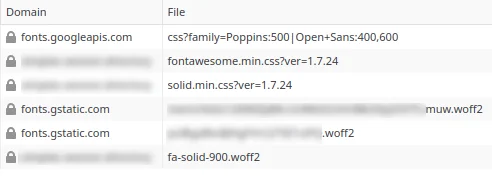
What is most simple and compatible way into the future to remove google surveillance elements from my site?
Plugin “Disable & Remove Google Fonts” seems to remove it (and on a quick look the resulting font is nearly the same), but i dislike to use yet another plugin instead of be private by default.
By default your software should not include any third party elements so everything is served locally so user IP is not sent to remote parties.
This behavior is not caused by a HivePress plugin but by the theme itself. The theme loads the font selected in Appearance > Customize > Fonts.
Google Fonts have become a common standard in modern web development because they provide a wide range of typography options and consistent rendering across devices. However, we understand that some users prefer to avoid external font requests.
We’ll take your feedback into consideration and look into adding a selection of standard system fonts in future updates. Choosing one of these fonts would allow the site to avoid loading Google Fonts altogether.
In the meantime, if you prefer not to install an additional plugin, you can disable the Google Fonts loading with the following snippet:
Your reply is marked as a solution of the feature request, but the described dangerous and private data leaking dependency is NOT solved in the stable version of HivePress.
You have provided a workaround that works. Thank you for your help which allows me to get rid of one more plugin and use just the PHP snippet.
That would be awesome! I just started looking in to the fonts on the website, to get faster loading speeds, as I building the website. Its a major speedlimiter to use google fonts among other issues.
But what happens if we disable the fonts using that function? How would we be able to “control” which fonts are used? Is there any way to build on to that function so that it loads some system fonts by standard?
If you use the above PHP snippet, then the standard “sans serif” system font will be used (depends on the system/browser settings), but you can set a custom font using this CSS snippet:
body {font-family:"body font name", sans-serif}
h1,h2,h3,h4,h5,h6 {font-family:"heading font name", sans-serif}