I have a site created with Hivepree, and Expert Hive. https://findautoappraiser.com/. Now when a person goes to sign-up..
Most people get confused by the “sign-in” button at the top is where you need to go to sign up, but it says “Sign-In” (follow me), now the modal comes up where it says “Register” at the bottom, however I need to find that link in the modal and provide a link that says “Register Now” and it takes them to that page for signing up directly.
Now this is where it confuses people: There are 2 pages in Hivepress or 2 parts, see there is a part for your personal information, then there is a part for what you are listing (ie:apartment for rent). I only need the personal information of the person signing up in the database, they are not listing anything except themselves. So I need to take out the part of a second form basically.
In conclusion this site is for hiring independent insurance adjusters nationwide (USA), they only need a simple form toput there buisnees information in so we can find appraisers in areas we have work that needs to be done in that area. Im at my wits end with this can this even be done or should I look for a new wordpress plugin and just get away from hive press?
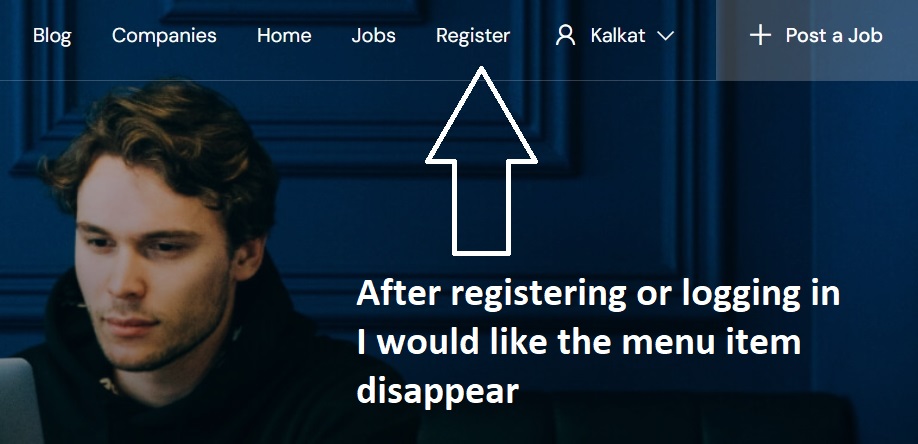
For the Sign In link, you can change the label to Sign In / Register using Loco Translate [How to change any static text - HivePress Help Center] or by overriding the relevant template part. Another option is to manually add a link with #user_register_modal to your main menu and name it Register, this way you’ll have both Sign In and Register links in the menu.
Regarding listings, you can disable listing submission in HivePress > Settings > Listings > Submission. To display user data, you can add custom fields under Vendors > Attributes, and instead of using the Listings page, create a Vendors page. Vendor profiles include similar search, categories, and filters as listings, though some features like favorites are not available for vendors.
As a workaround, you could also use listings as user profiles and simply limit the number of listings each user can submit to one.
Could you please clarify the request? By default, when the user is logged in, the Sign In button should disappear, and the profile name should appear instead.