Unfortunately, it’s still not working. I’ve tried:
Adding it via Code Snippets plugin (PHP)
Adding it in Additional CSS
Clearing cache
The favorite icon (+)(x) hasn’t changed. Does this customization require a child theme to work properly? Or is there something else I might be missing?
Please take a look at the screencast that displays that the snippet should work: Favorites Icon | Loom.
Ensure there’s no caching when testing the site after adding the snippet. You can test in incognito mode or clear your browser cache, and also check your caching plugin settings to ensure there’s no caching enabled for logged-in users. Also, please make sure that the snippet is activated.
Thank you for the screencast and support provided so far.
I have followed all the instructions you provided:
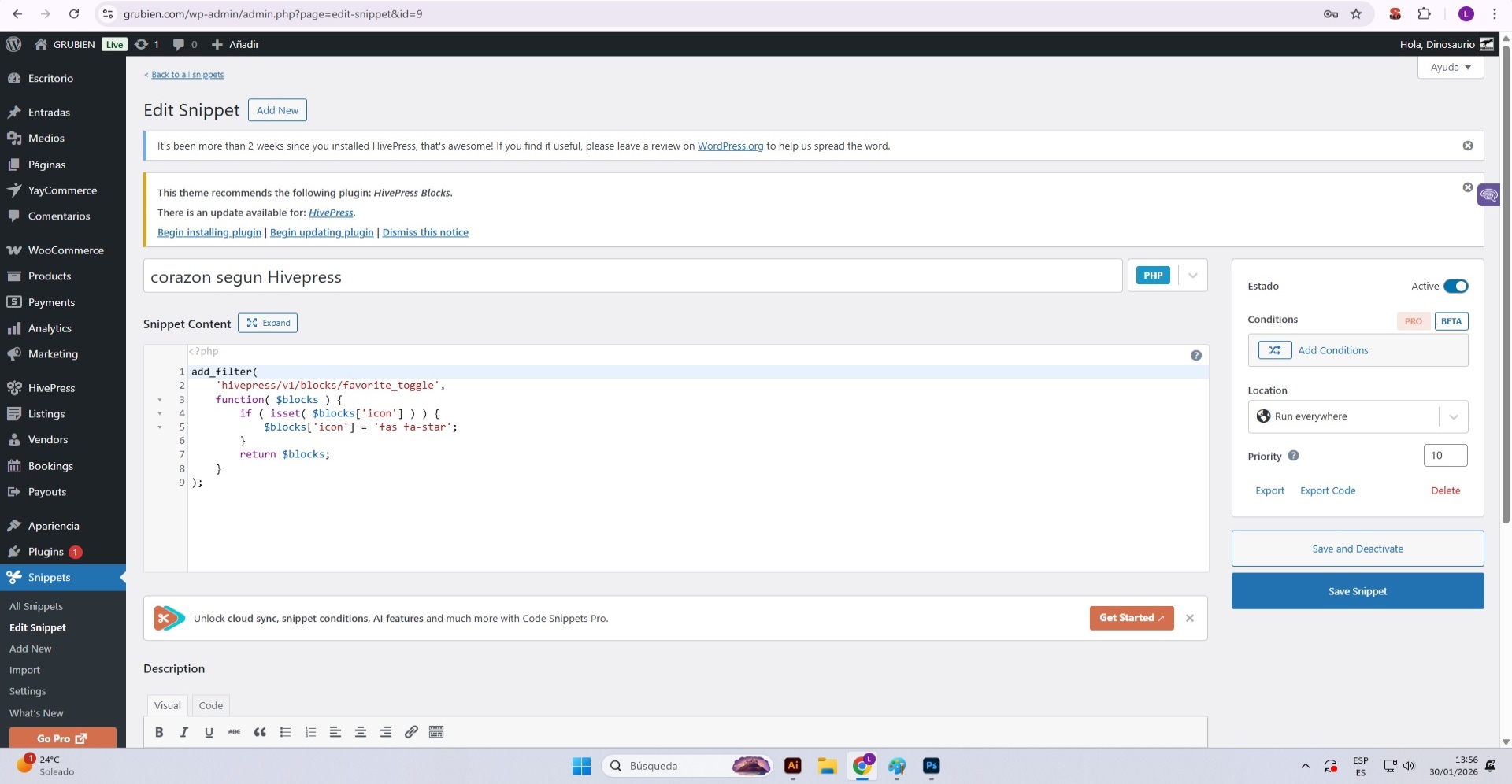
Code Snippet Implementation : I’ve added the snippet to Code Snippets as shown in the first attached screenshot. The snippet is activated and properly configured.
Caching Tests :
My website does not have any caching plugin installed
I tested in incognito mode as suggested
I cleared my browser cache multiple times
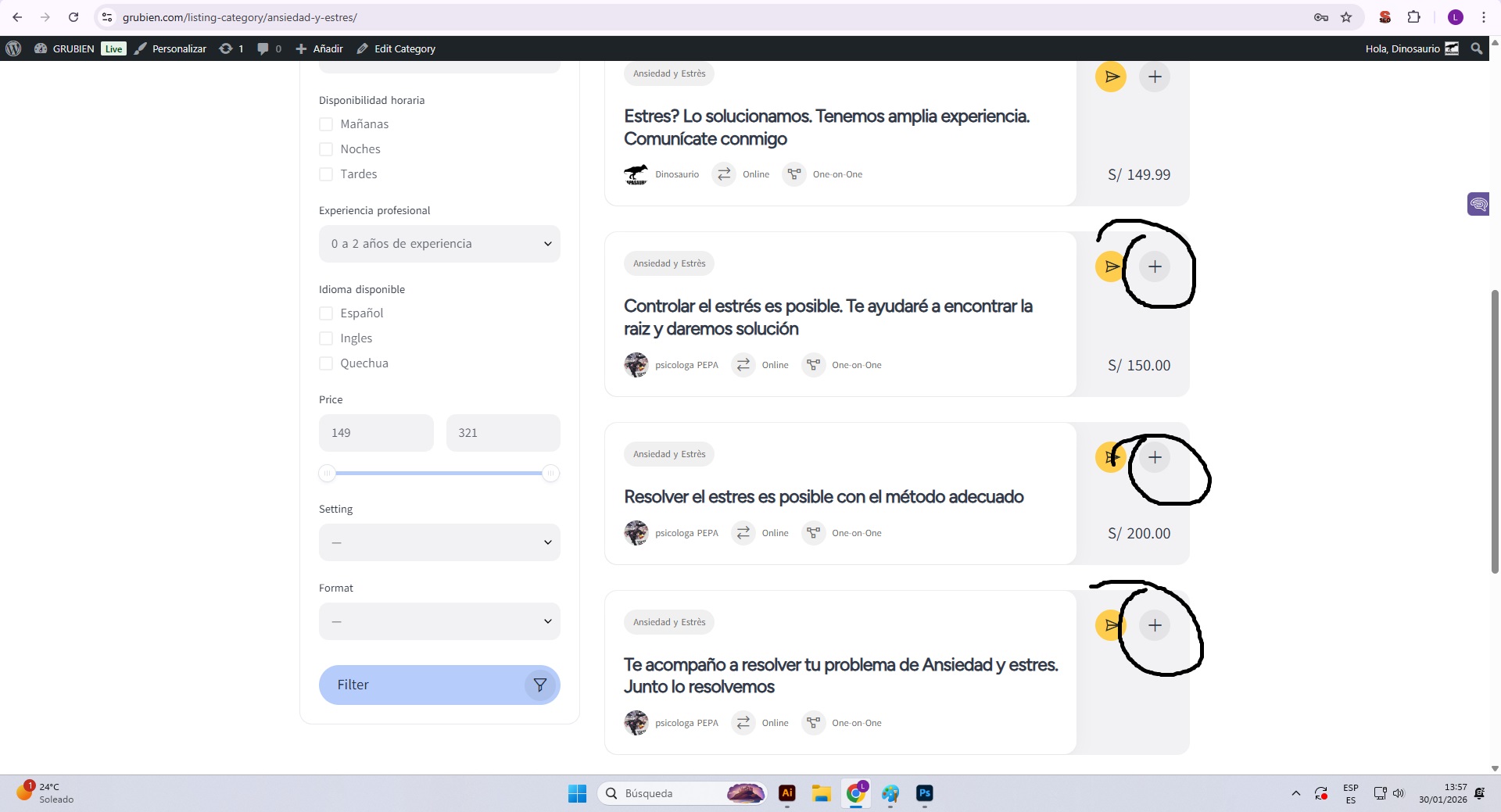
Despite these tests, the favorite icon still displays the “X” symbol instead of the heart icon (see second screenshot)
Theme Information : I’m using the MeetingHive theme.
The visual result remains unchanged after implementing the snippet and performing all the recommended tests. Could you please review this issue further or suggest additional troubleshooting steps?
I really appreciate all the assistance you’ve provided so far.
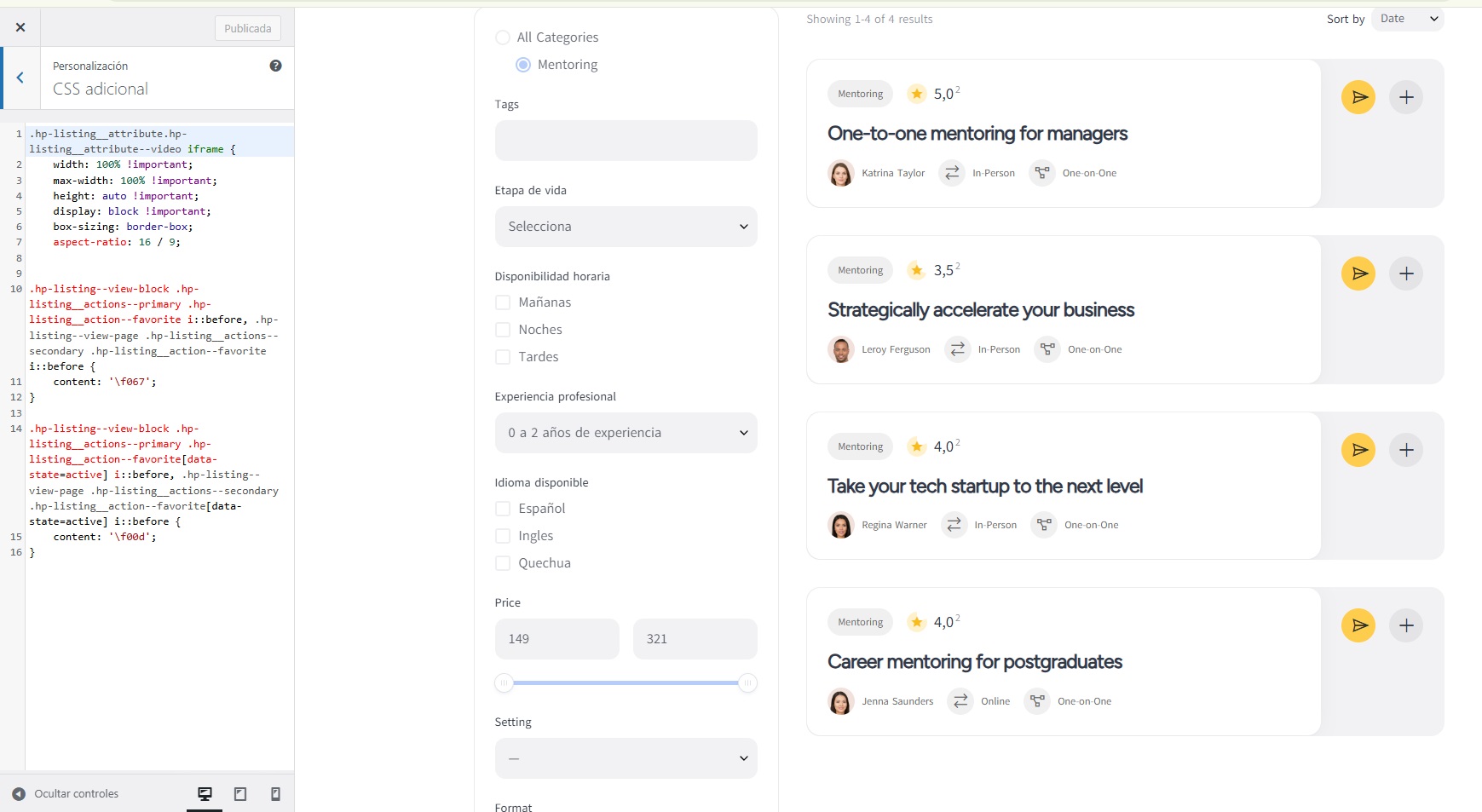
Sorry for the delay. It seems that the theme overrides icons via CSS instead of PHP – please try this CSS code snippet (you can add it in Appearance/Customize/Additional CSS):
Thank you for your response and for providing the CSS code.
Unfortunately, the code still doesn’t work. I tested it in incognito mode and also cleared the cache, but the favorite icon remains unchanged.
I tried inserting only the latest CSS code you provided, and I also tried activating the first PHP code together with the CSS code at the same time, but neither approach worked.
Could you please confirm if I need to create a child theme of MeetingHive for this CSS code to work properly? Also, could you please verify if the CSS selectors are correct for the MeetingHive theme? Perhaps the classes or structure are different in this theme.
The provided snippet works, but you need to replace the code icons with the ones from the shared library. Please take a look at the screencast, I used the codes from the library: Changins favorite icon in MeetingHive | Loom.
Apologies for taking so long to find the solution. Hope this one will address your request.
If you have a minute, please rate HivePress on the WordPress repository or Trustpilot. Your feedback means a lot to us and makes a real difference in helping us grow.