Hi,
I made the following observation which is in my opinion incorrect.
Set-up:
Payment method: direct payment
User commission: 10% + 3
Vendor commission: 5% + 1
When selecting a listing with extras, the extras are displayed with their price. However when selecting one of these, the price is immediately increased with the user commission amount. This should, in my opinion only be added after booking when the itemised payment detail is displayed. See the attached screen shots:
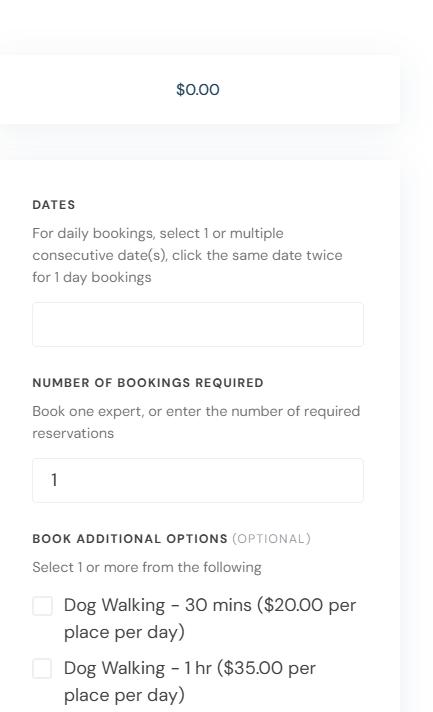
1: before selection of an extra item:
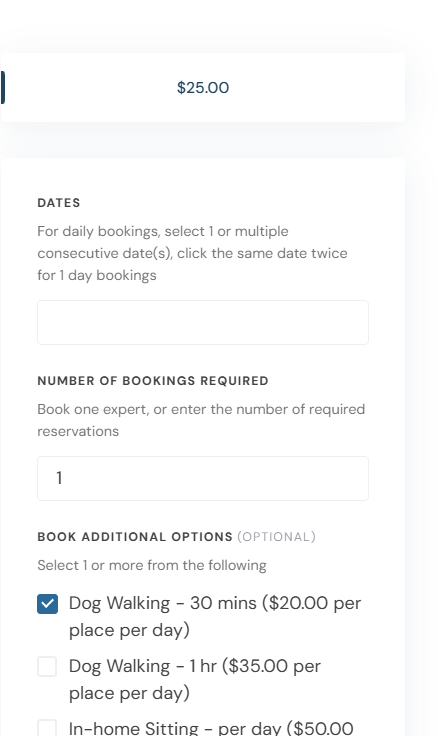
2: after selection, the price is increased with the user commission amount 20 20 + (2+3)
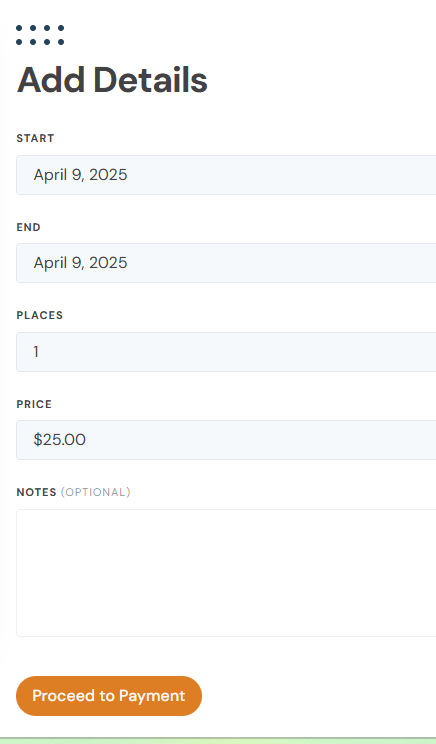
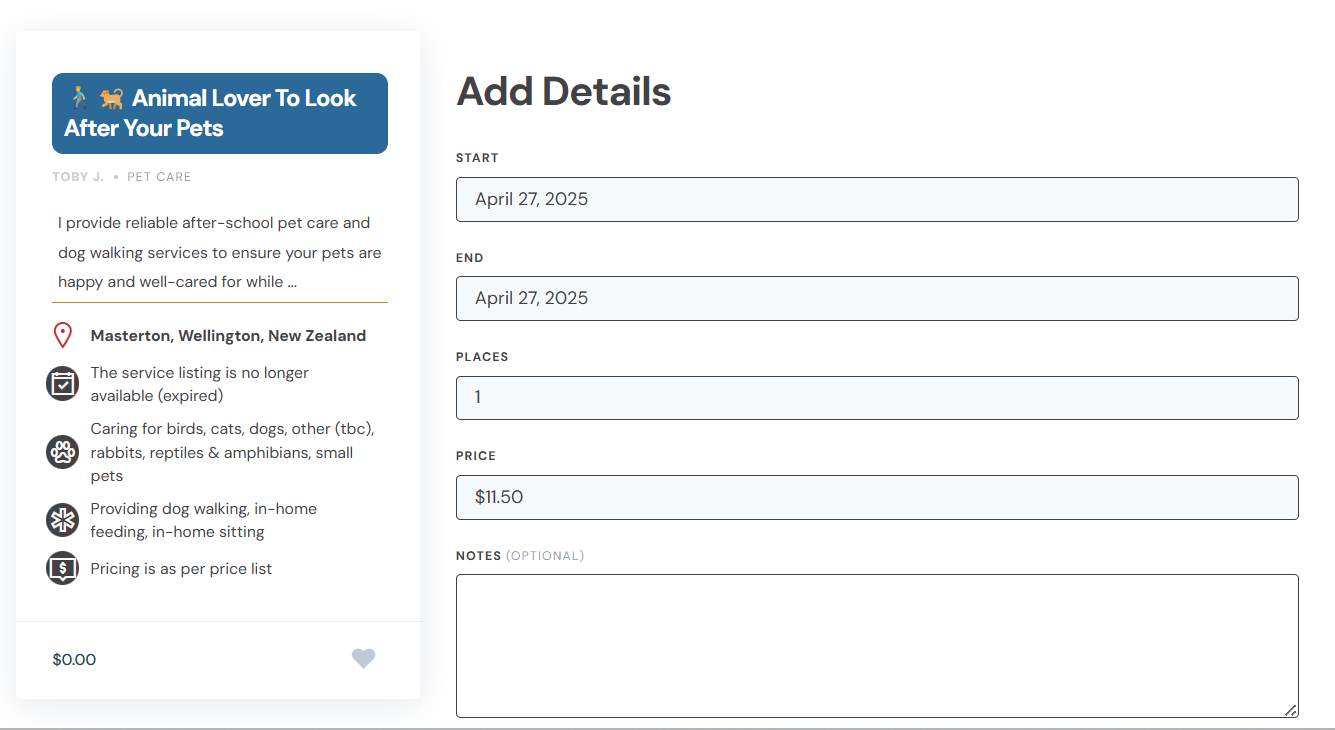
3: on book now, the ‘Add Detail’ screen is presented with price + commission. This should be price only
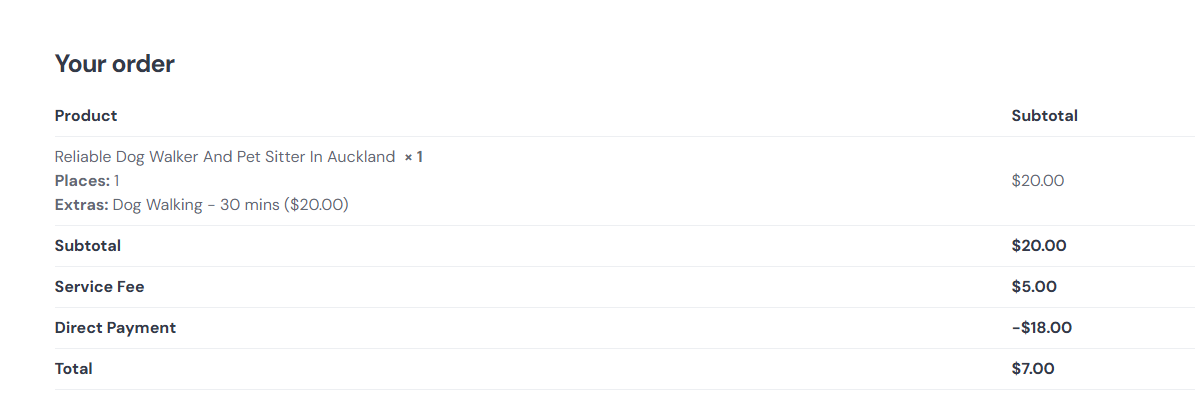
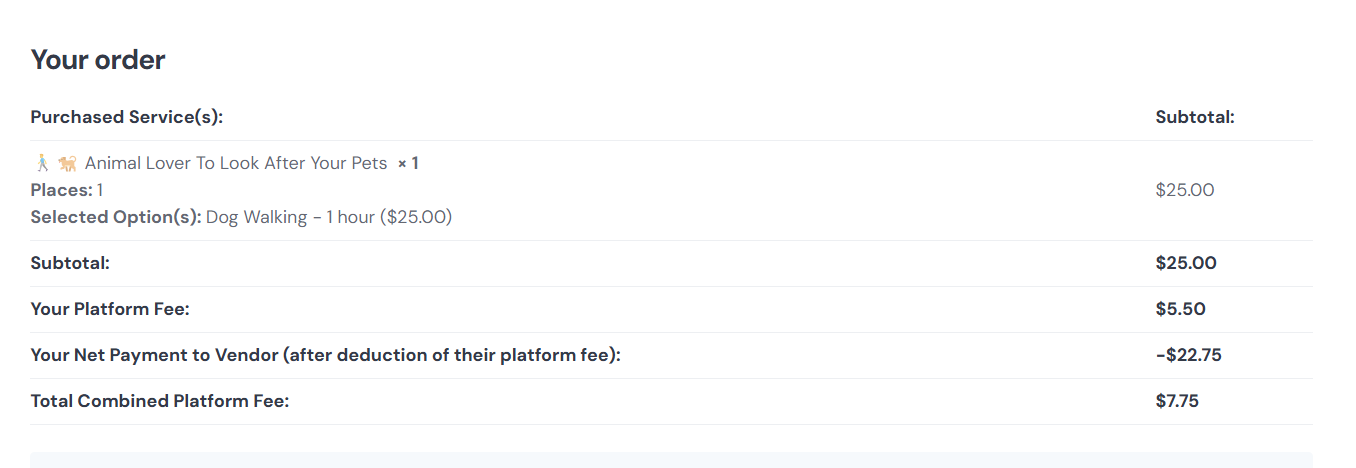
4: on proceed to payment, the order is itemised with price and user commission separated, which in my opinion is where this should be. However at this stage also the vendor commission suddenly appears, which make the user experience confusing. With these prices just popping up, the solution/calculations are less trustworthy.
Please review the above observations and advise:
is this how it is supposed to work?
how can the price display, as per ‘2’ and ‘3’ above, be changed to the total list price of the extra item(s) only - snippet?
Thank you for the details. Yes, we are aware of this issue and plan to fix it in future updates. As a temporary solution, please use this PHP snippet to remove the commission and show it only on the checkout page:
The provided snippet fixed the issue in the listing selection page, however I still have an issue in the following scenario:
(non-logged in) user selects the required service in the listing selection page (as per previously attached images 1 & 2), and presses ‘Book Now’
in the next screen the user is prompted to Sign-in
after login, the ‘Add Details’ screen is presented. The value in the ‘price’ field (11.50) is incorrect (not sure what is calculated here) - please see attached
on ‘Proceed to Payment’, the values are presented correctly - please see attached.
Can you/one of your technical team please look into this and provide a snippet to fix the price in the ‘Add Detail’ screen, this should be $25.00.
As a temporary fix, we can provide a snippet to hide the intermediary Price field, until we fix this in the Bookings update. This wouldn’t affect the functionality since the detailed pricing is displayed on the next step (checkout) - please let me know if this works for you.
Thanks Ihor.
Given the price display issue and, what I just discovered, the notes on the Add Detail screen are not carried forward to the next payment display, I actually see no value in having the Add Detail screen as part of the order workflow.
Instead of temp hiding the price display, would it be possible to skip this Add Detail screen altogether and go straight to the payment screen?
If not, I am ok with the suggested interim fix.
Thank you again!
Sorry, there’s no simple way to skip it because it changes the booking status and saves the details (this page also shows the listing and from/to dates, these are not explicitly displayed on the next step). Please try this code snippet as a temporary fix: