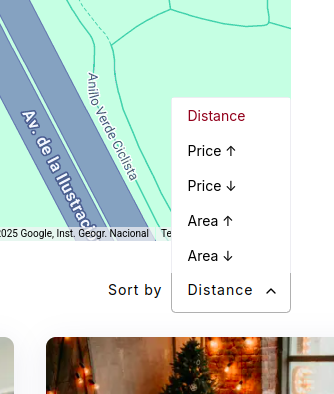
When I use the location filter, an extra “Distance” option automatically appears in the “Sort” dropdown.
Can this option be removed? What is its purpose, and how does it work?
Is it a default feature of the theme (or HivePress)?
If I want to remove it completely, how can I do that?
Hi,
This feature is part of the recent geolocation plugin update. The sorting option changes based on whether the location is used in the search. When the location field is empty, listings are sorted by Date by default. However, when users search by location, the sorting automatically switches to Distance to show nearby listings first. We’re planning to make this feature optional in an upcoming update, but we can provide a code snippet if you don’t need this option.
Please share the code. I want to remove this.
We’re releasing a fix for the Geolocation extension that will include this feature, and you should be able to update within the next 24 hours.
Has a new update been released that includes the feature allowing me to remove the “distance” option from the filter?
Yes, a new update has been released that includes the option to remove the “distance” filter.
You can disable the “Enable sorting by distance” option in HivePress > Settings > Geolocation > Maximum Radius.
This topic was automatically closed 30 days after the last reply. New replies are no longer allowed.