Leon
February 10, 2026, 9:34pm
1
Dear HivePress team,
I am currently planning to go live with my website as I am finishing the last steps but there is one thing I noticed and wanted to ask you about.
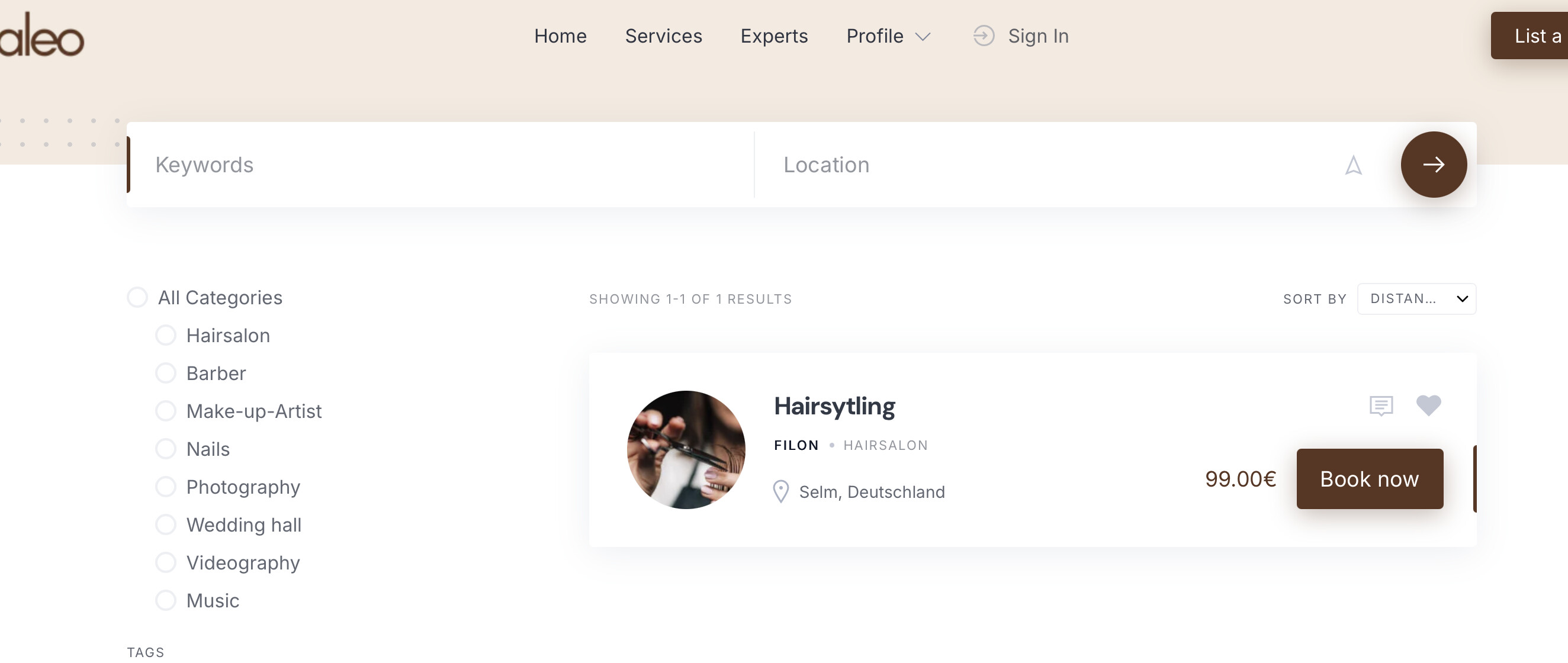
In the desktop version of my website, the listing are displayed as following:
As you can see, in the listing field there is the picture of the vendor on the left.
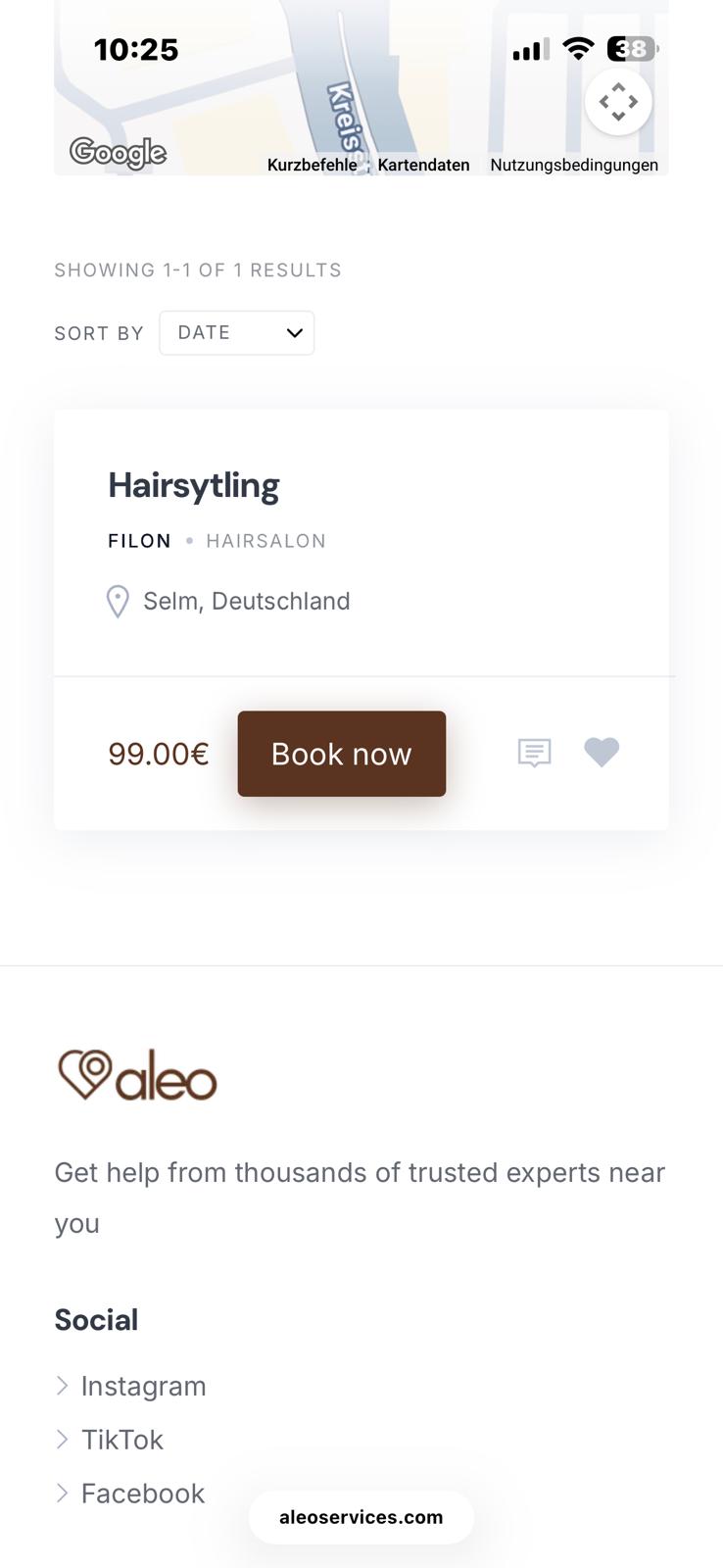
When I visit my website on the phone, it looks like this:
Here, I can see all the important information but not the picture of the vendor, which kind of looks unappealing to me.
I wanted to know if there is an option to change the format for the phone somehow, so that the picture is at least shown in the listing, even if it is for example smaller?
Please let me know if anything like this is possible, thank you very much!
Cheers,
Leon
kseniia
February 11, 2026, 9:22pm
4
Hi,
You can find the solution in this topic: Display profile images on mobile - #4 .
Please note that further CSS adjustments can be required.
Leon
February 11, 2026, 10:17pm
5
Hi,
I copy and pasted the code and added it as a snippet via a plugin but nothing changed. This means I probably have to adjust the code further?
kseniia
February 12, 2026, 7:43pm
6
Hi Leon,
Please take a look at the screencast that displays how the snippet works: Adding vendor image to the listing block | Loom .
Please make sure you’ve added the snippet as CSS, not as PHP.
If the issue persists, please let me know which device you’re testing on.
Leon
February 12, 2026, 10:45pm
7
Hi Kseniia,
thanks for the hint, now it works! I am wondering now if it is possible for the picture to be displayed on the right side in the listing block/container? (again only on the phone)
Thank you very much for helping!
Best,
Leon
kseniia
February 13, 2026, 11:24pm
8
You can start with this snippet and adjust it to your needs:
@media only screen and (max-width: 47.99em){
    .hp-listing--view-block .hp-listing__header {
        display: block !important;
        order: 2;
        margin-left: auto;
        width: 3.125rem;
        flex: 0 0 3.125rem;
        align-self: flex-start;
        margin-top: -3rem;
    }

    .hp-listing--view-block .hp-listing__footer {
        order: 3;
        flex: 0 0 100%;
    }
}
You can also try to customize with the AI assistant.
Hope this helps. Wishing you a lovely weekend.
Leon
February 14, 2026, 10:05am
9
Hey Kseniia,
thanks a lot for your help, after a little adjustment, it is perfect now!
Wishing you a great weekend as well
1 Like
system
March 16, 2026, 10:06am
10
This topic was automatically closed 30 days after the last reply. New replies are no longer allowed.