Hey @everyone, 
Myself and others have wished for a few more controls and options in regards to the default Geolocation extension for a while now, and I’ve been working hard to try and bring some of the communities ideas to life. I’m excited to announce my latest custom plugin is now ready for release!
Say hello to Geolocation Plus for HivePress 

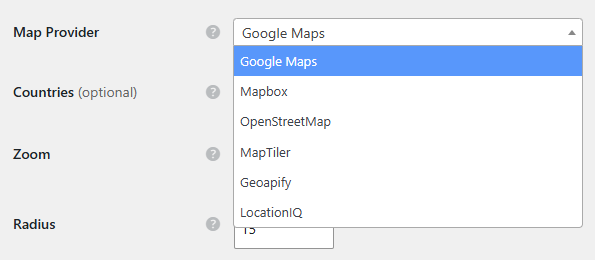
It sits on top of the Geolocation extension without changing a single file of it. Pick a provider and everything follows: the maps, the suggestion list, the “locate me” button, the region pages, and the link on a listing’s address.
Four more map providers
- OpenStreetMap needs no account at all. Maps come from OpenStreetMap, address suggestions from Photon, which indexes the same data for type-ahead search.
- MapTiler, Geoapify and LocationIQ each have a generous free tier and need a free API key.
All four are drawn with Leaflet, which is bundled with the plugin rather than loaded from anybody else’s server, and markers are clustered automatically. Google Maps and Mapbox carry on working exactly as before if you would rather keep them.
Location attributes you create yourself
A new Location field type appears in the Field Type drop-down when you add an attribute under Listings, Vendors, Bookings, Requests or Users. It suggests real places as the visitor types, exactly like the built-in location field, and it saves the coordinates alongside the address so the value carries a real position rather than just text.
Handy for a meeting point, a collection address, a second studio, or wherever a vendor actually works as opposed to where they are registered or the area they serve.
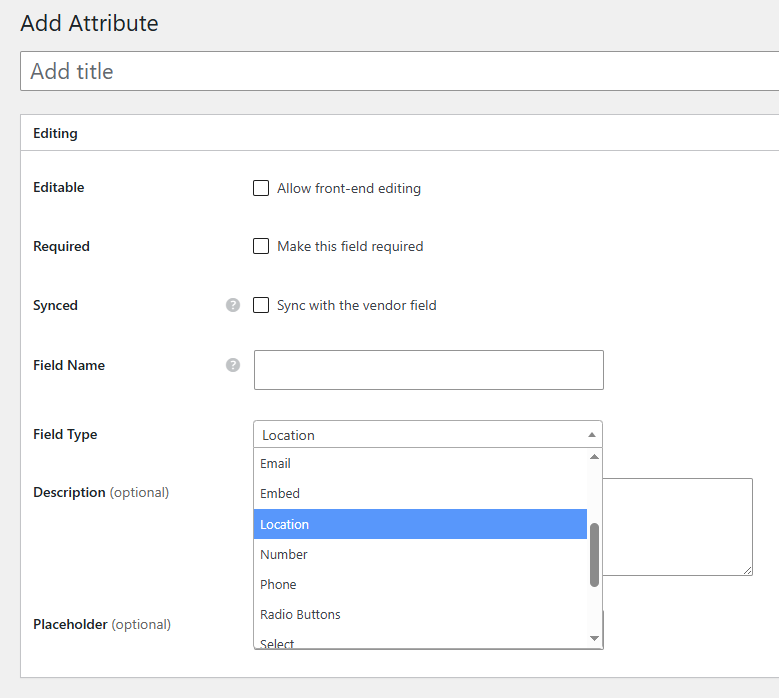
The settings that shorten or restrict the listing’s own location deliberately leave your attributes alone, so a field you have named for an address can accept one and keep it. Those settings are about the location a listing is filed and searched by, which is a different job.
Location Formatting
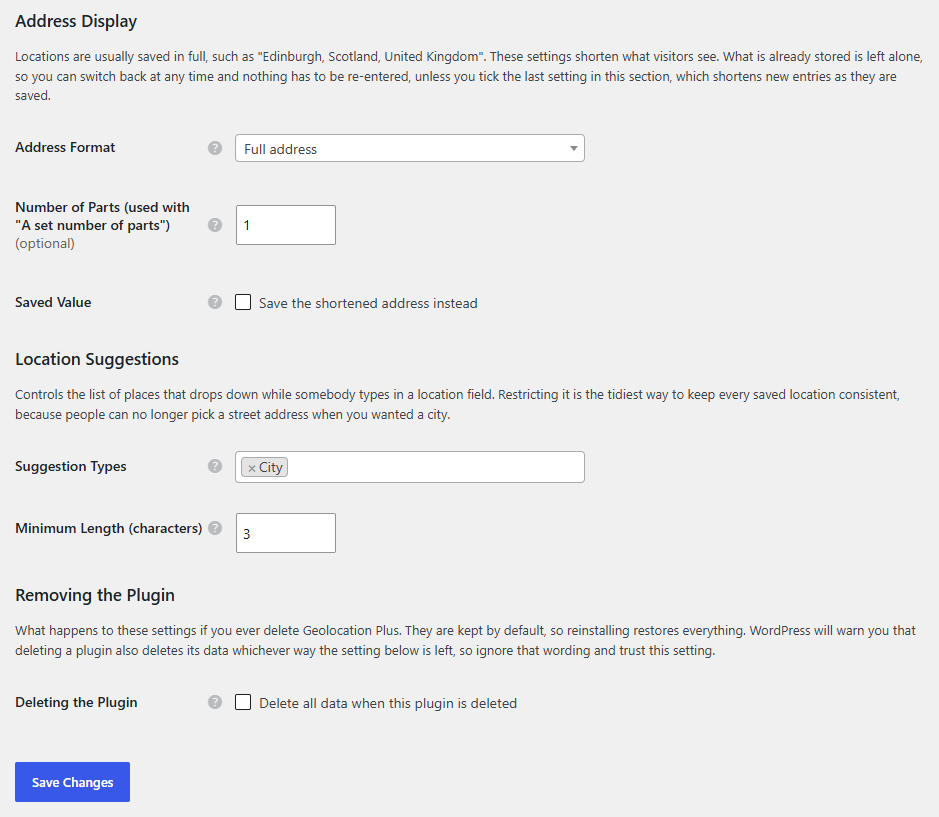
Choose what visitors see: the full address, the city only, the city and the country, everything except the country, or a set number of parts. Nothing is re-saved, so you can change your mind at any time and every existing listing follows immediately. There is a separate option to shorten what gets saved as people pick a suggestion, if you would rather store the short version.
Restricted Suggestions
Decide which kinds of place people are allowed to choose: countries, regions, cities, districts, postcodes, street addresses, or any combination. It is the tidiest way to keep every saved location consistent, because people can no longer pick a street address when you wanted a city. This one works on Google Maps and Mapbox too, not just the new providers.
You can also restrict suggestions to particular countries, which now applies on OpenStreetMap as well, so a UK site stops being offered the American towns that share its place names.
An Enhanced Map Block
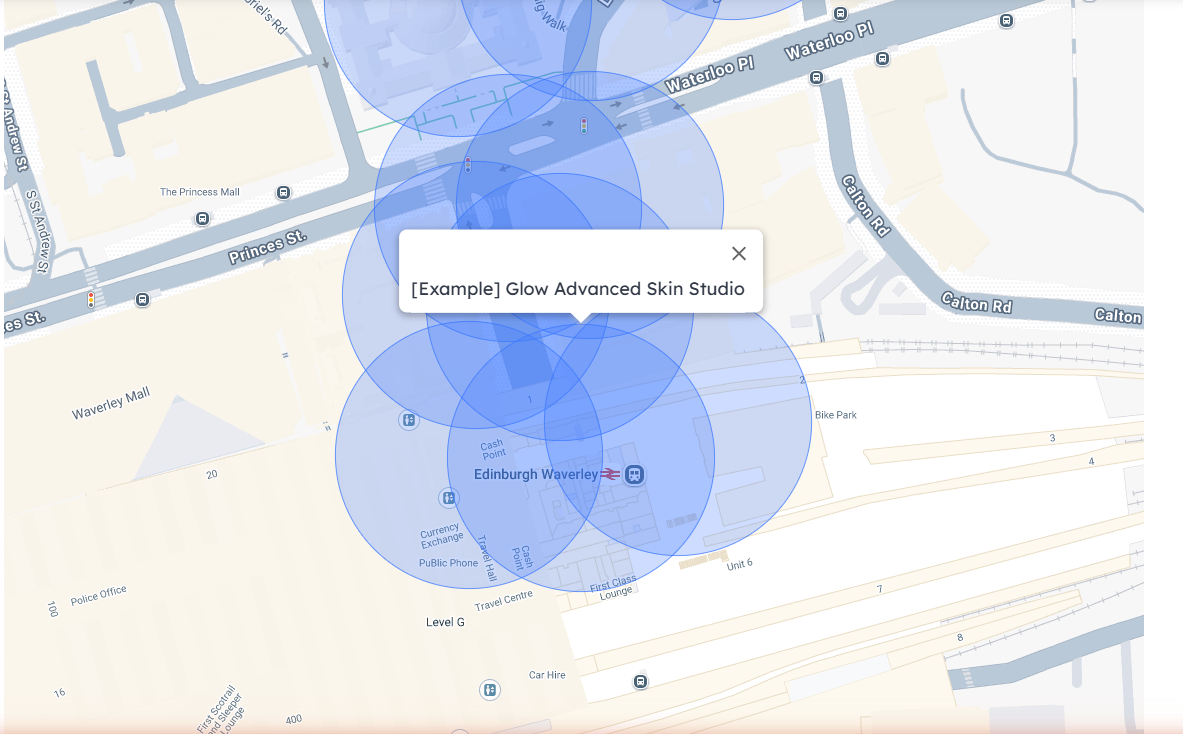
A Location Map block for the WordPress editor and a matching [hivepress_hpgp_map] shortcode. Show your listings, your vendors, or a single place; set the height, the zoom level and the map style; filter to one category or to featured listings only.
[hivepress_hpgp_map source="listings" category="12" number="100" height="420"]
Region pages keep working
The extension can build region pages from coordinates, but only on Google Maps and Mapbox. This plugin reimplements that for the four providers it adds, adopts the region terms you already have rather than duplicating them, and gives existing ones a code it can match, so region search keeps working on a site that already has a tree.
If a lookup ever fails, the Geolocation settings page tells you which provider failed and quotes the reason it gave, rather than leaving you guessing.
A few honest notes
- The free services are free. Photon and the OpenStreetMap tile servers are community run and ask busy sites not to lean on them. They can also be slow, and because region pages are worked out while a listing saves, a slow answer means the listing saves with its coordinates but no region page. The settings screen says so when it happens, re-saving fixes it, and moving to one of the keyed providers avoids it. Start on OpenStreetMap, move once you have real traffic.
- MapTiler has no reliable city level in the UK. A listing in the middle of a large city with named districts can be filed under the district: a central Edinburgh address becomes “Old Town” under “City of Edinburgh”. Smaller towns and cities are named as you would expect, and the other providers do not do this.
- Providers name the same city differently. Switching provider on a site that already has region pages can leave you with “Edinburgh” and “City of Edinburgh”. Nothing is lost, but you may want to merge them under Listings > Regions.
- A custom location attribute is for recording and showing a second place. It stores real coordinates, but it is not plotted on the map block and cannot be searched by distance yet. The built-in Location field is still the one radius search uses.
- Address Format has no effect on themes that supply their own address markup, which the official ExpertHive, JobHive and MeetingHive themes do.
- The API keys are used in the visitor’s browser, as those services intend, so restrict each key to your own domain in the provider’s dashboard. The Integrations screen reminds you, and each provider’s section there has a short note on how that provider names places, so you can read it while you choose.
Requirements
WordPress 5.8+, PHP 7.4+, HivePress and the HivePress Geolocation extension, both active. The plugin says so on the Plugins screen if either is missing.
 Download the latest release here
That link always points at the current version, and updates arrive on your normal Plugins screen in WordPress.
Everything is configured under HivePress > Settings > Geolocation, with the three API keys on the Integrations tab.
Deleting the plugin keeps your settings by default, and there is a tick box if you would rather it removed everything. Every string is translatable.
This one has had a fair amount of testing: all four providers on live API keys, all six official themes, both delete paths, and the update path end to end. But every site is different, so if something looks wrong, drop a reply with the map provider you are on and I will take a look.
Feature ideas welcome as always. 
Hope some of you find it useful!
Cheers,
Chris 
P.S. If this extension saved you time or money, consider buying me a coffee! Sharing these tools for free takes a lot of time and resources, and your support helps me keep doing it for the community.



