Hi, I need help. I’m using TaskHive, and I would like to know if it’s possible to customize the freelancers’ profile page. I added custom fields when a freelancer signs up, and now I would like these fields — if they were filled out — to appear on each freelancer’s profile page, in addition to the services associated with the profile.
A bit like on this site: Top-Rated Personal Chefs | Find the Best Private Chef Services
Hi,
Could you please let us know if these custom fields were created under the Users or the Vendors section?
Hello,
“Yes, these are custom fields for the vendors.”
Please assign them to the display area in each attribute that you want to display on the front end. You can find out more about areas in the screenshot and in the article How to add vendor profile fields - HivePress Help Center
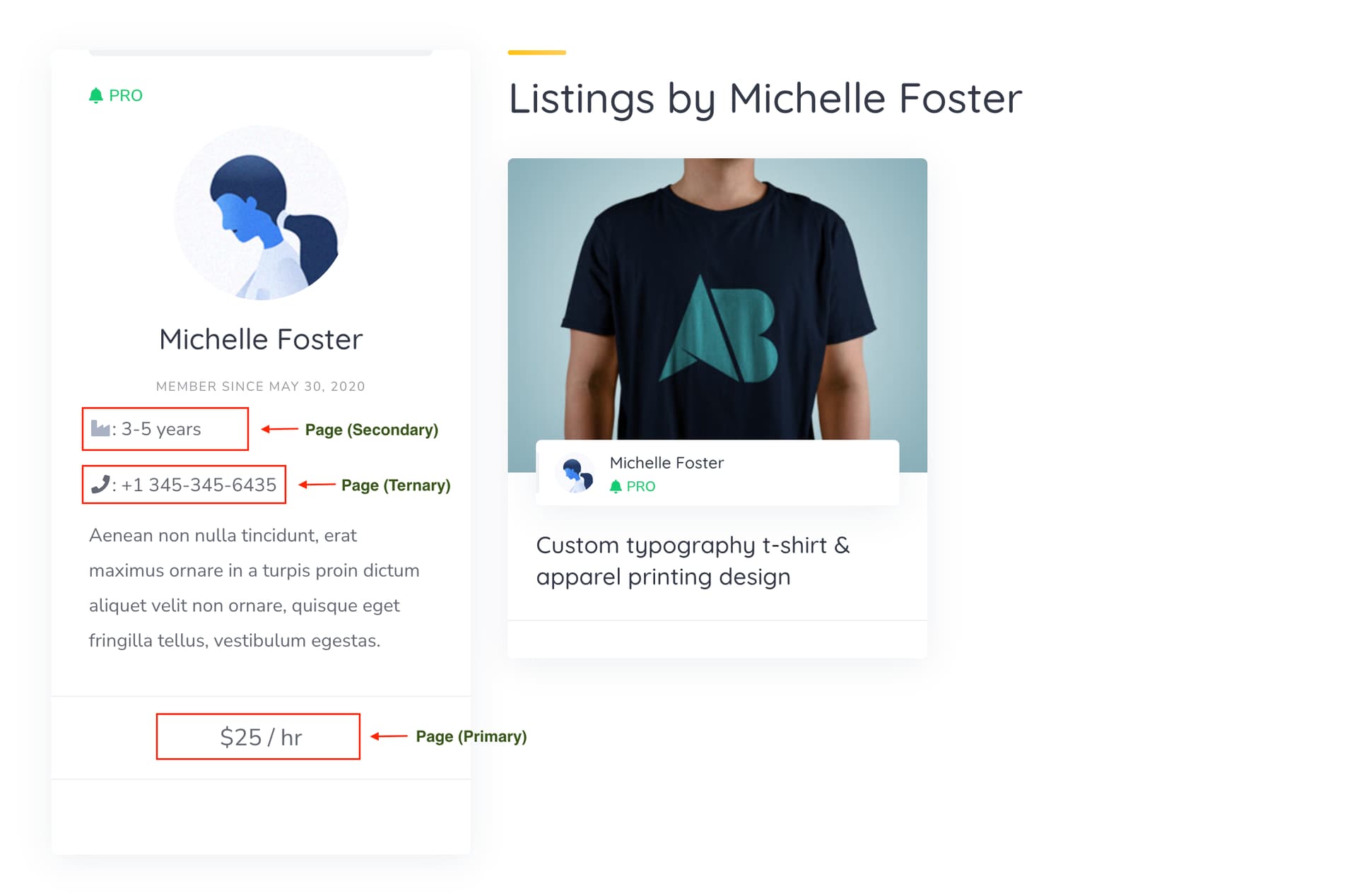
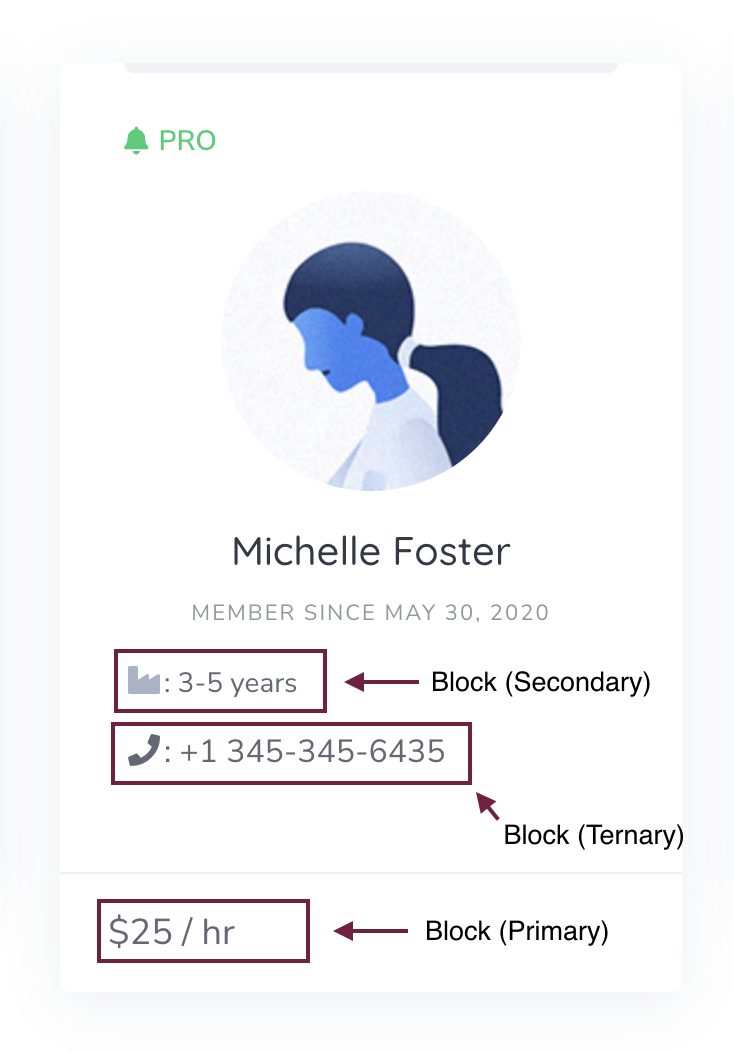
Hope this helps.
“My custom fields use the display area. But I would like to achieve something similar to the example I mentioned: Top-Rated Personal Chefs | Find the Best Private Chef Services .
I added a custom field called ‘about’, where the vendor can talk about themselves and what they have done. I would like this to be displayed the same way as in the screenshot from my example — see the red rectangle.”
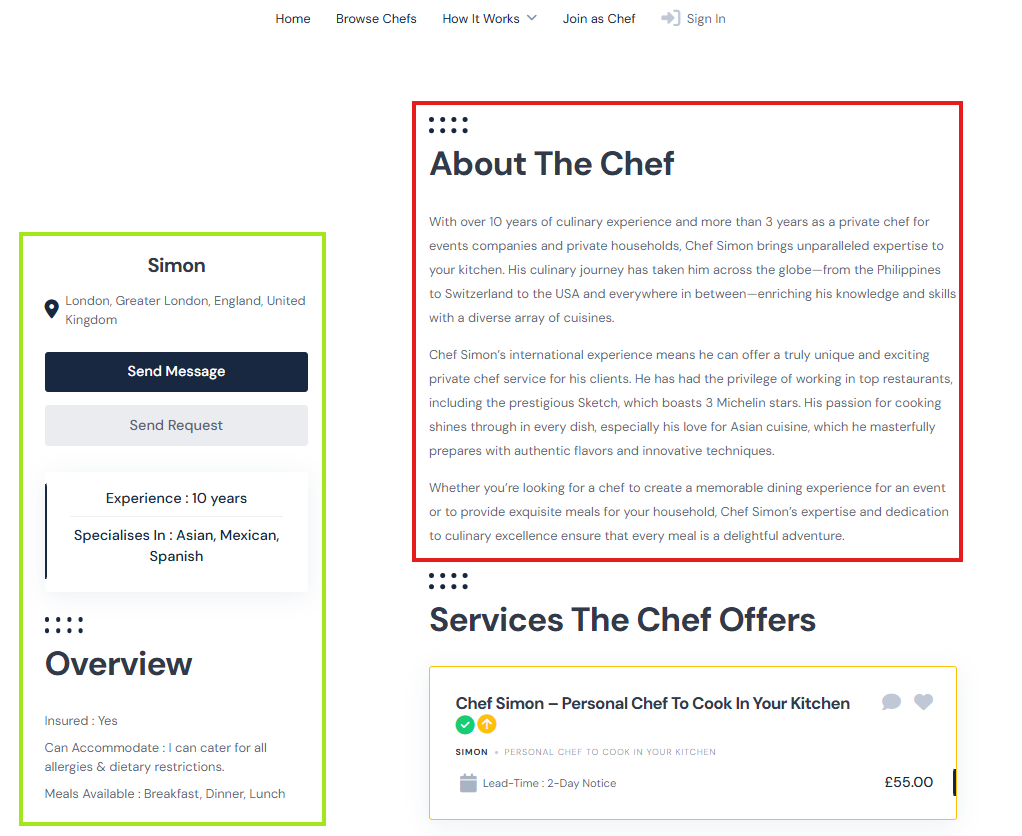
The page in your screenshot appears to have custom code applied. By default, the description area is positioned on the left side. The layout you’re seeing has likely been modified through a code snippet, child theme customization, or by creating custom templates in HivePress > Templates and adding custom code, where the page structure was rearranged, and the description was moved to the right.
If you have coding experience, you can try customizing it yourself using the collection of code snippets found here: Search · user:hivepress · GitHub as well as other developer resources: Getting started | Developer Docs.
You can start with this PHP snippet and adjust it to your needs: How to add custom code snippets - HivePress Help Center
add_filter(
    'hivepress/v1/templates/vendor_view_page',
    function( $template ) {
        return hivepress()->template->merge_blocks(
            $template,
            [
                'page_content' => [
                    'blocks' => [
                        'custom' => [
                            'type'   => 'content',
                            'content' => '<h1>About</h1><p>Lorem ipsum dolor sit amet, consectetur adipiscing elit. Sed do eiusmod tempor incididunt ut labore et dolore magna aliqua.</p>',
                            '_order' => 1,
                        ],
                    ],
                ],
            ]
        );
    }
);
Alternatively, you may want to consider hiring a freelancer for custom development: Customize your website | HivePress.
Hope this helps with your request