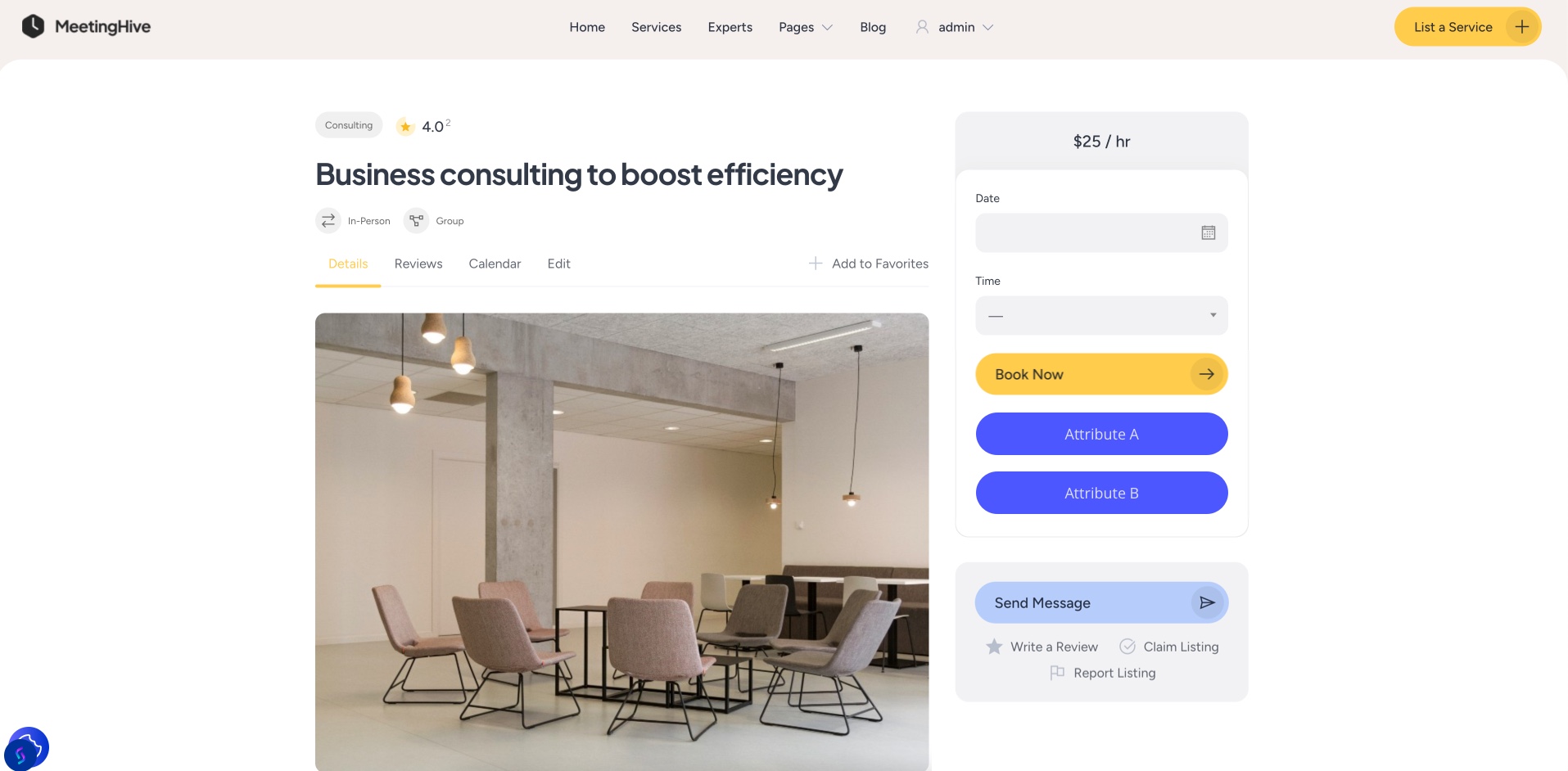
What’s the easiest way to display listings > attributes on the listing page within the .hp-listing__attributes? Ideally, call two actions like the attached mockup.
Hi,
Please use this code snippet and adjust it to your needs [change labels, colors, and more]. Please note that in order to work, you need to create an attribute in Listing > Attributes and then assign a value to it in the listing:
add_filter(
	'hivepress/v1/forms/booking_make',
	function ( $form_object, $form ) {
		$listing = HivePress\Models\Listing::query()->get_by_id( get_the_ID() );

		if ( $listing->get_custom_attribute() ) {
			$form_object['footer']='<a class="button button--primary hp-button hp-button--wide" href="'.esc_url($listing->get_custom_attribute()).'" target="_blank" rel="nofollow">Custom Text</a>';

		}

		return $form_object;
	},
	1000,
	2
);
This is the outcome.
Hope this helps.
Hey @kseniia I can’t get this right. Assuming my custom attribute name is my_custom_attribute
add_filter(
	'hivepress/v1/forms/booking_make',
	function ( $form ) {
		$listing = HivePress\Models\Listing::query()->get_by_id( get_the_ID() );

		if ( $listing->get_attribute( 'my_custom_attribute' ) ) {
			$form_object['footer']='<a class="button button--primary hp-button hp-button--wide" href="'.esc_url($listing->get_attribute( 'my_custom_attribute' )).'" target="_blank" rel="nofollow">Custom Text</a>';

		}

		return $form;
	},
	1000,
	2
);
You just need to change custom_attribute to my_custom_attribute in my snippet. Please keep () empty.
Also, please use this guide on How to add custom code snippets - HivePress Help Center.
1 Like
This topic was automatically closed 30 days after the last reply. New replies are no longer allowed.