Hi
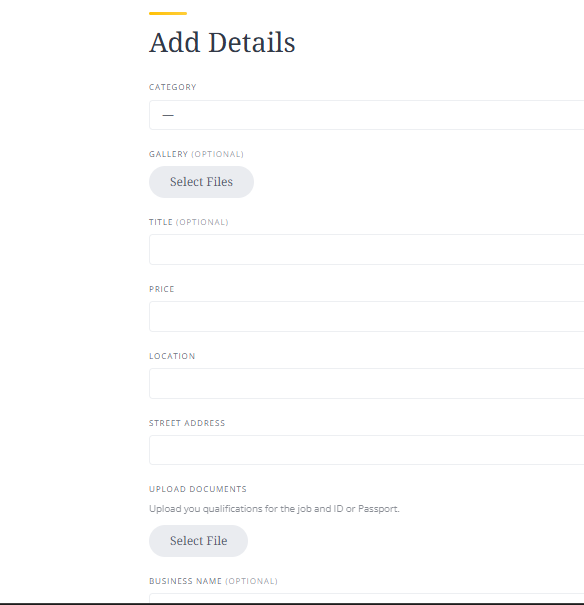
I want to edit the default form fields as most of them are irrelevant and need some twerking, eg, ‘Title(Optional)’ could be ‘Business Name’. I have tried Loco Translate but have failed to locate those fields.
I use Taskhive/Hivepress
Hi,
Since the listing submission form is part of the core HivePress functionality, its strings can be translated under Loco Translate > Plugins > HivePress: How to change Title label | Loom.
All other HivePress strings can be changed in the same way.
You can also consider using a vendor custom field with the same name as the corresponding listing field. This allows the field to be synchronized with the listing field and prefilled with the vendor’s existing information.
To set this up, create two attributes under Vendors and Listings, then enable the Sync with the vendor field option for the listing attribute. Please make sure that both attributes use the same Field Name [not the attribute title].
In that case, you can simply remove the Title field from the listing submission form using the following snippet:
add_filter(
	'hivepress/v1/forms/listing_update',
	function( $form ) {
		unset( $form['fields']['title'] );

		return $form;
	},
	1000
);
Hope this helps
Hi @ChrisB
Thank you so much, it really helped but ‘Title(Optional)’ is stubborn, could not update. I guess the ‘(Optional)’ is the problem and would like to know what I must do
Hi @kseniia
Thank you so much, it really helped but ‘Title(Optional)’ is stubborn, could not update. I guess the ‘(Optional)’ is the problem and would like to know what I must do
Hi @Matshaka,
Glad I could help! 
The snippet that I linked to, and the reply provided by Kseniia above are the official and recommended solutions to achieve this. I believe by default the Title is a required field, so it looks like you’ve possibly already added another snippet that’s made it optional, and perhaps overscoped it?
You can try temporarily disabling any third-party plugins and other customisations you may have made to rule out any conflicts with the snippets.
In any case, if you could list all of the default fields you would like to rename or hide, we can provide a snippet that achieves everything in one rather than trying to piece things together! 
I hope this helps!
Cheers,
Chris 
Please record a screencast showing all the steps you take and the resulting behavior. This will help us better understand the issue and guide you accordingly.
Additionally, please make sure that you’re testing on a non-cached version of the site. The optional parameter doesn’t affect this case, since you’re only changing the field label and not its underlying logic.
Glad to help!
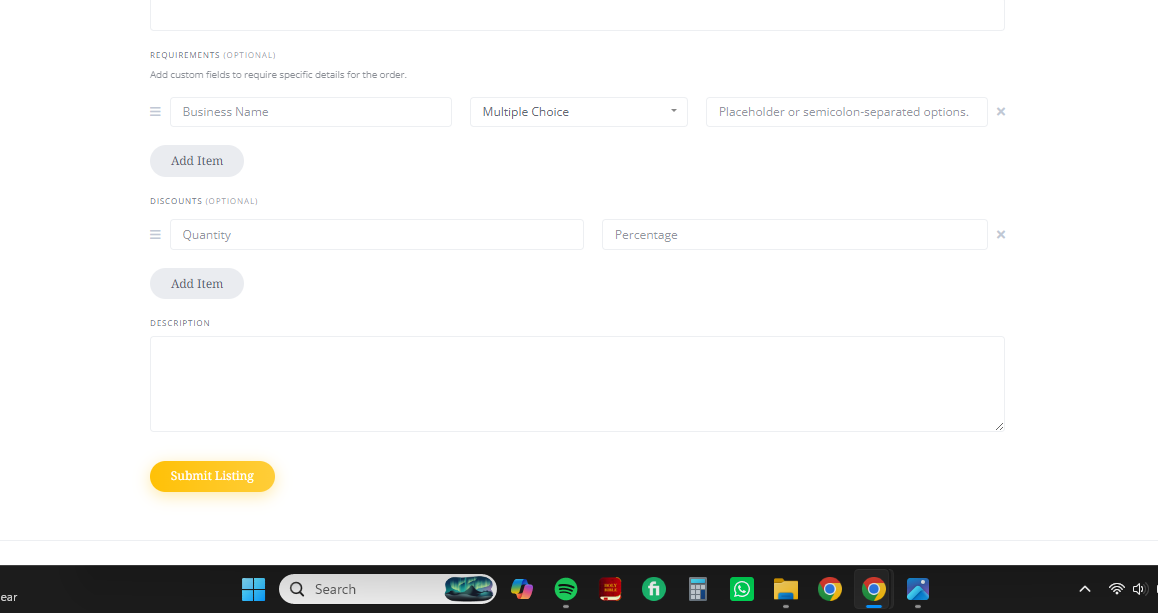
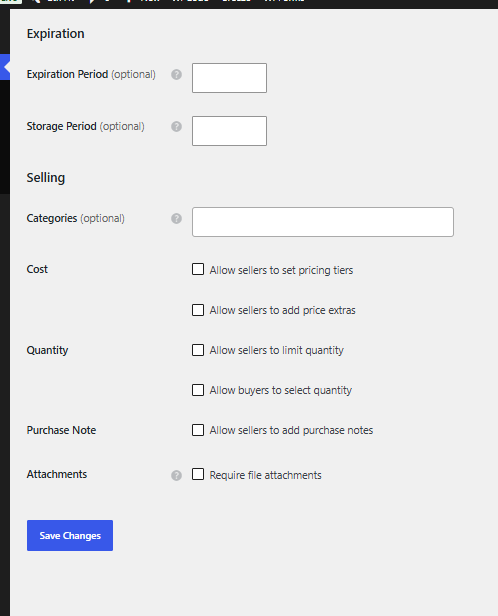
Please go to WordPress Dashboard > HivePress > Settings > Listings > Selling section and disable Discounts feature, then do the same with the Requirements feature under WordPress Dashboard > HivePress > Settings > Orders.
Hope this helps
These are the only options that can cause these fields to appear on the listing form. By default, they are not included.
The Discounts feature becomes available when Allow buyers to select quantity is enabled. Please check this option, the Discounts feature is probably enabled, but its fields are hidden because the parent option is currently disabled.
Once you enable Allow buyers to select quantity, the related Discounts fields should appear as well.
Hi @kseniia
Live long, sure you are so useful here
Glad that your request is resolved.
If you find HivePress useful, we would really appreciate it if you could take a moment to leave a review on the WordPress repository or Trustpilot. Your feedback means a lot to us and makes a real difference in helping us grow.