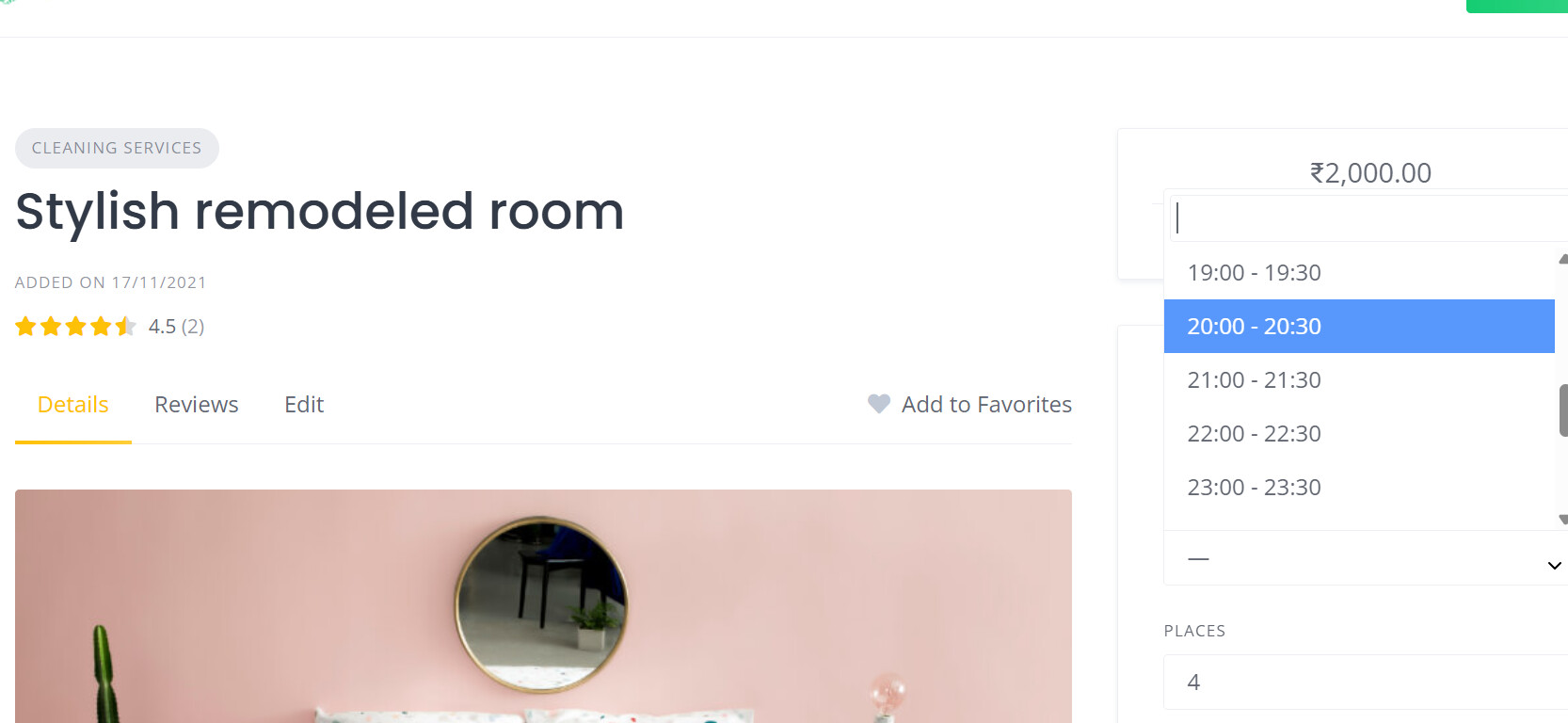
how to give change this start and end time . change the booking time 12 hour format and give vendor power to change according to there timing . step by tell first how to chnage the start time and end time . what steps I have to follow or its bug check that . i want 12 hour format where after 12 i can show am and pm as its not showing now .
i fixed time slot booking timing from 9am to 7 pm but its allowing after the 7 pm to book as show in screen shoot .it 9 30 m it should not show booking as its already passed the end slot booking timing . why its allowing still .please check this error and tell me how i can solve this . it can be bug.
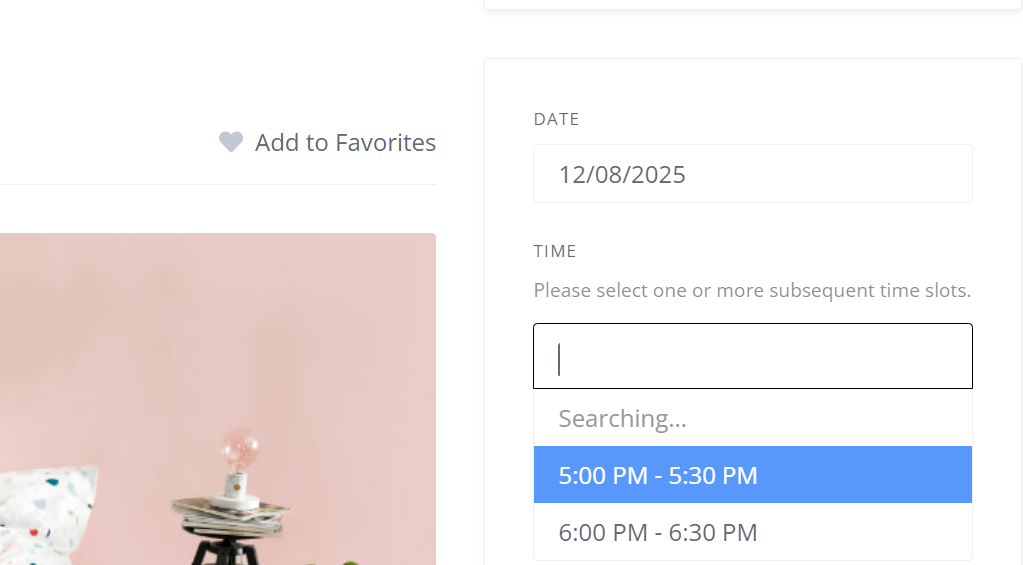
can you tell how to resolve this issue as its major issue . if the time is passed still it showing that its available to book fo that time .
Hi,
Thanks for the request. Please send a screenshot of the settings for this booking in WP Dashboard > Listings.
which screen shot you want setting of backedn or front end of listing setting .please solve this issue its bug or what
i said the time correctly according to my country timing evrything is correct but its still showing the time slot that passed the time in real life .
Hi,
Please send temporary WP access to support@hivepress.io with details for reproducing this issue, and we’ll check it (please send only the link, without login and password). You can create a temporary access link using this plugin Temporary Login Without Password – WordPress plugin | WordPress.org.
i sended you link on support@hivepress.io please check and tell me what to do and response fast . its amajor issue .
did you got mail or not
i cannot get answer after premium support also . i mailed 3 times of email no response there please can you tell how to resolve the issue its causing chaios .
Hi,
Please note that you sent access that was valid for 1 hour. Also, we only received one email. Regarding your response, please note that we do not have live support, and we respond within 24 hours.
Hi,
Thanks for the link and details. We were unable to reproduce the issue on your website. The vendor Shraavan has specified Booking Available From - 9:00 AM, Booking Available To - 7:00 PM. Therefore, when opening the listing for a Stylish remodeled room, the available time slots are displayed according to these hours. Please let us know if we need to test this differently.
It is not working till now. I have given access to everything . The problem is still the same. What to do is the same as before . when will the bug will be resolved and it will show slot booking properly.
Sorry for the delay, we’ve just replied via email.
its been more than 5 days still the problem is there its not done when it will be resolved it the major problem
I’m sorry for the delay and inconvenience caused, the issue was more complex than estimated and it took some time to find the reason. This bug will be fixed in the next update, meanwhile please use this temporary fix, change line 229 in hivepress-bookings/includes/components/class-booking.php file:
$new_timezone = new \DateTimeZone( $listing->get_booking_timezone() ? $listing->get_booking_timezone() : 'UTC' );
to:
$new_timezone = new \DateTimeZone( 'Asia/Kolkata' );
This will fix the time zone issue for displaying and booking time slots, only slots later than UTC + 05:30 will be available. You can make this change in Plugins/Plugin Editor, or we can make it for you if you renew the temporary access link.
Hope this helps
here’s another bug. If I allow customers to select the quantity in the marketplace, it does not allow them to select it on the front end. Is this a problem with the booking plugin or something else? Because in booking as well, if someone is allowed to book, the customer should also be able to choose the quantity they need. I have both the booking and marketplace extensions, and I enabled quantity selection from the backend, but it’s still not working on the front end. Please provide a snippet of code or any other fix to resolve this bug.
Yes, the Quantity feature of Marketplace is not available in the Booking form, the Bookings extension doesn’t use 100% of Marketplace features – we’ll fix these UI issues by hiding specific settings automatically. If you mean selecting the number of places or guests, and multiplying the price by the entered number, please use the “Allow multiple places per booking” option in HivePress/Settings/Bookings, then there will be a new Places field that works in the same way as Quantity.
Hope this helps
This topic was automatically closed 30 days after the last reply. New replies are no longer allowed.