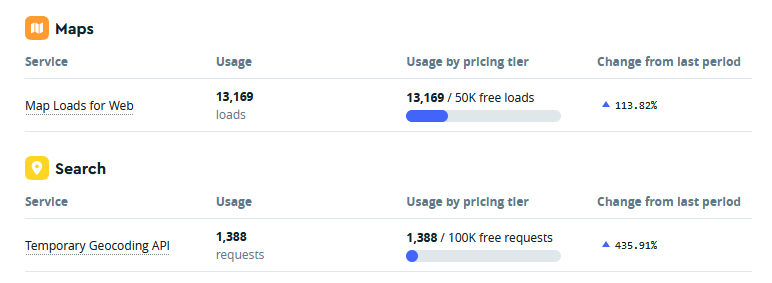
Please help me with any code snippets that can disable this API call for map loads. Currently it is set to display on the listings and I think it will get consumed completely from the next month or coming months, in such a case, how can I disable map loads for web. please help.
Hi @kseniia , I think this will only hide the map in the frontend while API access will still be there in the backend and my monthly free limit will keep getting consumed. this wont help I guess .
This should help, because the map is not rendered when it’s not visible. As far as we remember, the API call is not counted in this case. For example, when a map is placed inside a modal window, the API call is only made when the modal is opened, while the map is not visible, the call is not triggered.
You can apply this CSS snippet and then check later whether the calls for the Maps JavaScript API have stopped.