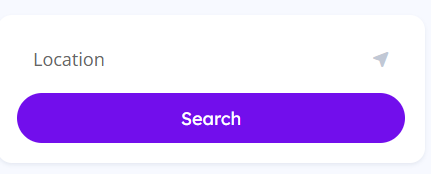
Forgive me if this already exists and I’ve just overlooked it, but I’d like to request a new ‘Search by Location (only)’ block that would be available to choose in Gutenberg when we’re designing a page. The block would function almost exactly like the default existing ones (listings/vendors), but NOT include the field for keywords.
E.g a user would just type their postcode/address/location in the box, and then click Search.
I realise this is probably already possible with some custom CSS to just hide the keywords box, but It would be nice have this as an option, as well.
Thanks for the feedback, we’ll consider adding such form.
You can remove the Keywords field from the default fields in HivePress > Settings > Search > Default Fields if you don’t want it to appear globally.
Alternatively, if you want to keep the Keywords field in most search forms but hide it in a specific custom search form, you can wrap the Search Form block inside a Group block and assign it a custom CSS class. Then you can target it with CSS like this:
I tried the CSS snippet you provided above, but it actually made the entire search block disappear!
I also tried removing the Keywords field from the default fields setting as you suggested, but for my use case, I only want to remove it from certain search forms.
With a bit of playing around, I managed to identify the correct class name and successfully hid just the Keywords field. However, it left an unwanted gap on the form where the field used to be. After some more tweaking, I finally found a working solution that resizes the remaining Location field to fit the form space perfectly.
In case anyone else is looking to do the same:
Place the search form block inside a container (if it isn’t already) and assign a custom class name to that container (e.g., search-by-location).
This creates an isolated, location-only search form by removing the Keywords field and automatically resizing the Location field to fill the space. You can still use the default Search form, including the Keywords field, elsewhere if desired.