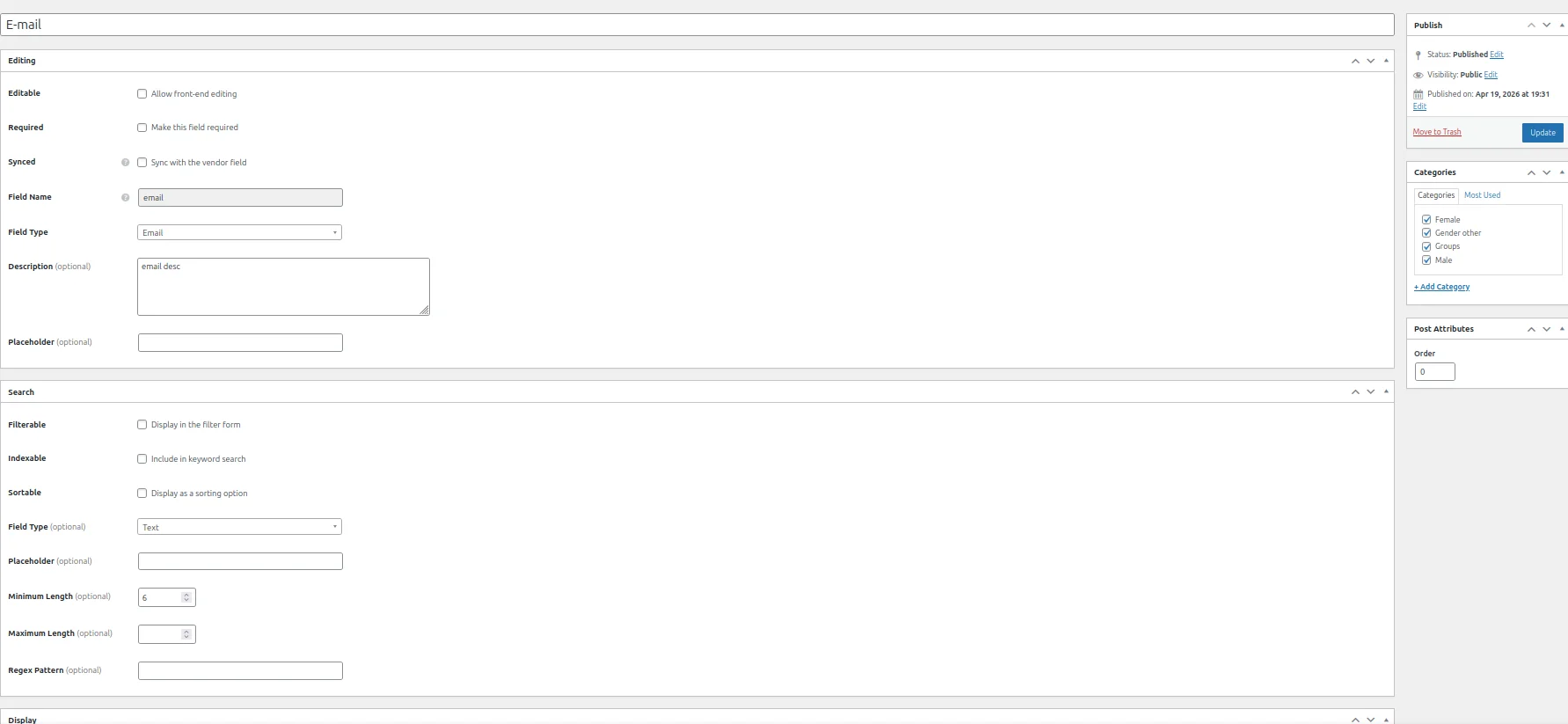
In a WP 6.9.4 and HivePress Version 1.7.23, I am at /wp-admin/post.php?post=174&action=edit when editing Listings / Attributes / email attribute. I paste
^[\w-\.]+@([\w-]+\.)+[\w-]{2,10}$
or
/^[\w-\.]+@([\w-]+\.)+[\w-]{2,10}$/g
into the “Regex Pattern (optional) “ field. I do not know which one is correct, it does not tell me.
After submitting the form (Listings / Attributes / email attribute), it reloads the form and “Regex Pattern (optional) “ field is empty (other custom filled fields are saved). Which looks either like a bug or bad design (i want to be able to see that i am using regex, if it is used).
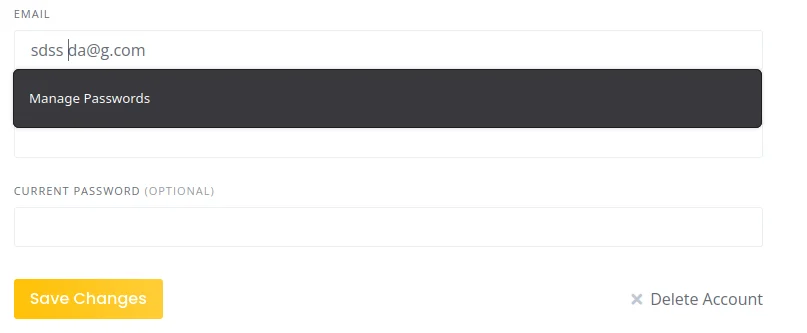
but when i remove the space in address, it submits OK.
Then hen i submit the above mentioned back-end form (Listings / Attributes / email attribute) again with empty regex, the behavior does not change.
When i replace space by * and adding ? to the address (making it invalid address that should not match the regex, the front-end submission works (it should not). Submitting above mentioned regexes on the back-end form does not change this behavior. So I am unsure how regexes works. It should be more transparent and do not silently discard mine added regex on the back-end.
I don’t use the Regex field myself, but nevertheless, here’s some information about it via the HivePress AI:
Regex Pattern for Attributes
When using the Regex field type for attributes, you need to provide a PHP-compatible regex pattern without the wrapper slashes.
Example
For a simple pattern that allows letters, numbers, spaces, and common punctuation:
^[a-zA-Z0-9\s.,'-]+$
Key Points
Do NOT include the forward slashes ( / ) at the beginning and end
Do NOT include flags like u at the end
The pattern should start with ^ and end with $ to match the entire value
The system will automatically wrap and validate your pattern
Common Use Cases Alphanumeric with spaces:
^[a-zA-Z0-9\s]+$
Text with diacritics (Unicode):
^[\p{L}\d\s.,'-]+$
Numbers only:
^[0-9]+$
Email-like format:
^[a-zA-Z0-9._%+-]+@[a-zA-Z0-9.-]+\.[a-zA-Z]{2,}$
Important Note
If you need Unicode support (like diacritics), you may need to use a custom PHP validation hook instead, as the regex field has limitations with Unicode modifiers. You can validate using:
hivepress/v1/forms/listing_update/errors (for listing forms) hivepress/v1/models/listing/errors (for model validation)
The Regex option is available only for Text attributes, so it cannot be applied to an Email attribute.
Additionally, the email field used in the registration or sign-in form is a built-in field, so it can’t be controlled or modified by creating a custom Email-type attribute.
add_filter(
    'hivepress/v1/forms/user_register/errors',
    function ( $errors, $form ) {
        $email = $form->get_value( 'email' );

        if ( $email && ! preg_match( '/(?=.*\d)(?=.*[A-Za-z])(?=.*[!@#$%])/', $email ) ) {
            $errors[] = 'The email should contain at least one big letter, one small letter, and a special character';
        }

        return $errors;
    },
    1000,
    2
);
I have got confused about regex field in the Search section of the attribute settings (WP-Admin/Listings/Attributes/attribute), but the regex field appears not only in search but also in a main section of the same page, but only once I have switched “Field Type” to Text. It would be less confusing if the field is always visible (even for email), just prefilled with default/factory email regex? If you think so, consider adding this as a something to improve. Otherwise issue is solved on my end. Thank you for help.