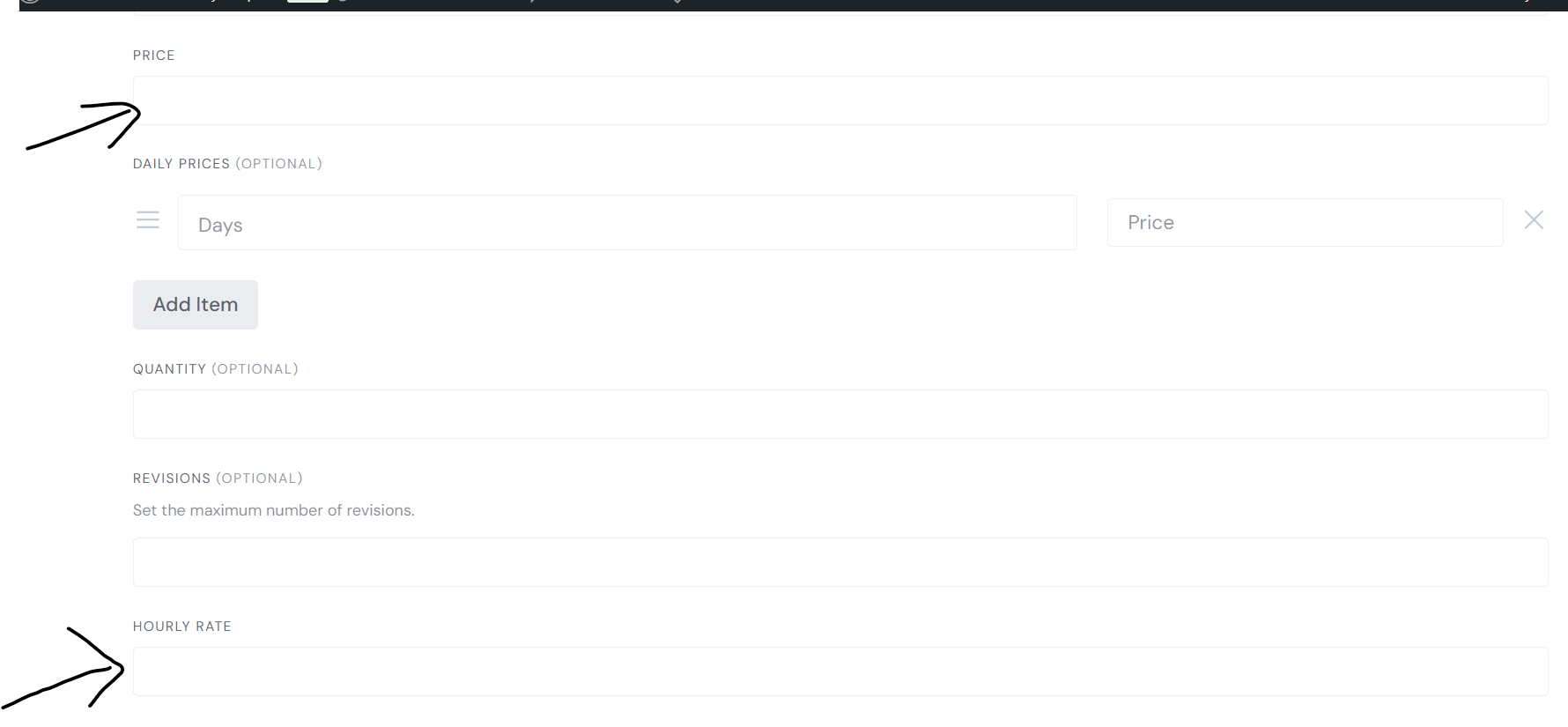
Could you please explain the function of “Price” ? It appears to be required, however we are going with an hourly rate here so I am wondering how “Price” will impact.
A further issue that I am encountering on dummy accounts I have set up is with logging in.
I have a screen recording, unfortunately it won’t allow me to attach it.
When logging in, after entering the email, password then submitting it is just returning to the home screen.
No error messages and it does not log me in.
It does this on multiple (all) accounts.
While testing tonight I confirmed that it will work once after the password is updated, once logged out, it does this again.
I am using the correct password.
I have disabled all non HivePress Plugins and tested to ensure it is not a compatability issue.
This is obviously a big deal as people need to be able to log into their accounts regularly.
Thank you in advance for assistance on all of these
Please note that it can require further customization.
Hourly rate is a custom attribute from the demo version, you can remove it in Listings > Attributes and use only the mandatory Price field, which is built-in from the Marketplace extension.
Please disable third-party plugins and customizations (if there are any) and check if this issue persists. If you use a caching plugin, make sure that caching is disabled for logged-in users. Also, please refresh permalinks: How to refresh WordPress permalinks - HivePress Help Center. If this issue exists, please send a screencast to our email: support@hivepress.io
Thank you, that worked to remove it from the hero section:)
As for Q2 about price, I understand how the hourly price option works and it is what I intend to use. It is the other required “Price”, what does that one do? Is it just so there is something to display? I find it will be confusing for the customer and this is the one I’d like to remove, but first I would like to know what it does.
I have found the code snippet to add the /day and edited it for /hr to price (and found the purpose of this, glad I didn’t delete it!!)
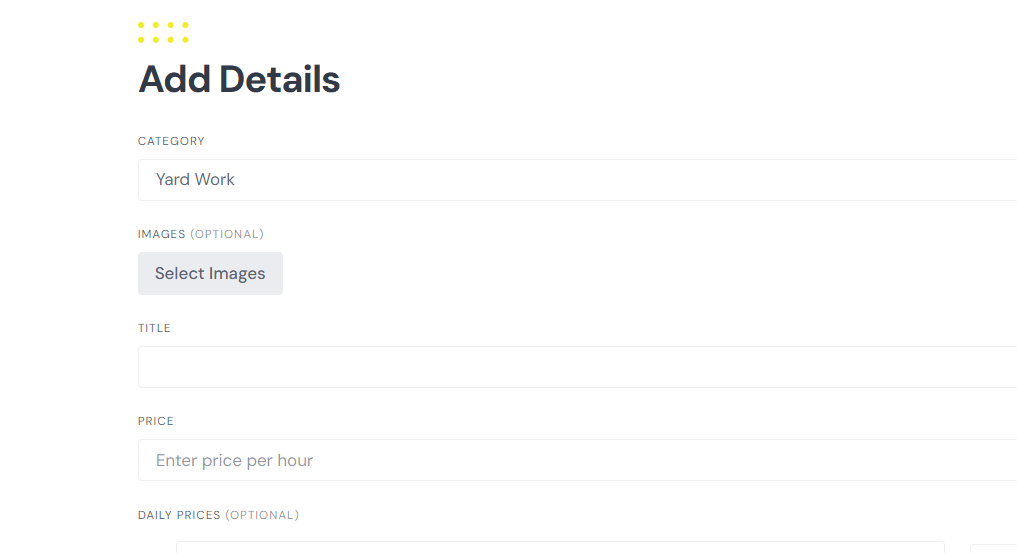
This snippet worked to add /hr to the listings however it did not change it on the add details section when a vendor is creating their listing.
Is there CSS or a Snippet that can adjust this here? I went in to play with the template but really don’t want to mess around with that and did not find any blocks that I found related to it.
GPT was able to work this out for me as I slowly fed it pieces of the puzzle, for anyone else looking for the code to do this when vendors are creating a listing in Experthive these are the snippets I’ve used