I have a problem with the icons for the “display in slider” function. The icons for the left and right slider are white. I have disabled everything that could change the options in CSS, but they are still white. Can you help me?
Hi,
Please send us a link to your website and we will review it in more detail.
If you need to interfere with the site, I will give you access. For now, the site is in maintenance mode and I would not like to open it because individual entries occur during the day. I am pasting the graphic below. Currently, the arrows are visible again, but I would like to ask where can I change their color if they were white again? Can I define the color of these arrows in the slider?

Hi,
Sorry for the confusion. This is how it should be displayed, with a white background and gray arrows, just like in the demo version: https://rentalhive.hivepress.io/
Look here :
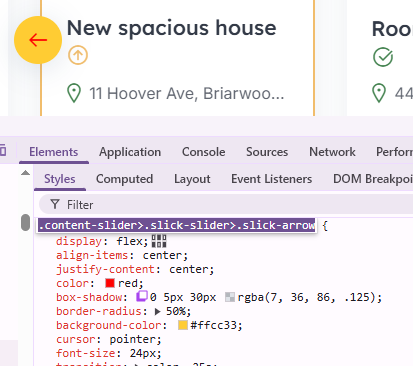
Easy peasy.
/*CSS change colors to your like */
.content-slider>.slick-slider>.slick-arrow {
    color: red;
    background-color: #ffcc33;
}
1 Like
It works perfectly, thank you very, very much for your help
1 Like
This topic was automatically closed 30 days after the last reply. New replies are no longer allowed.