Security: Wordfence (currently disabled for testing)
Has anyone experienced this issue? What could be causing the Forbidden error at the OAuth callback if error logs show nothing?List the steps to reproduce the issue.
Additionally, please verify that you are using the correct credentials. Sometimes the issue occurs when a personal Google account is used instead of the developer account associated with the API/project, and this mismatch can lead to integration issues or failed authentication.
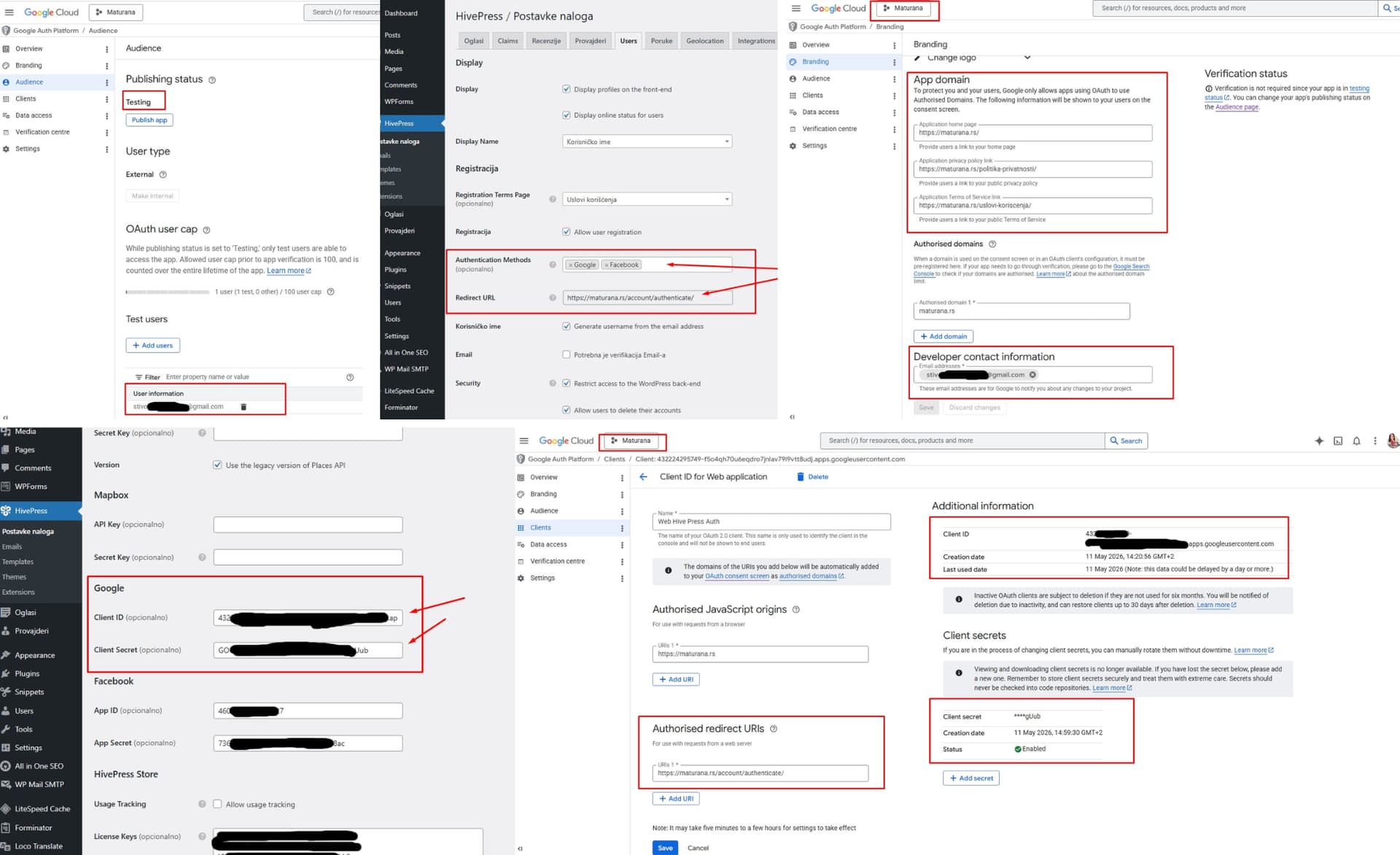
Thank you for your reply. I am sending you a screenshots of my settings. Please check if I set it right. Yes, I used my personal gmail account in order to create a project in Google cloud console, and now when I got the ID, API, secret key, I “became” a developer, right? Tell me is that wrong and should I use a domain mail address instead?
Could you please try switching temporarily to the default WordPress permalinks and check the issue once again?
If the page still returns a 404 error, then it’s possible that the URL is not being recognized correctly or that the hosting/security system is blocking it for some reason. Sometimes hosting providers or security plugins may falsely detect certain URL parameters as potentially unsafe and block the request.
Also, my CDN stays ON, but I have to set the security level on Low. My Wordfense and Lightspeed cache plugins are stay active. That solve the issue in my case.
Thanks for sharing the solution, glad it’s resolved.
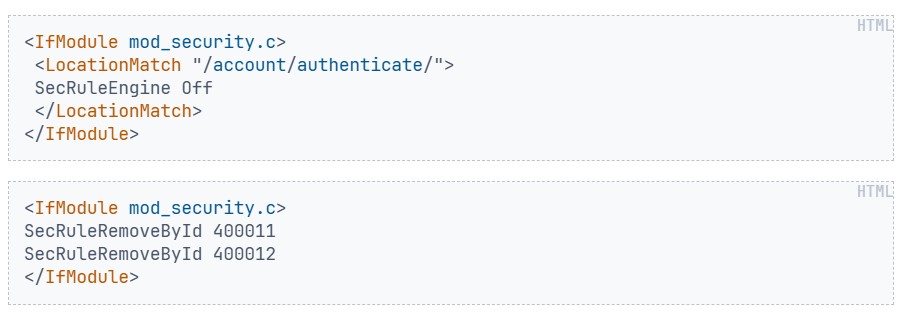
It seems likely that some security rules were falsely detecting the redirect URL as malicious and blocking it. This can occasionally happen with stricter server-side security configurations.