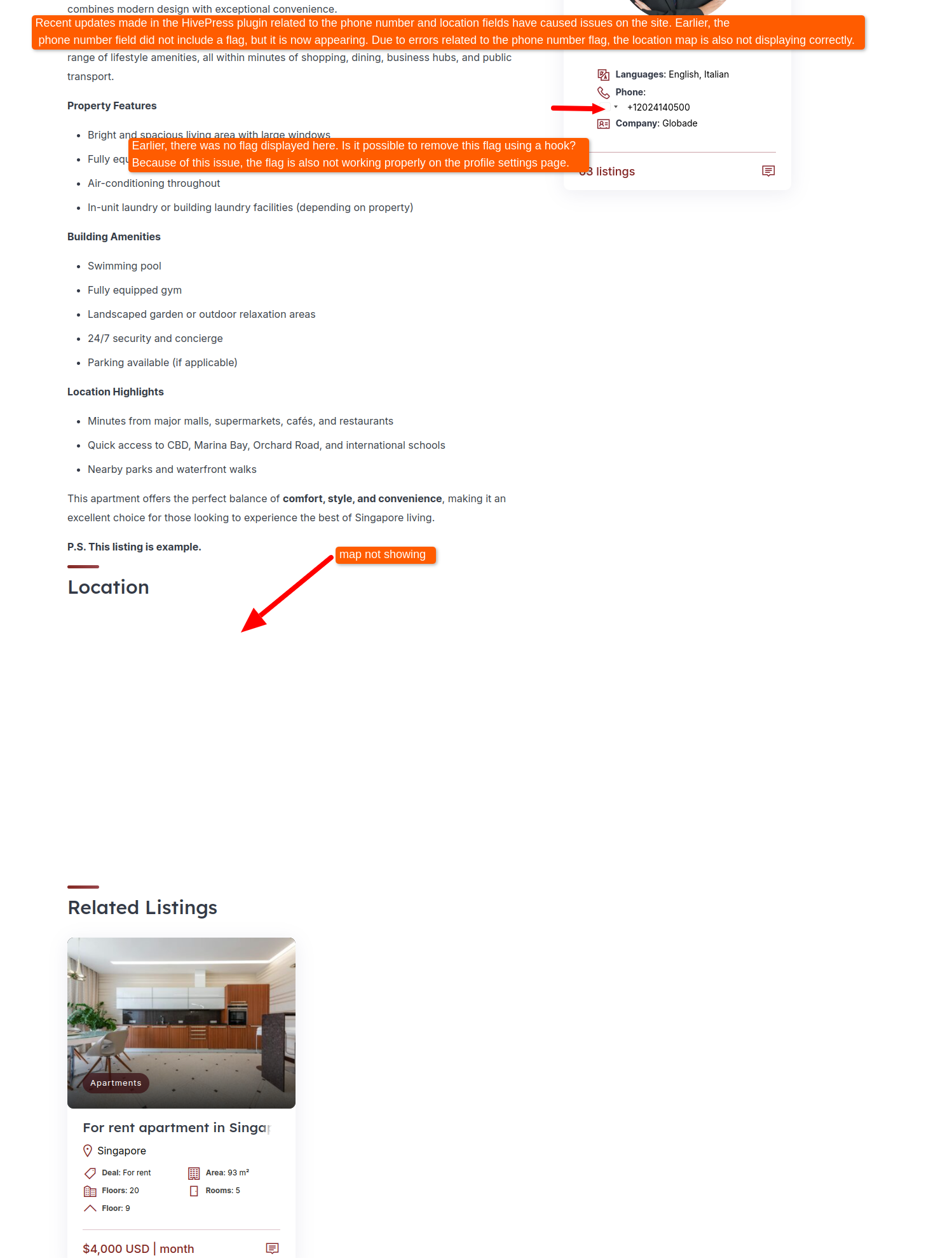
The new HivePress plugin update has caused issues on the site. The flag in the phone number field is not displaying correctly, and on pages where a phone number is added, the map is also not showing. I’ve already tested by disabling all other plugins, and there were no issues with them. Please let me know how this issue can be fixed.
Hey,
Just adding that I’m also experiencing the unwanted and blank country flag part on the front-end now.
I’m not sure if it’s related to the update, but in my case, I also found the star icons from the listing’s rating (on individual listing pages) have also disappeared.
Cheers,
Chris 
Hi,
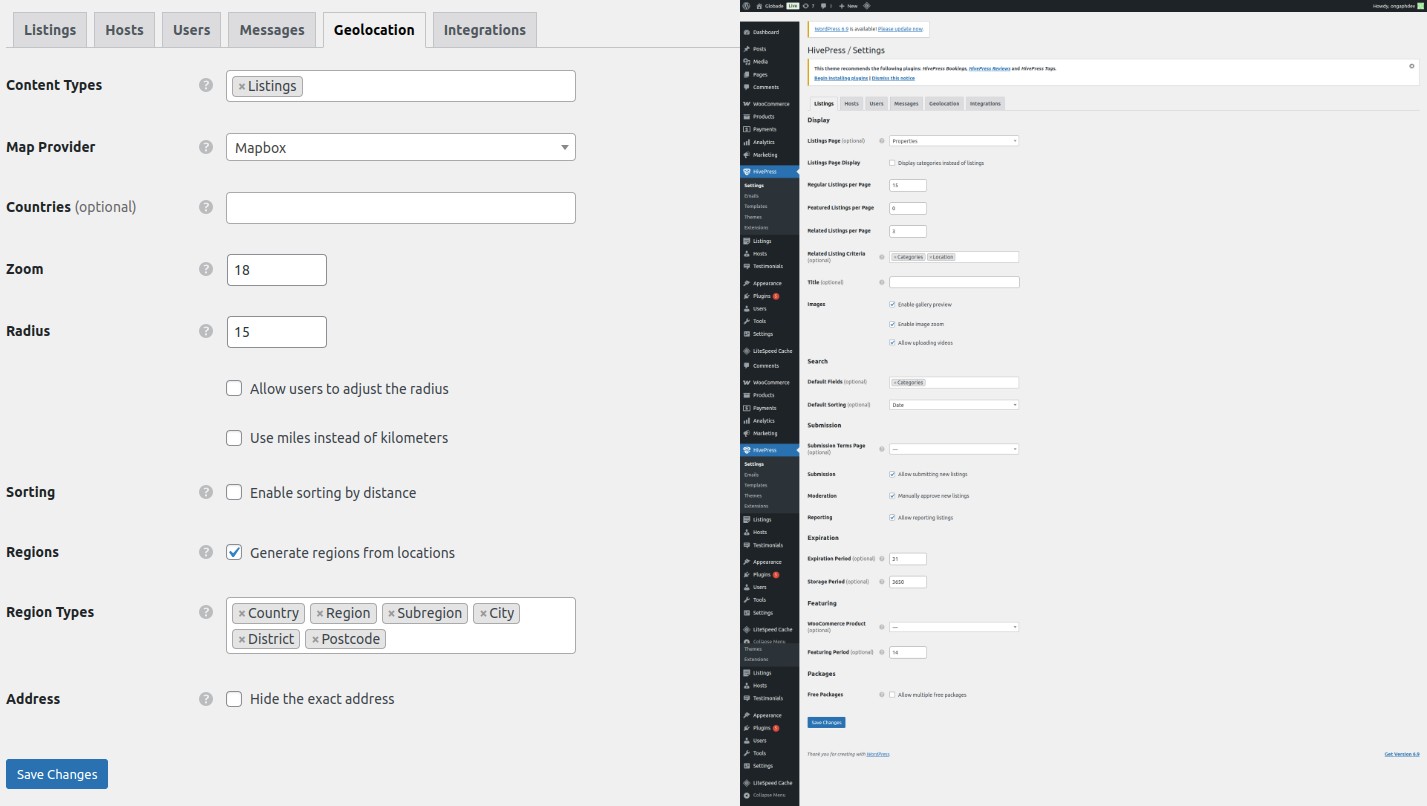
Could you please share the settings of your attribute? Specifically, do you have a default country or countries set, and what are the settings in the display block?
The recent update didn’t include any changes or fixes regarding geolocation, so these issues shouldn’t be related to the update. Could you also please confirm if the map issue is related ONLY to listings where the flag is not being rendered, or is it happening across all listings?
Hi @ChrisB,
Is the flag icon set in the icon field in the attribute settings (where you can choose an icon from the dropdown), and it’s just not rendering? Or is the flag being created/displayed in a different way?
Hi @kseniia,
Under Listings > Attributes and Vendors > Attributes, I have the countries restricted to United Kingdom only, and United Kingdom is also set as the default country, as well. I can’t set or see any country flags on either of these pages.
If I look at an individual listing or vendor profile via the backend of WordPress, I can see the UK flag.
When I look at an individual listing or vendor profile via the front-end, the little placeholder for the country’s flag is showing the grey box/placeholder without any flag inside it.
Before the update, the greybox/flag section did not appear on the front-end. Ideally, I’d like to hide it again on profiles/listing pages.
I can, however, see the country flag on the front-end, if I’m on the Add Listing page or Profile Settings page.
Similarly to how ongraphdev found their map has dissappeared, since the update, I’ve found the stars from the rating part are missing on vendor profiles and individual listing pages.
Re: my original email from the other day regarding the HTML display issue of the phone numbers after the update - the login link should still work, if you’d like to investigate further.
I’ve not made any customisations to the flags myself. The only customisation regarding phone numbers that I’ve made is a seperate “better formatting” snippet, but I’ve already tried deactivating it and found the other issues still persist.
I did spot a new .js file that seemed related to the new country/phone flags library, but even after adding it to my excluded list the other issues persist.
I hope this helps!
Cheers,
Chris
I’m sharing a screenshot for reference. Please review it and let me know which setting might be causing this issue. I’ve already disabled all other plugins, but the problem is still occurring.
On the pages where users have added a phone number, a country flag is appearing, and because of this, the map is not displaying. I’d like to understand why this flag is showing and which setting is responsible for it.
Thanks for the details.
Please send temporary WP access to support@hivepress.io with the link to this topic, and we’ll check the issue (please send only the link, without login and password). You can create a temporary access link using this plugin. Alternatively, you can send us login credentials.
I have currently downgraded the plugin on the site, so I am unable to share the login details at the moment. I will first set up the staging site and then share the staging link with you.
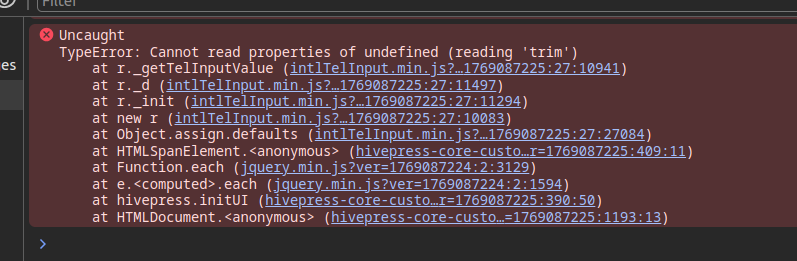
If possible, could you please share any JavaScript errors that appear in the browser console with the new version of HivePress? This will help us identify the issue without needing temporary access to your site.
To check the console, you can right-click anywhere on the page, select “Inspect,” and then go to the “Console” tab. Please share any error messages you see there.
Hi @kseniia ,
Please check the error below.
Hi,
Thanks for the details. We found the reason, and we’ll release a quick update soon.
1 Like
Hi,
Could you please let us know if you’ve made any changes to JavaScript files? We noticed something called hivepress-core-custo in the error screenshot, and we’d like to clarify what this file is. Is this a custom JS file you’ve added? We’re asking because there’s no file with that name in the default HivePress installation, so it appears to be a customization.
Understanding this will help us determine whether the issue is related to custom code or something else.
I did not make any changes in any files or plugins. Only the plugin was updated, so I did not change anything manually.
Could you please share the complete filename of hivepress-core-custo... so we can better understand which file is causing the error?
This topic was automatically closed 30 days after the last reply. New replies are no longer allowed.