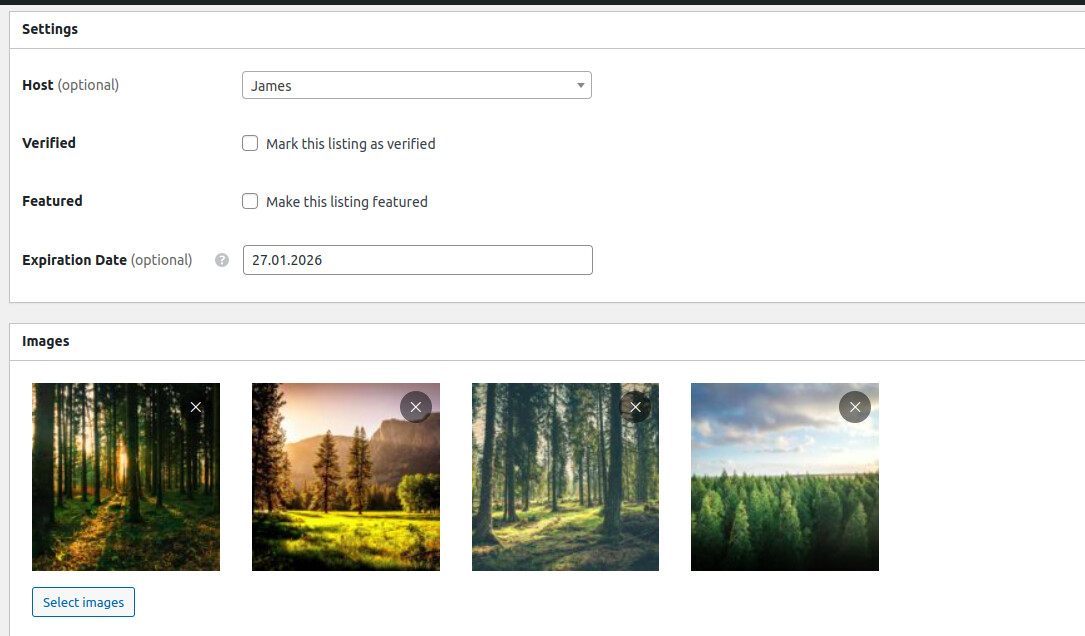
Can you please confirm whether the image order is changing over time for example, the first image becoming the second and vice versa? If so, could you let me know the possible cause so I can fix this issue properly?
Hi @ongraphdev,
As far as I know, HivePress doesn’t alter the order in which they’re displayed. You can, however, reorder images by dragging them into the preferred new position. Yourself or site members may have done this unintentionally.
I hope this helps!
Cheers,
Chris 
Hi,
As Chris mentioned, there’s no function in HivePress that affects image ordering. However, if you’re noticing this behavior across multiple listings, please check for any custom code that might be causing it. It’s also possible that a third-party plugin could be interfering.
If you notice a pattern or can identify when this happens, please let us know and we’ll investigate further.
I’m not sure why this is happening, but the images are randomly swapping positions. Sometimes the second image becomes the first, and the first image becomes the second in the backend listing. Could you please help identify why this is happening?
The first step would be to rule out any interference. Have you tried disabling customizations and third-party plugins and then observing the behavior over the next 24 hours? Also, does this happen to all listings or featured ones?
I’m not sure how this could be a third-party plugin issue. The image position is changing within the plugin’s own admin backend, specifically in the listing edit screen. Even when editing the listing directly inside the plugin, the image order changes automatically there itself.
Because the issue originates in the plugin’s admin interface, it’s unclear how another third-party plugin would interfere with this behavior. Additionally, this issue does not occur consistently it happens randomly across different listings, which further suggests the problem is internal to the plugin rather than being caused by an external plugin conflict.
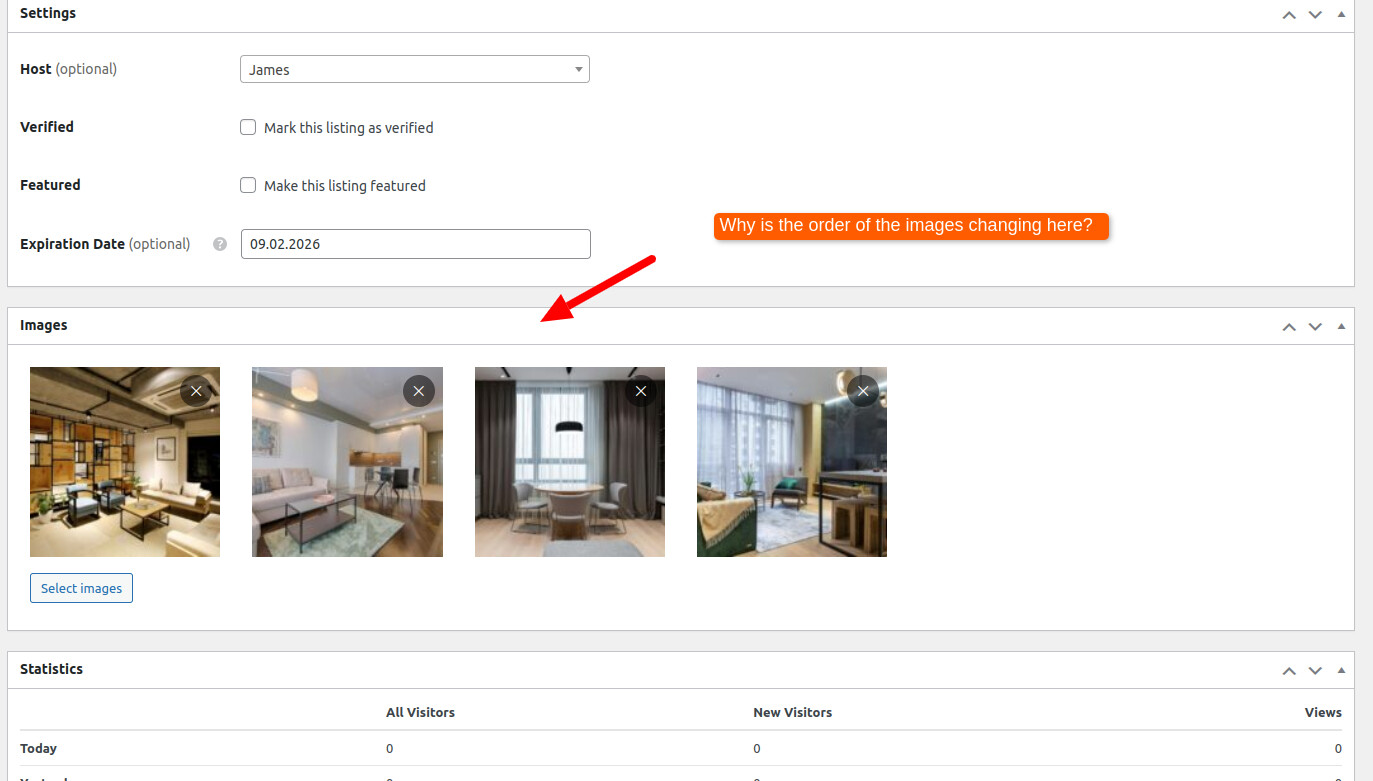
As mentioned previously, HivePress doesn’t have any built-in functionality that automatically changes the image order over time. There is a known minor issue related to asynchronous image loading. If images are being uploaded simultaneously and processed asynchronously, they might appear in a different order than they were uploaded. Could you please try to reproduce this issue and confirm a few things: does the order change after uploading several images at once, followed by a page refresh? Does the new order persist after that, or does it keep changing? Does the issue not occur if you upload images one by one instead of multiple at the same time?
This will help us understand whether it’s related to simultaneous uploads or something else.
The issue is that across many listings, the image order changes randomly and at different times. This can happen to any listing and is not consistent or predictable. When the image order changes in the backend, the same incorrect order is then reflected on the frontend and remains that way for several hours.
This is not a caching issue and not a frontend display issue. The problem originates in the plugin’s admin backend itself, where the listing data is managed. We can see the image order changing directly in the plugin’s listing editor, and that is why the frontend also shows the wrong order.
If this were not a plugin-related issue, it’s unclear why the image order would repeatedly change in the backend. For example, an image that appears first in a listing today may automatically switch to the second position, and the next day a different image may change position again. Since these changes occur without any manual edits and are visible in the backend, this strongly suggests the issue lies within the plugin’s image handling or ordering logic rather than with caching or frontend rendering.
Hi,
Thanks for reporting the issue.
We suggested that it may be a third-party plugin or caching issue because there are no other bug reports about this, and there are no functions in HivePress framework that can change the image order at random times.
Please let me know if the issue can be reproduced, and if you tried the suggestions posted by Ksenia above. We need these details to further check and reproduce the issue, any details (e.g. that order changes after you upload images and refresh the page) may help.
Also, please try this code snippet and check if the issue stops occurring, this way we can also exclude the HivePress cache as a reason Disable the HivePress cache #hivepress #cache · GitHub
Hi, I am owner of the site where this issue is happening. I have tried your snippet for disabling Hivepress cache and I can confirm - issue is because of Hivepress cache. If I disable it with your snippet images switch back - 2nd to 1st image and they are not switching. If I enable Hivepress cache again - they switch again 1st to 2nd. This happens to random galleries. I could even send you video if needed.
Hi,
Thanks for the additional details. In order to fix a bug, we need to be able to reproduce it locally first. If the issue is reproducible when caching is enabled, could you please send us a screencast or describe the exact and detailed steps to reproduce it?
We need to understand what you mean by “the order changes by itself,” specifically when caching is enabled. If the issue happens with specific images, could you please provide 2 sample images so we can test with the same files?
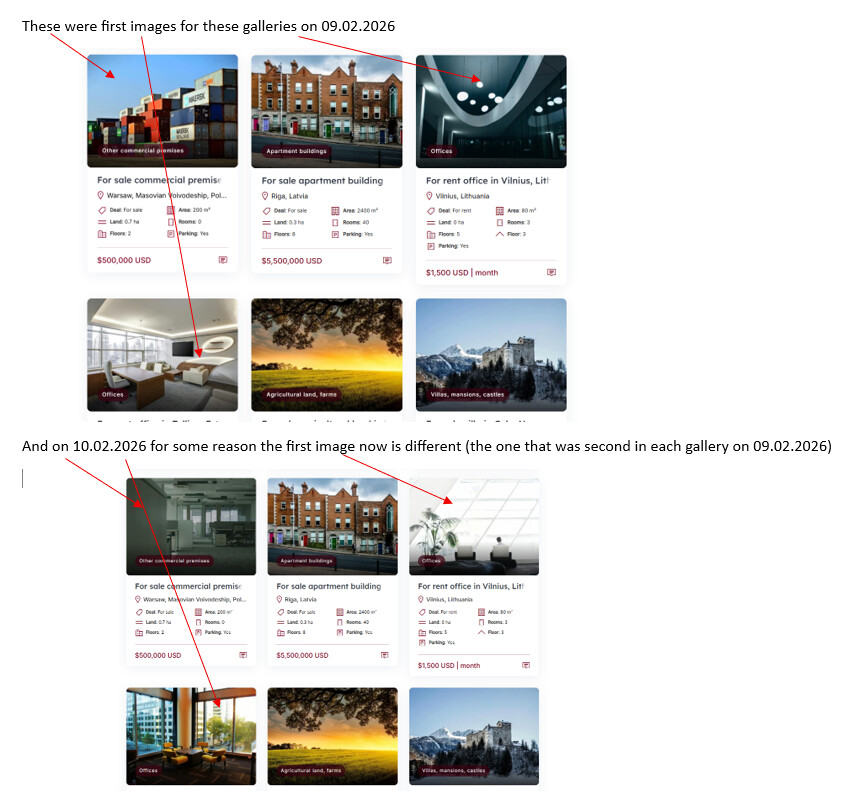
Hi, I have double checked now and even with Hivepress cache disabled some listings again switch 1st image with 2nd one. What I mean by this - the image that was first in gallery for example yesterday, today is second image. And the image that was second yesterday in gallery is first today. Adding screenshots. It does not matter what the name of image is or what format, I have tried different names for images, formats etc
Thank you for the details.
However, at the moment we’re unable to reproduce it on our side. We tested by uploading two or more images to a listing and checked the order across different time periods, but the image order did not change in our tests.
If the issue is reproducible on your end, could you please provide detailed steps to reproduce it? For example, any prerequisites, specific settings, actions performed, or time intervals involved. The more precise the steps, the better.
We’re not dismissing the issue in any way, we simply need a reliable way to reproduce it. That’s the only way we can properly proceed with debugging and fixing the problem.
Looking forward to your details so we can investigate this further.
Hi, I have reproduced the issue manually. Adding screenshot. What triggers it automatically I have no idea.
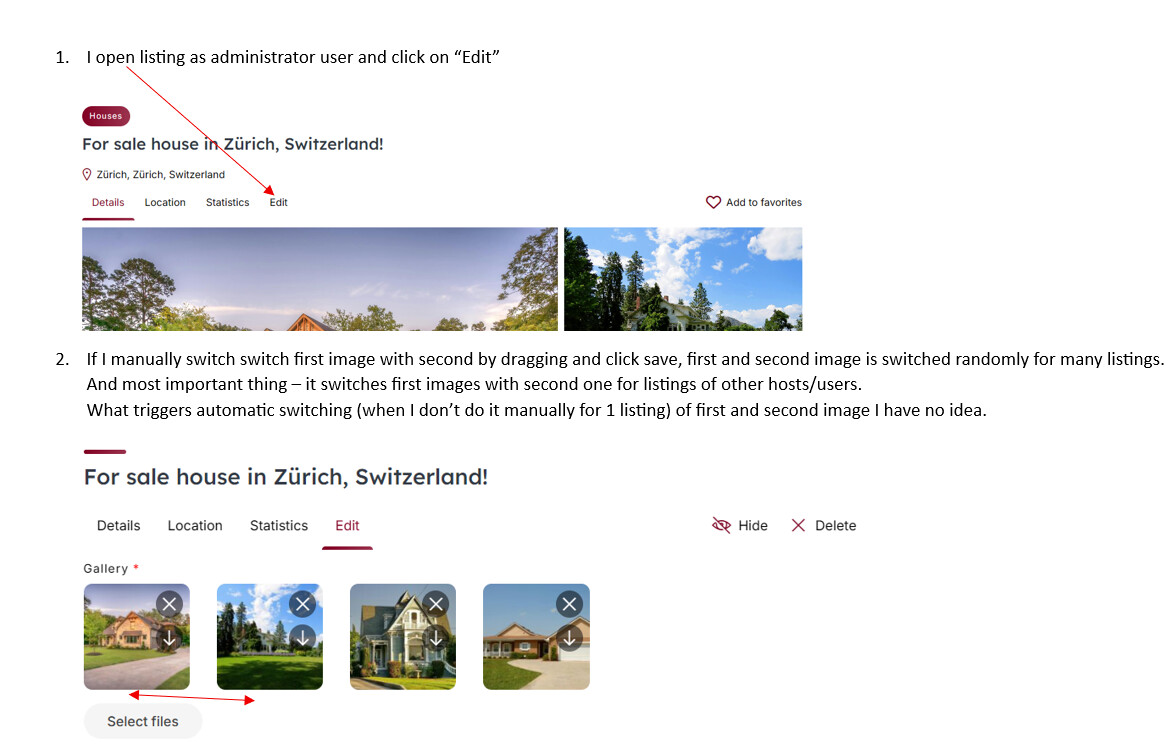
And I just double checked as normal user (non-admin) - if I switch by dragging manually first image with second, it gets switched for random other listings also. Even if I do this as non-admin user for my listings.
Hi,
Thanks for the details.
We’ll test the issue locally and get back to you with a response soon.
1 Like
We’ve tested this and were unable to reproduce the issue on a clean WordPress + HivePress installation. Could you please let me know if you’ve disabled customizations and third-party plugins, even if you think they can’t interfere? This helps us rule out conflicts.
Additionally, if you have a developer or are familiar with code, could you please try commenting out this line (add // at the beginning) hivepress/includes/controllers/class-attachment.php at master · hivepress/hivepress · GitHub and test again to see if reordering by dragging affects other listings?
Also, please make sure that each vendor has their own user account (not all vendor profiles under one admin user), and let us know, does this affect images of listings from other vendors, or only listings under the admin account?
Hi,
I think that maybe I have discovered what was the issue - Advanced Editor Tools plugin.
Once I disabled it, I can’t no longer reproduce the issue by dragging images, images are only changed for 1 listing not all the others, so issue for manually changing images by dragging is gone. I will check the site in next 24 hours to see if images are changing on their own automatically, if not, I will let you know that the issue has been resolved.
Hi, even with that plugin disabled issue is back today but in strange ways - for 1 listings it works as intended and when editing different listing again images are switched for multiple listings.
I will ask my developer to test out your suggestion.
Thanks for the update.
If you find a way to reproduce the issue, please let us know. We’re interested in fixing the bug if there is one.
Hi,
after a lot of testing I can say for sure - if Hivepress cache is not enabled images don’t reorder themselves (if not manually reordered by admin user), once I again enable Hivepress cache I see that images immediately switch themselves for random listings.
At the moment I see that if by admin user images are reordered manually by dragging for 1 listings they change for random listings but if they are reordered manually by dragging for 1 listings by normal user (customer) then they are reordered only for 1 listing.