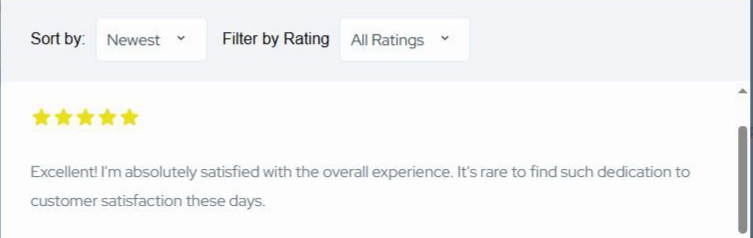
Unfortunately there’s no simple solution for this, this would require a custom implementation. The first step would be removing the default reviews block as it lists all the reviews, and replacing it with a custom one via the hivepress/v1/templates/listing_view_page filter hook (it allows customizing the listing page blocks). The custom block you insert can implement the described logic, load a few reviews (comments of “hp_review” type) with a button that sends an AJAX request and renders the response at the end of the block, adding loaded reviews this way.
We also plan to add AJAX pagination for the reviews in future versions, another easy solution you can consider is loading all the reviews (like it currently works) and collapsing the reviews block via CSS, adding a button with JS logic to expand the reviews block in height.
When adding AJAX pagination, could you provide an estimated timeline (in months)? Alternatively, if AJAX is not implemented, the reviews can still be loaded as they currently are, but displayed in a collapsed block using CSS, with a button and simple JavaScript logic to expand the block when clicked. How should this be implemented?
There’s no specific ETA, but we plan to release this by the end of the year. Unfortunately there’s no general guidance for implementing the CSS solution, if you’re familiar with coding please check this sample topic javascript - Expand div on click with smooth animation - Stack Overflow
“I created a child theme with the following feature: the reviews block is displayed in a collapsed state using CSS (showing only a limited height by default). I also added a ‘Read More’ button below the reviews and used simple JavaScript logic so that when the button is clicked, the reviews block smoothly expands to its full height. However, it is not working with the code I used below.”
wp-content/themes/listinghive-child/
├── style.css
├── functions.php
├── script.js 1. style.css
/*
 Theme Name: ListingHive Child
 Template: listinghive
 Description: Child theme for ListingHive with collapsed reviews feature.
 Author: Your Name
 Version: 1.0
*/

/* Collapsed reviews block */
.hp-reviews-block.collapsed {
  max-height: 300px;   /* Show only a limited height by default */
  overflow: hidden;
  position: relative;
  transition: max-height 0.5s ease;
}

/* Expanded state */
.hp-reviews-block.expanded {
  max-height: 2000px; /* Large enough to reveal all reviews */
  transition: max-height 0.5s ease;
}

/* Read More button */
.hp-reviews-actions {
  text-align: center;
  margin-top: 15px;
}
.hp-reviews-actions button {
  border-radius: 20px;
  padding: 8px 16px;
  margin: 5px;
  cursor: pointer;
 }
Unfortunately we can’t help with reviewing custom code and help with implementing custom features as this is outside of our support scope. It includes fixing reported bugs and collecting feature suggestions, if it’s urgent and some feature is not available yet, please consider hiring a developer for customizations Customize your website | HivePress