I selected the rental Hive because of the design we liked.
Wanted to change the Host to a Vendor
Changed all Host to Vendor in the Loco Translate but nothing changed.
Can you advise?
Hi,
Please provide more details on where you’d like to change Hosts to Vendors. Some changes can be made in Loco Translate [please see the screencast], and some by making changes in Pages [please see another example].
Thanks for you response
It’s mainly in the backend where I can see hosts all over the place
Please make sure that you’ve made changes in Loco Translate > Themes > RentalHive and that you’ve chosen the language that is set in Settings > General.
If the issue persists, please send temporary WP access to support@hivepress.io, and we’ll check it (please send only the link, without login and password). You can create a temporary access link using this plugin.
This is what I edited with no luck
Tee temporary login link was sent
I sent the login and responded to this message but can’t see it
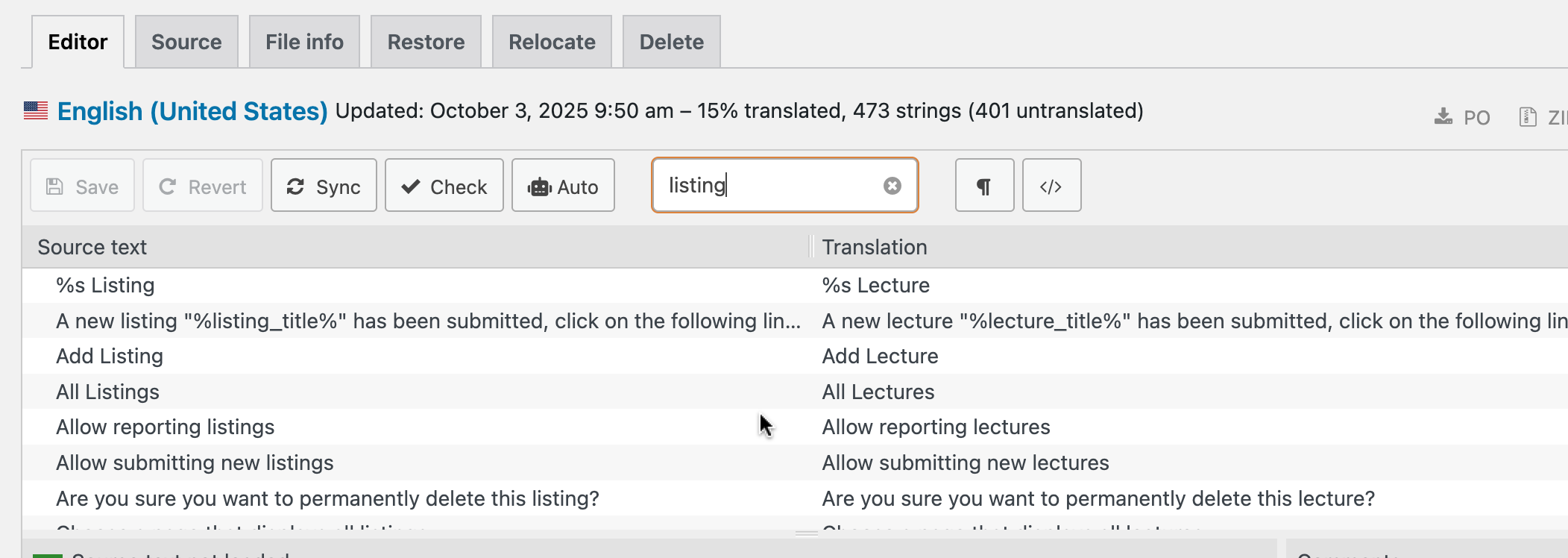
I have a closely related issue with the Loco Translate not translating. I am using ListingHive Theme with Hivepress plugin. On my education-related site Listings are renamed Lectures, and Vendors are renamed Series (or Lecture Series). This was working perfectly fine for a few months, both on the front-end and in my admin dashboard, but after the most recent WordPress update the translation is no longer working and the lectures display as “listings”, even though the translations that I entered are still visible within the Loco Translate and I have synced it several times.
Hi,
Check button scans for code so in case there is async between lines or something like that, it allows scanning the code and displaying strings if some are missing for some reason.
Have you tried adding new translations to this file and seeing if they appear?
My first guess would be that you’ve chosen the location of the translation as System or Author, while the best approach is to use Custom location as our screencasts show, as this way it is safe from any WordPress updates. If that is the case, please go to the Relocate tab and change the location to Custom. If the issue still persists, there is a chance that the translation will apply only to new translations. Please try to resave your translations and see if it works.
Please let me know if the issue persists.
Hi @kseniia,
Thank you for your reply - the issue appears to be resolved now. I am not completely sure how it happened, but as per your directions I tried adding a new translation; it did not appear anywhere immediately, but temporarily 2 “Hivepress” items appeared under Loco Translate > Plugins, one last modified today and the other modified on the date when things stopped working. I clicked around the various tabs a little more, and then I noticed that all my previously added translations are suddenly working all around the site, and checking again I saw only one “Hivepress” under Loco Translate > Plugins, the one modified today. So, it appears that adding something new was the way to go about it.
The location of the translation was Custom before and after.
Thank you again!
Kind regards, Dhameswar
Thank you for the update.
This topic was automatically closed 30 days after the last reply. New replies are no longer allowed.