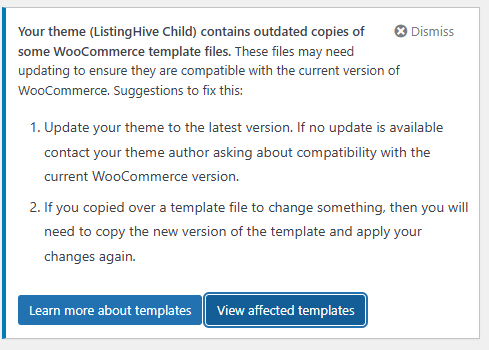
I do not have the same, i also do not see in in the hivepress core nor the listing hive theme. I think you must created it considering it is a child theme. The downside of a child theme is you have to manage the custom bits yourself in case of updates.
I am sure it would not be too difficult to fix, you just have to take the updated woo version and incorporate the changes you made into the new version.
ListingHive itself doesn’t actually have a /woocommerce/ folder in its core files (you can see this in the GitHub repository: GitHub - hivepress/listinghive).
It looks like you (or someone working on your site) created these template files, possibly by copying them from WooCommerce when customizing the templates. Could you please check if this file exists with such a path in your theme folder? If it does, that confirms these are custom WooCommerce template overrides you made.
You can try replacing the version number at the top of the file with the new WooCommerce version and test to see if anything breaks. If things break, copy the fresh template file from the latest WooCommerce version and reapply your customizations to it.
I did manage to locate the file, and like you suggested, I found that by updating the version number the issue seems to have resolved now.
I’ve made quite a few customisations, and, I’ll need to dig a little deeper to be sure if I actually need the file overridden anymore, but nevertheless, thank you both for pointing me in the right direction!
Just changing the version number of the template is bad practice. Effectively the problem is still there, you just silenced Woo’s notification.
If you do not need the custom template anymore, remove it, if you do keep it, update it properly.
Now there may be no errors or problems, but Woo does not display this for nothing perhaps changes are made to the template in anticipation for future updates, who knows.
If at some point in the future something stops working, eg form won’t submit, or a (fatal) error, it will result in a time consuming bug-hunt if you forgot about it or someone else is working on the website.
This “fix”is called technical debt. Quick cheap fix now, pay for it later.