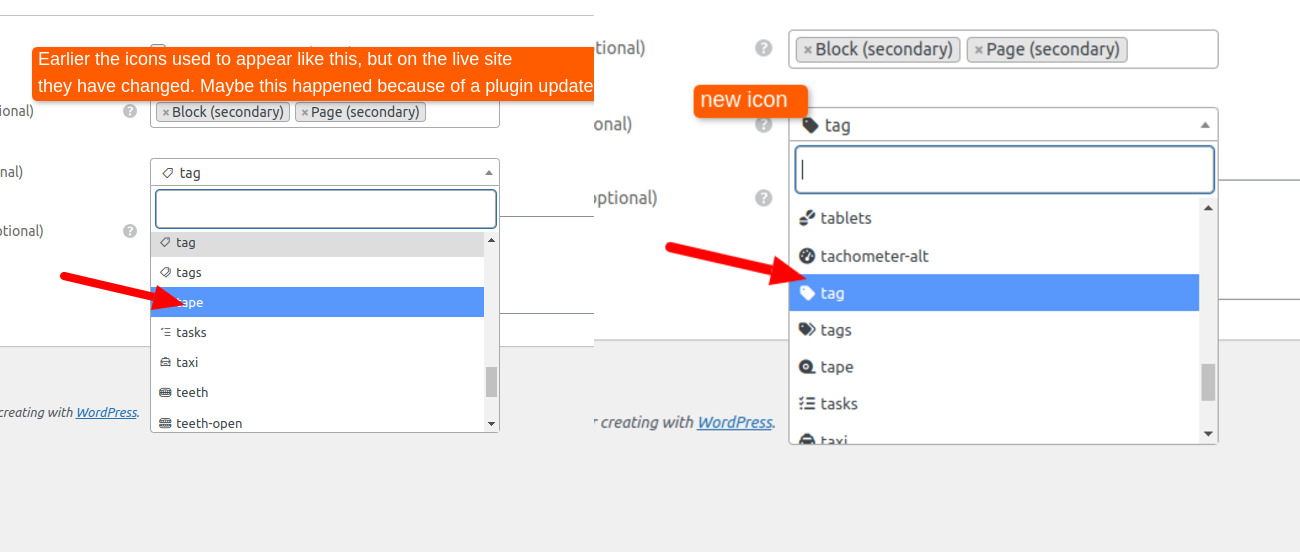
Earlier, the icons used to appear with thin outlines and no background. But after a plugin update, they are now showing with a filled background. How can we change them back to the previous outline style? Or how can we add our own custom icons? These icons appear in the Property Display Attributes section in the listing.
Hi,
We haven’t changed anything related to icons in the recent update, so the issue is likely not coming from HivePress. Did you perhaps change your theme or anything icon-related recently? For example, Elementor or another plugin can override icons. Also, in our premium themes, we use outlined icons, if you switch the theme, they may appear as solid icons like in your screenshot (solid icons are the free Font Awesome version).
You can also try selecting a different icon and checking it on the front end. Sometimes the back end shows the default icons, while the front end may still be loading other icons.
This topic was automatically closed 30 days after the last reply. New replies are no longer allowed.