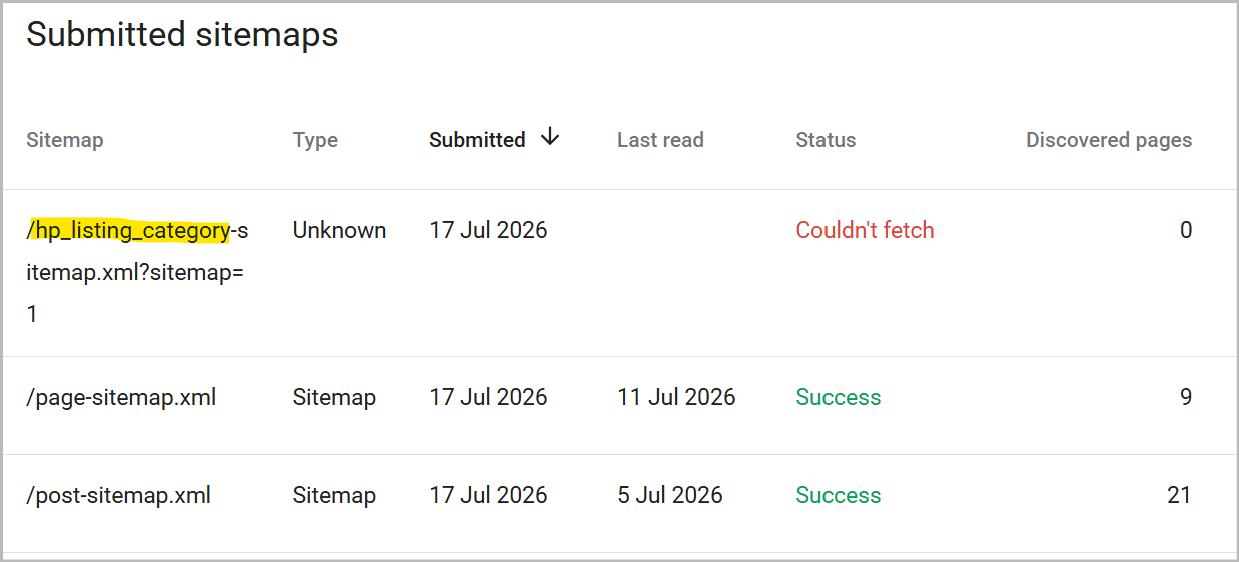
I’m noticing that Google Search Console is unable to fetch RankMath’s site maps for HivePress listings, categories. It will find WP posts and pages however.
As far as I remember, Rank Math does not include custom post types and taxonomies in the sitemap by default.
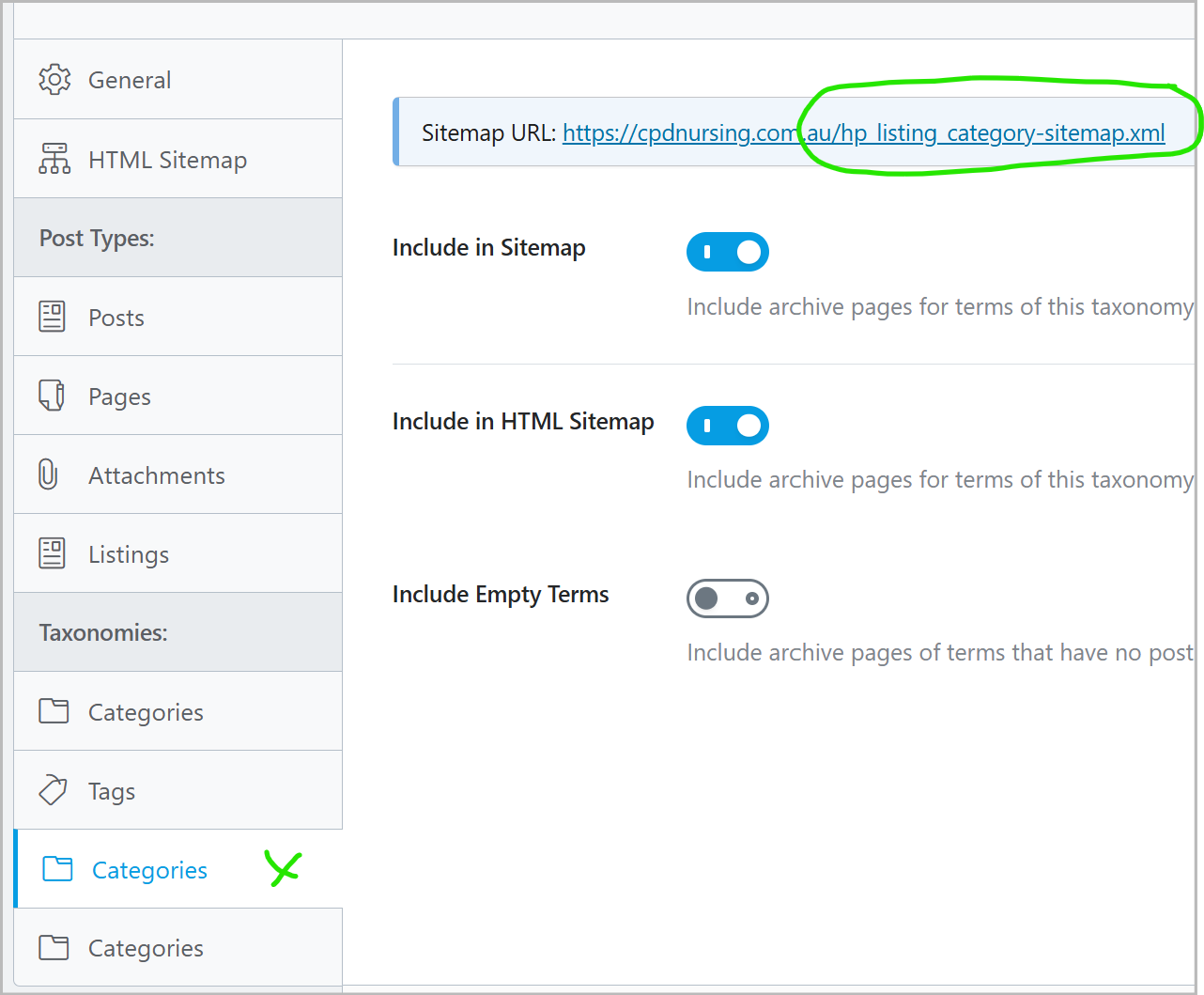
Could you please go to Rank Math > Sitemap Settings and check whether Listings, Categories, as well as Vendors and their categories are enabled and included in the sitemap?
I note that this is a new website and domain.
Google has not indexed the site yet (aside from the home page), though submitted to GSC 2-weeks ago.
Indications are I must wait for indexing to be done (Grrr).
Bing has successfully parsed all the sitemaps, and I await indexing there too.
I will report back later, hopefully with good news.
I don’t use Rank Math myself, but it sounds like the category pages and possibly even the sitemap itself may have ‘noindex’ applied to them.
Visit one of your category pages on the front end, right click > view page source > search for noindex, if it’s there that’s why Google can’t crawl it.
If you have noindex settings in Rank Math, make sure they’re not enabled for HivePress categories, Listings, or any page(s) you want to rank.
Edit: The empty terms option in your screenshot should add empty categories with no listings in them (yet) to your sitemap.
You could also try visiting/submitting the sitemap without the ?sitemap=1 part, and see if a) it loads b) Google accepts it.
For no obvious reason, upon resubmitting each sitemap, GSC is now finding them all and logging “Successfully processed,” including the site map’s index page.
My guess is that when page indexing began, which took around a month after launch, additional resources were applied.
So, patience and persistence … perhaps, is the key.
Ranking at 33 for my keywords, which is pretty good for a new site, not fully indexed. Now, what will it take to rank on page 1?
Glad to hear this seems to have resolved itself now. Ranking at 33 almost immediately is incredible, so you’re obviously doing a lot right already!
However, it’s worth having a look at your competitors’ websites for the terms you’re looking to rank for. What do they have that you don’t, and can you do it better? You could also use tools like SEMrush (free trial ; remember to cancel, as it’s expensive!) to analyse your website, get a huge overview of info and ideas, and snoop on your main competitors too.
All the options can feel a bit overwhelming, but there are tons of documentation and YouTube videos to help you get your head around it all. You could even ask ChatGPT or similar to help you make the most of your free trial. Apply a few of those tips and you’ll surely see your rank continue to grow!
Obviously, there are plenty of similar tools out there as well. Try searching for “SEMrush alternatives” or “free SEO checker”. Google’s PageSpeed Insights and your web browser’s dev tools can also help spot areas for improvement.
Thanks for the update, I’m glad to hear your site is live and discoverable by search engines!
For improving your ranking further, I’d recommend checking out some dedicated SEO guides from experts in this area. From what I understand, the landscape has changed quite a bit with the rise of AI-driven search, while backlinks used to be one of the main strategies, it’s no longer just about that alone. AI-driven search tends to favor sites that are genuinely being talked about, so it may help to build some organic visibility, for example, through community forums like Reddit, Quora, or social media discussions.
I hope this gives you a helpful starting point, and I’d definitely encourage digging into some more specialized SEO resources for a deeper strategy tailored to your site.


 ; remember to cancel, as it’s expensive!) to analyse your website, get a huge overview of info and ideas, and snoop on your main competitors too.

