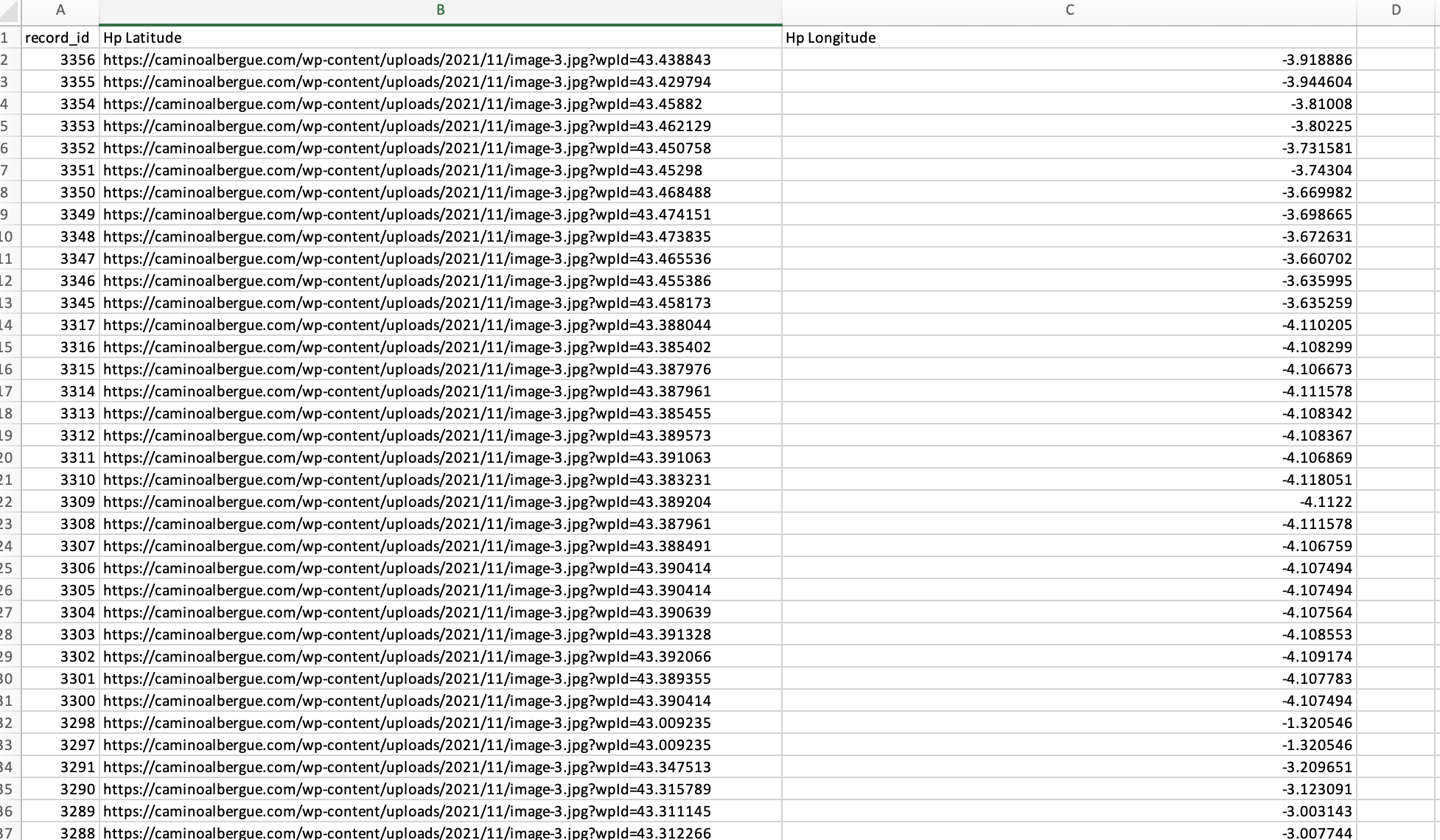
Does anyone know how I can use WP Sheet Editor to quickly update the SEO for my regions within listing hive ? rather than going through them one by one
thanks
Does anyone know how I can use WP Sheet Editor to quickly update the SEO for my regions within listing hive ? rather than going through them one by one
thanks
Hi,
Unfortunately, we’re not familiar with that particular plugin, so I can’t provide specific guidance on how it works with HivePress.
If you’re referring to bulk editing regions, could you clarify what exactly you want to edit in bulk? We might be able to suggest a workaround.
Also, please note that if you’re talking about the Regions feature in the Geolocation extension, regions are automatically generated based on the listing locations that users enter. However, you can customize their descriptions or change their labels if needed in Listings > Regions.
Let me know more details about what you’re trying to achieve, and I’ll try to help.
If you’re using a third-party import/export plugin, please make sure you’ve correctly mapped the fields, as HivePress Geolocation cannot store image URLs in the latitude field. In the post meta field for listings (listings are a custom post type hp_listing), the hp_latitude field always contains coordinates (if a location was selected in the Location field for the listing).
Hope this helps.