Hello,
-
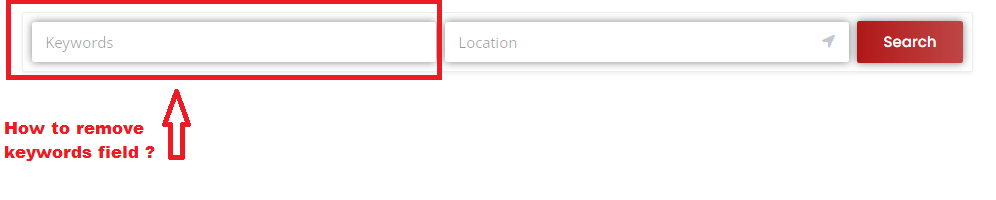
I want to remove “keywords” field from request search form.
-
I want to hide map from listing page & block, also from Widgets Requests (sidebar)
Hi,
add_filter(
	'hivepress/v1/forms/request_search',
	function( $form ) {
		unset($form['fields']['s']);

		return $form;
	},
	1000
);
Hope this is helpful.
Hello,
After applying snippet keyword field removed successfully, but geo location search field stopped working. now what to do
This code snippet shouldn’t affect the Location field, please make sure that Geolocation is set up correctly (maps API key, settings, etc. in HivePress/Settings/Geolocation and Integrations tabs).
If i use this code then location field is working but if i find for any location result comes up with all the location & request.
i have already provided temporary access via email for another query, you can use it and check the error.
Hi,
We recommend checking if regions are being created for requests in WP Dashboard > Requests > Regions How to set up regions - HivePress Help Center
Hi,
Please use this PHP snippet:
add_filter(
	'hivepress/v1/forms/request_search',
	function ( $form ) {

		if(isset($form['fields']['s'])){
			$form['fields']['s']['type'] = 'hidden';
		}

		return $form;
	},
	1000
);
Finally got solution, thank you guys.