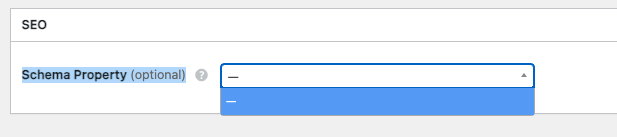
Why “Schema Property” is empty?
Hi,
Please disable third-party plugins and customizations (if there are any) and check if this issue persists. If you use a caching plugin, make sure that caching is disabled for logged-in users.
I tryed, but still it’s not working. Any other suggestions?
Hi,
If this is your attribute settings screenshot, please make sure that you have selected the type in HivePress > Settings > Listings.
Question, the schema property works only for the listing? What about the vendors?
Hi,
No, you can customize for vendors as well by selecting the type in HivePress > Settings > Vendors.
The only schema that is working it’s for the listing. For vendor the block is empty. As the first screenshot that i shared. What should I do?
Hi,
Please send temporary WP access to support@hivepress.io with details for reproducing this issue, and we’ll check it (please send only the link, without login and password). You can create a temporary access link using this plugin Temporary Login Without Password – WordPress plugin | WordPress.org.
Hi,
We have checked your settings, and as I said in previous posts, you do not have a schema selected in HivePress > Settings > Vendors, so you cannot select a schema in the attributes.