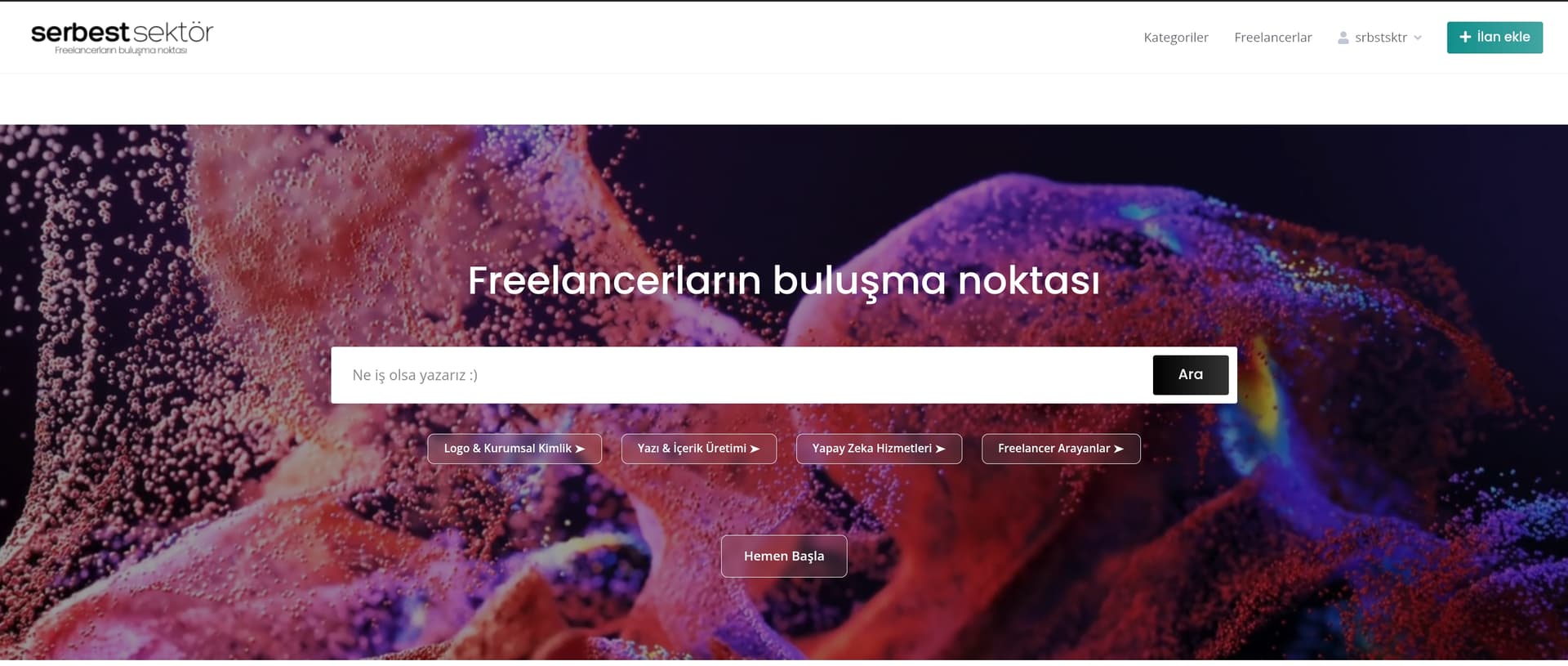
I’m using the HivePress theme and currently experiencing an issue with the search function. When I enter a keyword into the search bar on the homepage, I’m redirected to the categories page instead of seeing relevant listing results.
However, my expectation is to be directed to a results page where listings with matching titles and content are displayed based on the keyword entered.
In this context, how can I make the search function match listing titles as well and display the relevant listings directly to the user?
Thank you for your response. I’ve disabled all caching and third-party plugins as suggested, but unfortunately, the issue still persists.
The search works correctly on the listing pages and displays the relevant results. However, when I perform a search from the homepage, I’m redirected to the categories page, and no listings are shown.
If you have any further suggestions, I’d be happy to try them.
Thank you so much for your support and kind words Would it be possible to ask a small favor? I’m trying to remove the space between the image and the top bar, but unfortunately, I haven’t been able to fix it despite my efforts.
Please consider using the built-in theme header (by adding the Read More separator to page content, then content above this separator will appear in the header section without extra space) instead of the Cover block. For more details, please check this doc: How to add a header image to pages - HivePress Help Center
Also, if you have any additional questions, please create a new topic, as this will be helpful for our community.
Thank you for your support. The method you mentioned seems to allow only image uploads. However, what I’m trying to do is add a short video to the cover area. Could you suggest a solution or an alternative way to achieve this?


 Would it be possible to ask a small favor? I’m trying to remove the space between the image and the top bar, but unfortunately, I haven’t been able to fix it despite my efforts.