Hello,
is there a way to show the platform fees in the Placed orders section?
Hi,
Could you please clarify what you mean by “platform fees”? If you’re referring to placed orders, it should work as follows: the user will see the Service Fee in their order (if it was enabled at the time of purchase), it’s displayed during checkout and in the order details, just like any other fee.
The vendor fees, on the other hand, are visible to the vendor in their received orders section.
Hi,
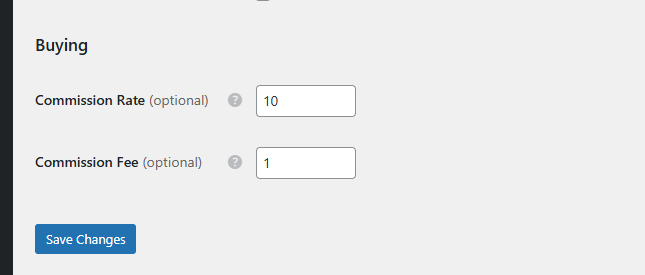
In the hivepress settings, in the user section, i have this commission rate set up.
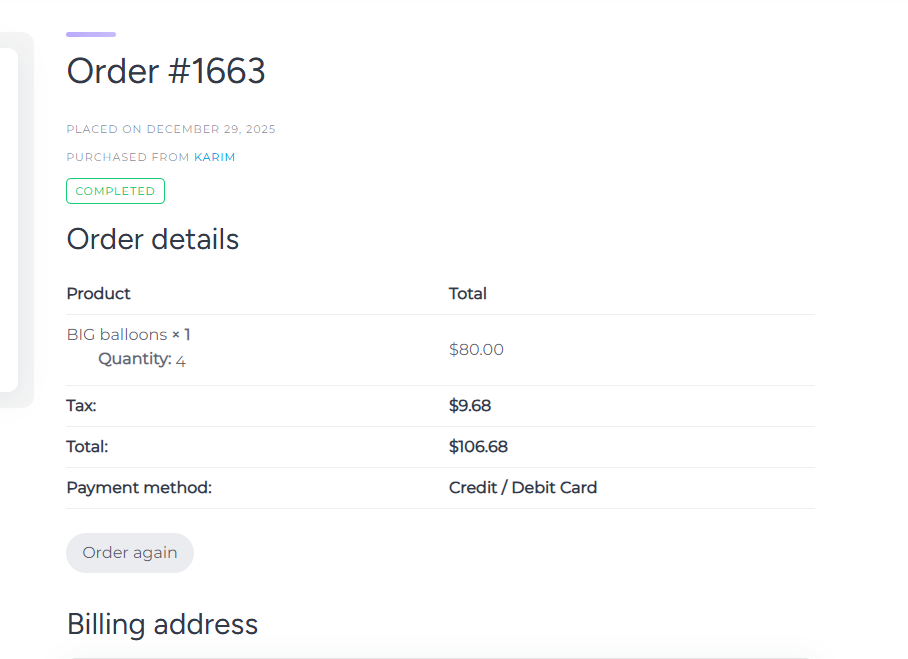
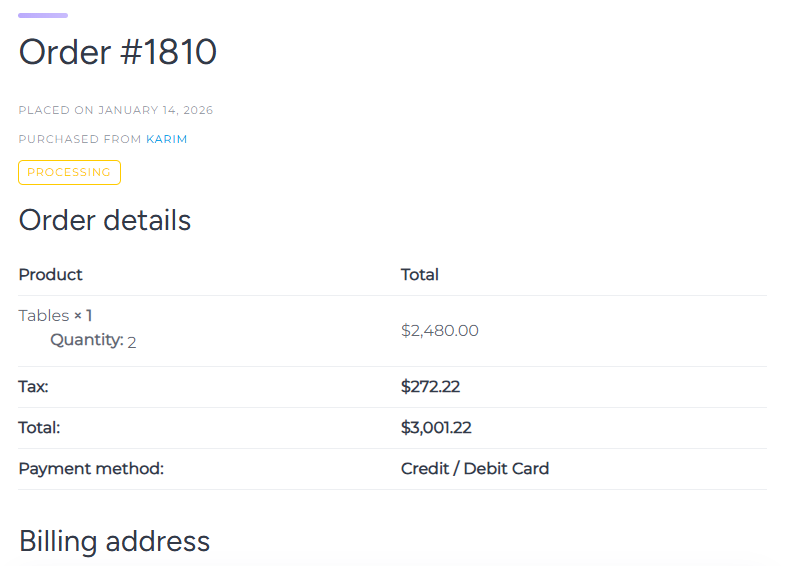
So in the (Your Orders) section when the user who paid for the product should see the full order details of what he paid, just the commission fee that is missing. The commission fee shows up at the time of payments, but not after in the (Your orders) section. The user also purchased some extras but they don’t show up here also.
Thanks for the details.
Could you please confirm whether the order was placed after the fees were configured?
By default, the fee should be visible. Please take a look at the screencast: Service Fee | Loom
Have you tried disabling customization and third-party plugins to rule out any conflicts? If possible, please record a screencast showing the exact steps to help us better understand the issue.
i have a dev that did some changes, maybe that’s why, do you know what folder/file this page code is located at so i can check it?
It’s possible that either the order was placed before, or there might be an issue with how your checkout page is set up. Could you please verify that your checkout page is using the proper shortcode? At the moment, only shortcode-based checkout pages are fully supported. There have been cases where fees disappeared right before payment on the checkout page when the setup wasn’t quite right.
If your checkout page is set up correctly and the order (when viewed by the user) still doesn’t show the service fee, please check any customizations that might be affecting orders and try disabling them temporarily to test.
Another possibility: if you’re testing with the same account that’s also a vendor (essentially purchasing from yourself), this could be causing unexpected behavior. I’d recommend creating a separate test buyer account to see if the issue persists.
This topic was automatically closed 30 days after the last reply. New replies are no longer allowed.