Some pages in my theme don't appear

Some pages in my theme don’t appear

After installing everything on my Wordpress, the following pages don’t appear. I’m redirected to the home page.
The page: Make a booking Detail (link: Sign In – RentalHive
and the page :
Booking confirmed link: Sign In – RentalHive

How can I see them?
Thank you for your help

Hi,

Please disable third-party plugins and customizations (if there are any) and check if this issue persists. If you use a caching plugin, make sure that caching is disabled for logged-in users. Also, please refresh permalinks: How to refresh WordPress permalinks - HivePress Help Center. If this issue exists, please provide more details regarding this issue (e.g., your actions step by step with screenshots, etc.). This will help us to reproduce and resolve the issue faster.

P.S. If you purchased a theme or extension, please enter the license key in the forum profile settings, this will enable the Premium Support badge and ensure a 24-hour turnaround time.

Hello,

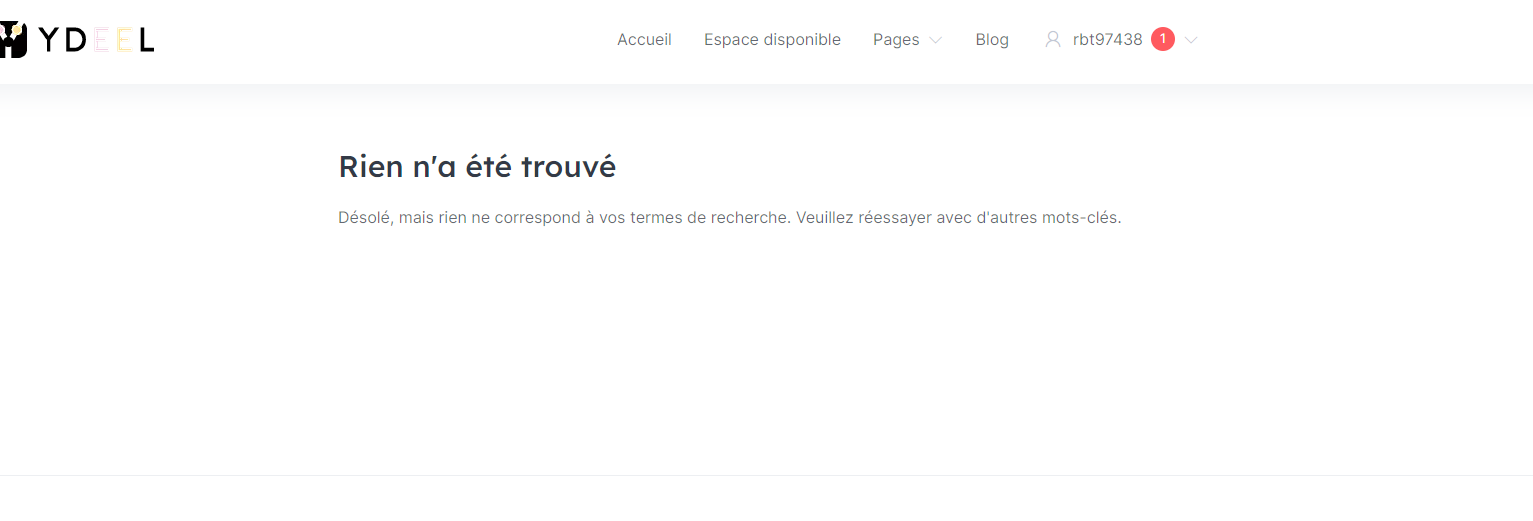
Thanks for the feedback. Indeed, by updating the permalinks, the make a detail page works. Except that now, the payment page doesn’t appear. The following error message appears “Nothing found
Sorry, but nothing matches your search terms. Please try again with other keywords.”
WooCommerce is successfully installed.
Thank you in advance for your help.

Hi,

Regarding redirecting to the payment page:

  1. Please navigate to WP Dashboard > WooCommerce > Status > Tools > and click Create pages opposite Create default WooCommerce pages.
  2. ​Please edit this listing (either on the front-end or back-end) and re-save it, setting the Price. This should generate a hidden product for a listing (or package\request), and the checkout redirect should be okay.
  3. Please refresh permalinks; you can check this doc: How to refresh WordPress permalinks - HivePress Help Center
  4. Also, please make sure you set up payments correctly; you can check this doc How to start accepting payments - HivePress Help Center
  5. If this issue exists, please disable third-party plugins and customizations (if there are any) and check if this issue persists. If you use a caching plugin, ensure that caching is disabled for logged-in users.

Hello,

Thanks far your feedback
I’ve done everything right, put everything back in place, but when it’s time to pay, I still get the same error message.
Can you access it to help me?

Thanks in advance

So I have some new information.
When I’m logged in as Host, the payment page appears.
However, when I’m logged in as a user, the payment page doesn’t appear (you get the error message I told you above).

Furthermore, when I’m logged in as a Host, the payment page does appear, and we can proceed with payment by card using Stipr, but an error message still appears, as follows:
IntegrationError: Invalid value for paymentRequest(): country should be one of the following strings: AE, AT, AU, BE, BG, BR, CA, CH, CI, CR, CY, CZ, DE, DK, DO, EE, ES, FI, FR, GB, GI, GR, GT, HK, HR, HU, ID, IE, IN, IT, JP, LI, LT, LU, LV, MT, MX, MY, NL, NO, NZ, PE, PH, PL, PT, RO, SE, SG, SI, SK, SN, TH, TT, US, UY. You specified: RE.

Thank you in advance for your feedback

Translated with DeepL.com (free version)
Hi,

Please send temporary WP access to support@hivepress.io with details for reproducing this issue, and we’ll check it (please send only the link, without login and password). You can create a temporary access link using this plugin Temporary Login Without Password – WordPress plugin | WordPress.org.

Ok !
I’ve sent a temporary link
Thank’s !!

Hi,

We checked this issue from our side, and it seems okay. Regarding the country-specific error, I recommend reviewing the Stripe documentation or contacting their support.

1 Like

I have a small question. I’d like to know if you have a plugin that can be integrated into HivePress that would allow the seller to cash in the sales themselves and that we can keep the commission. Basically, the platform doesn’t have to collect the ads, just the commission.

Hi,

Sure, you can use the direct payouts method for this, please check this doc How to set up payouts - HivePress Help Center, and add commission using this doc How to set up commissions - HivePress Help Center

I believe this will be useful to you.

This topic was automatically closed 30 days after the last reply. New replies are no longer allowed.