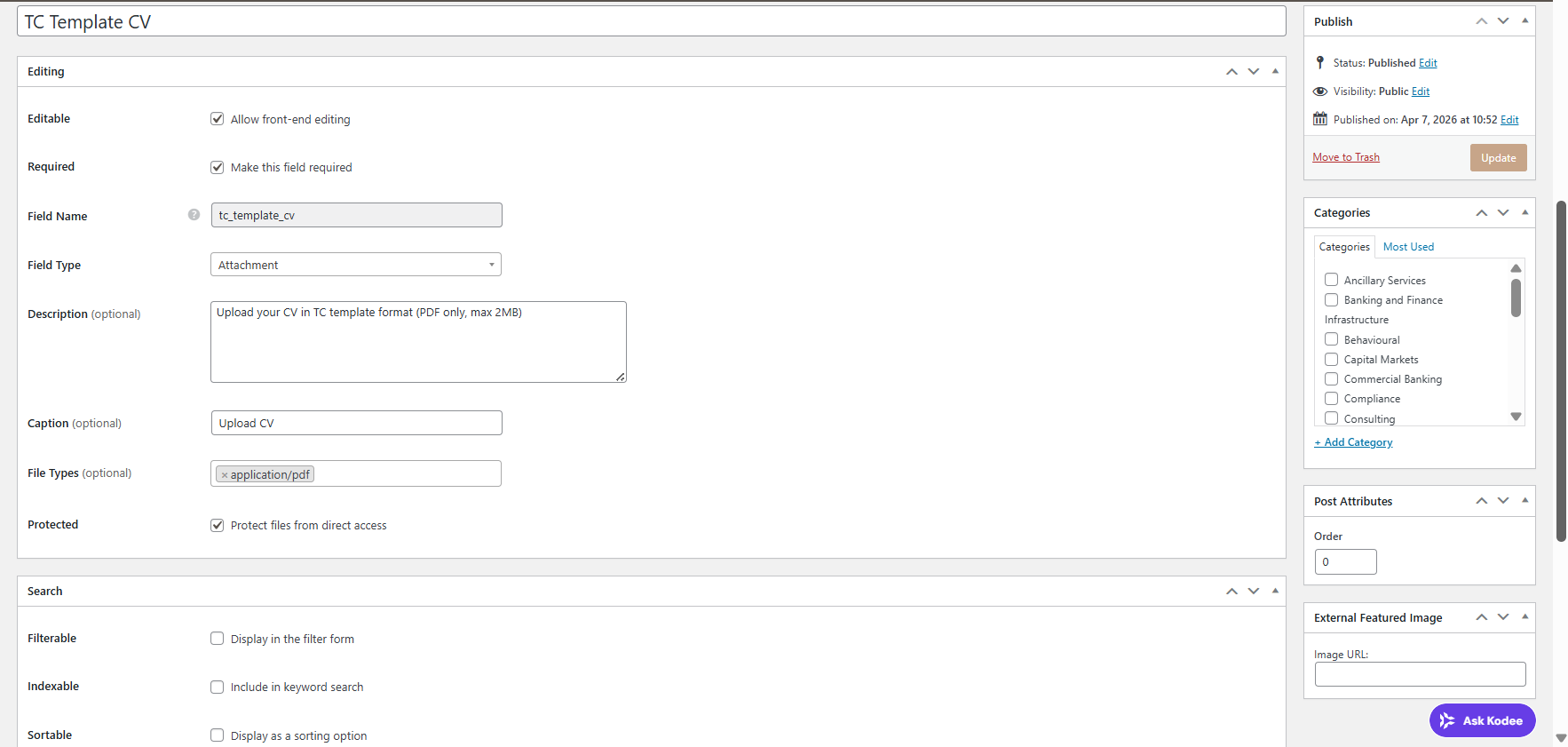
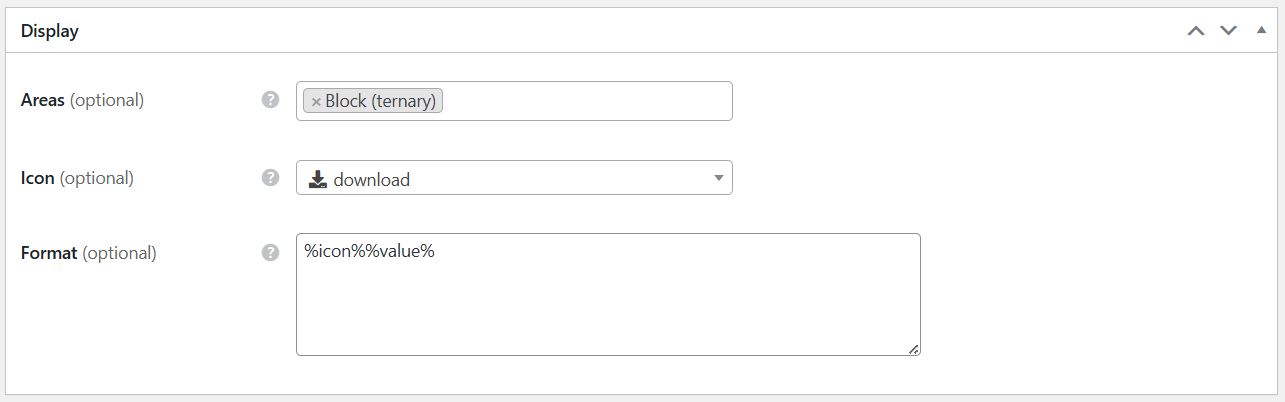
We have created a custom attribute of type attachment and displayed the same in vendor block. But it is visible to only users who have logged in to the system. If we check without login or in an incognito mode, the attribute is not visible. Please let us know if it is restricted like this or we are missing something.
Could you please share your attribute settings? Also, have you tried testing with only HivePress plugins enabled to rule out possible conflicts? Could you please let us know which version of HivePress you’re currently using?
I’ve tried reproducing the issue locally but wasn’t able to do so: Attachment attribute | Loom. The attachment is visible on my end both for logged-in and logged-out users. If there are any specific steps I may be missing, please let me know.
Not able to add another screenshot but other settings are specifying the block area to display an attribute with icon and value.
As suggested, we tested the issue with only the HivePress plugins enabled and realised that the issue seems to be related to the custom code used for the modification.
We are trying to add a download icon in the vendor block footer area beside the message icon and provide the link of the attachment-type attribute through it. However, this is working only for logged-in users and not for guests.
Could you please confirm whether there are any restrictions related to the footer area or attachment links for non-logged-in users, especially since the messaging functionality is also available only after login?
On the other hand, we have added another custom icon in the same footer area linking to the View Profile page, and that icon works correctly for both logged-in and guest users.
There are no restrictions in the code that could affect this behavior.
Could you please let us know if you’re using the Memberships plugin? If so, there is a possibility that the attribute is restricted at the plan level, which is why it may not be available.
These snippets shouldn’t introduce any logic that would make attachments invisible for non-logged-in users. The issue therefore seems to be coming from somewhere else.
Since you mentioned that the issue is resolved when only HivePress is active and does not persist, it is unlikely to be related to HivePress core functionality, as we are also unable to reproduce it locally.
Please consider temporarily removing any customizations that could potentially interfere, as well as third-party plugins, in order to further isolate the cause of the issue.