hii
I have registered custom taxonomies for Country, State, and City for listings in my plugin.
However, I am encountering a error when trying to add or edit listings via the frontend form. Also, the listing URLs are showing empty spaces. I am still unable to display the country and state information on the single listing page.
Could anyone please help me understand how to properly fetch and display these taxonomy terms on the single listing view and in urls?
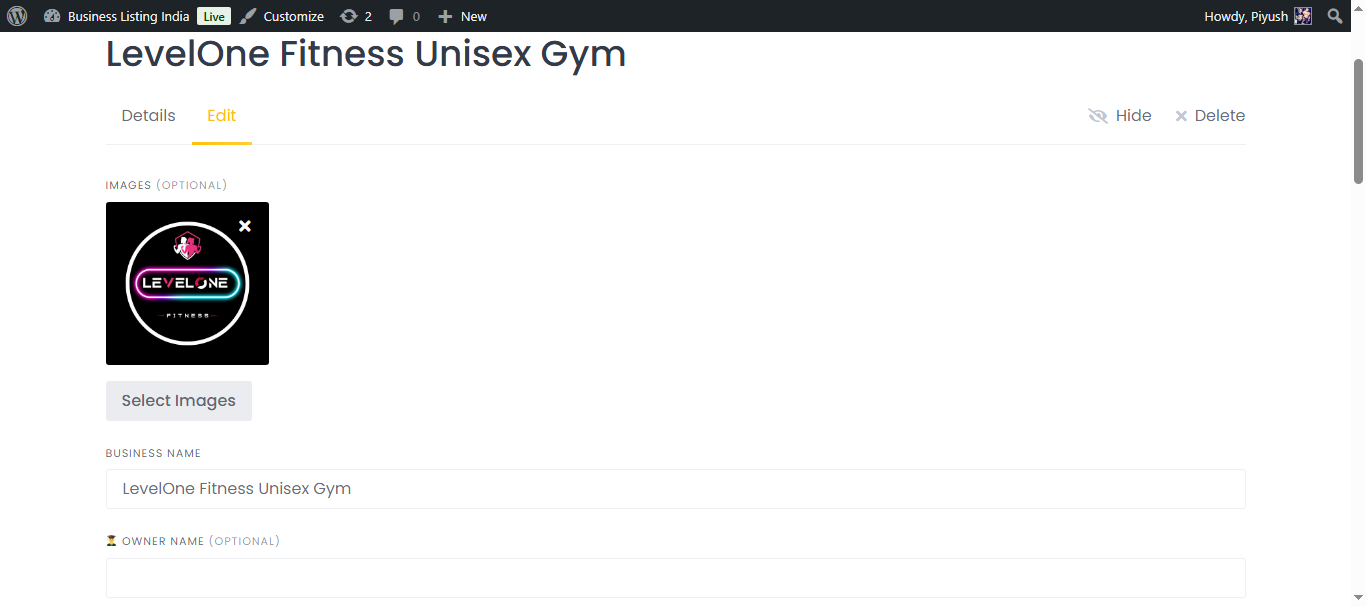
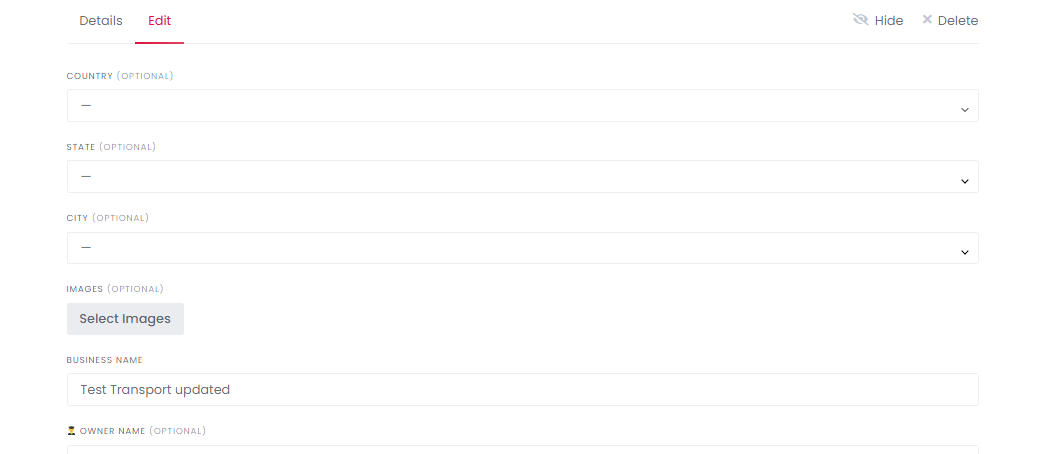
i have added edit screenshot in which the field gets deselcted after saving.
url i am getting: listing/country/state/city/transport/test-transport/
pluign code
<?php
/*
Plugin Name: HP Location Taxonomies for ListingHive
Description: Adds Country, State, City as taxonomies, includes them in the listing URL, and shows them as dropdowns on the frontend add/edit listing form.
Version: 2.5
Author:
*/

defined('ABSPATH') || exit;

// 1. Register custom taxonomies
add_action('init', function() {
    register_taxonomy('hp_country', 'hp_listing', [
        'label' => 'Country',
        'rewrite' => ['slug' => 'country'],
        'hierarchical' => false,
        'show_admin_column' => true,
        'show_in_rest' => true,
    ]);
    register_taxonomy('hp_state', 'hp_listing', [
        'label' => 'State',
        'rewrite' => ['slug' => 'state'],
        'hierarchical' => false,
        'show_admin_column' => true,
        'show_in_rest' => true,
    ]);
    register_taxonomy('hp_city', 'hp_listing', [
        'label' => 'City',
        'rewrite' => ['slug' => 'city'],
        'hierarchical' => false,
        'show_admin_column' => true,
        'show_in_rest' => true,
    ]);
});

// 2. Listing URL structure
add_filter('post_type_link', function($permalink, $post) {
    if ($post->post_type !== 'hp_listing') return $permalink;
    $country_terms   = get_the_terms($post->ID, 'hp_country');
    $state_terms     = get_the_terms($post->ID, 'hp_state');
    $city_terms      = get_the_terms($post->ID, 'hp_city');
    $category_terms  = get_the_terms($post->ID, 'hp_listing_category');

    $country  = ($country_terms && !is_wp_error($country_terms))     ? array_shift($country_terms)->slug : 'country';
    $state    = ($state_terms   && !is_wp_error($state_terms))       ? array_shift($state_terms)->slug   : 'state';
    $city     = ($city_terms    && !is_wp_error($city_terms))        ? array_shift($city_terms)->slug    : 'city';
    $category = ($category_terms && !is_wp_error($category_terms))   ? array_shift($category_terms)->slug : 'category';
    $slug     = $post->post_name;

    return home_url("/listing/$country/$state/$city/$category/$slug/");
}, 10, 2);

// 3. Rewrite rule for single listing URLs
add_action('init', function() {
    add_rewrite_rule(
        '^listing/([^/]+)/([^/]+)/([^/]+)/([^/]+)/([^/]+)/?$',
        'index.php?hp_listing=$matches[5]',
        'top'
    );
});

// 4. Show location taxonomies in backend (sidebar metabox)
add_action('add_meta_boxes', function() {
    add_meta_box(
        'hp_location_taxonomies',
        'Location (Country, State, City)',
        function($post) {
            echo '<strong>Country:</strong> '.get_the_term_list($post->ID, 'hp_country', '', ', ', '<br>');
            echo '<strong>State:</strong> '.get_the_term_list($post->ID, 'hp_state', '', ', ', '<br>');
            echo '<strong>City:</strong> '.get_the_term_list($post->ID, 'hp_city', '', ', ', '<br>');
        },
        'hp_listing',
        'side'
    );
});

// 5. Show location taxonomies on single listing frontend page
add_action('hivepress/listings/view/page', function($listing_id){
    $country = get_the_term_list($listing_id, 'hp_country', 'Country: ', ', ', '<br>');
    $state   = get_the_term_list($listing_id, 'hp_state', 'State: ', ', ', '<br>');
    $city    = get_the_term_list($listing_id, 'hp_city', 'City: ', ', ', '<br>');
    echo '<div class="hp-location-taxonomies">'.$country.$state.$city.'</div>';
}, 10, 1);

// 6. Flush rewrite rules on plugin activation/deactivation
register_activation_hook(__FILE__, function() { flush_rewrite_rules(); });
register_deactivation_hook(__FILE__, function() { flush_rewrite_rules(); });

// 7. Frontend: taxonomy dropdowns in add/edit listing form
function hp_location_taxonomy_field($taxonomy, $label) {
    $terms = get_terms(['taxonomy' => $taxonomy, 'hide_empty' => false]);
    $options = [];
    foreach ($terms as $term) {
        $options[$term->term_id] = $term->name;
    }
    return [
        'type' => 'select',
        'name' => $taxonomy,
        'label' => $label,
        'options' => $options,
        'required' => false,
        'display_callback' => function($value) use ($options) {
            return isset($options[$value]) ? $options[$value] : '';
        },
    ];
}
add_filter('hivepress/v1/forms/listing_create', function($form){
    $form['fields']['hp_country'] = hp_location_taxonomy_field('hp_country', 'Country');
    $form['fields']['hp_state']   = hp_location_taxonomy_field('hp_state', 'State');
    $form['fields']['hp_city']    = hp_location_taxonomy_field('hp_city', 'City');
    return $form;
});
add_filter('hivepress/v1/forms/listing_update', function($form){
    $form['fields']['hp_country'] = hp_location_taxonomy_field('hp_country', 'Country');
    $form['fields']['hp_state']   = hp_location_taxonomy_field('hp_state', 'State');
    $form['fields']['hp_city']    = hp_location_taxonomy_field('hp_city', 'City');
    return $form;
});

// 8. Save selected terms to taxonomy on listing create/update, SAFE FOR ARRAY/OBJECT
function hp_safe_set_taxonomy($listing_id, $listing, $tax) {
    $value = null;
    if (is_array($listing) && isset($listing[$tax])) {
        $value = $listing[$tax];
    } elseif (is_object($listing) && isset($listing->$tax)) {
        $value = $listing->$tax;
    }
    if (!empty($value)) {
        $term_id = intval($value);
        if ($term_id > 0) {
            $term = get_term($term_id, $tax);
            if ($term && !is_wp_error($term)) {
                wp_set_post_terms($listing_id, [$term->slug], $tax, false);
            }
        }
    }
}
add_action('hivepress/v1/models/listing/create', function($listing_id, $listing){
    hp_safe_set_taxonomy($listing_id, $listing, 'hp_country');
    hp_safe_set_taxonomy($listing_id, $listing, 'hp_state');
    hp_safe_set_taxonomy($listing_id, $listing, 'hp_city');
}, 100, 2);
add_action('hivepress/v1/models/listing/update', function($listing_id, $listing){
    hp_safe_set_taxonomy($listing_id, $listing, 'hp_country');
    hp_safe_set_taxonomy($listing_id, $listing, 'hp_state');
    hp_safe_set_taxonomy($listing_id, $listing, 'hp_city');
}, 100, 2);

// 9. Pre-fill selected value in edit form (dropdown stays selected, safe check)
add_filter('hivepress/v1/forms/listing_update', function($form, $listing_id){
    $country_terms = wp_get_post_terms($listing_id, 'hp_country');
    if (is_array($country_terms) && isset($country_terms[0]) && isset($country_terms[0]->term_id)) {
        $form['fields']['hp_country']['value'] = $country_terms[0]->term_id;
    }
    $state_terms = wp_get_post_terms($listing_id, 'hp_state');
    if (is_array($state_terms) && isset($state_terms[0]) && isset($state_terms[0]->term_id)) {
        $form['fields']['hp_state']['value'] = $state_terms[0]->term_id;
    }
    $city_terms = wp_get_post_terms($listing_id, 'hp_city');
    if (is_array($city_terms) && isset($city_terms[0]) && isset($city_terms[0]->term_id)) {
        $form['fields']['hp_city']['value'] = $city_terms[0]->term_id;
    }
    return $form;
}, 10, 2);
below
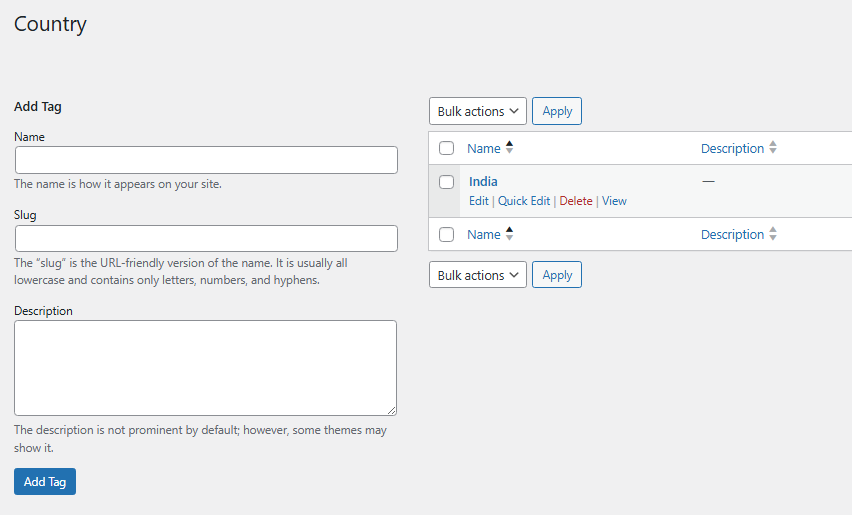
wordpress/wp-admin/edit-tags.php?taxonomy=hp_country&post_type=hp_listing
please check and tell me what is this issue