Hello, In rentalhive, the wordpress lines are coming on the top of every page UI. The user is not Admin just a normal sign-in user. Please tell me how to remove that? Thanks.
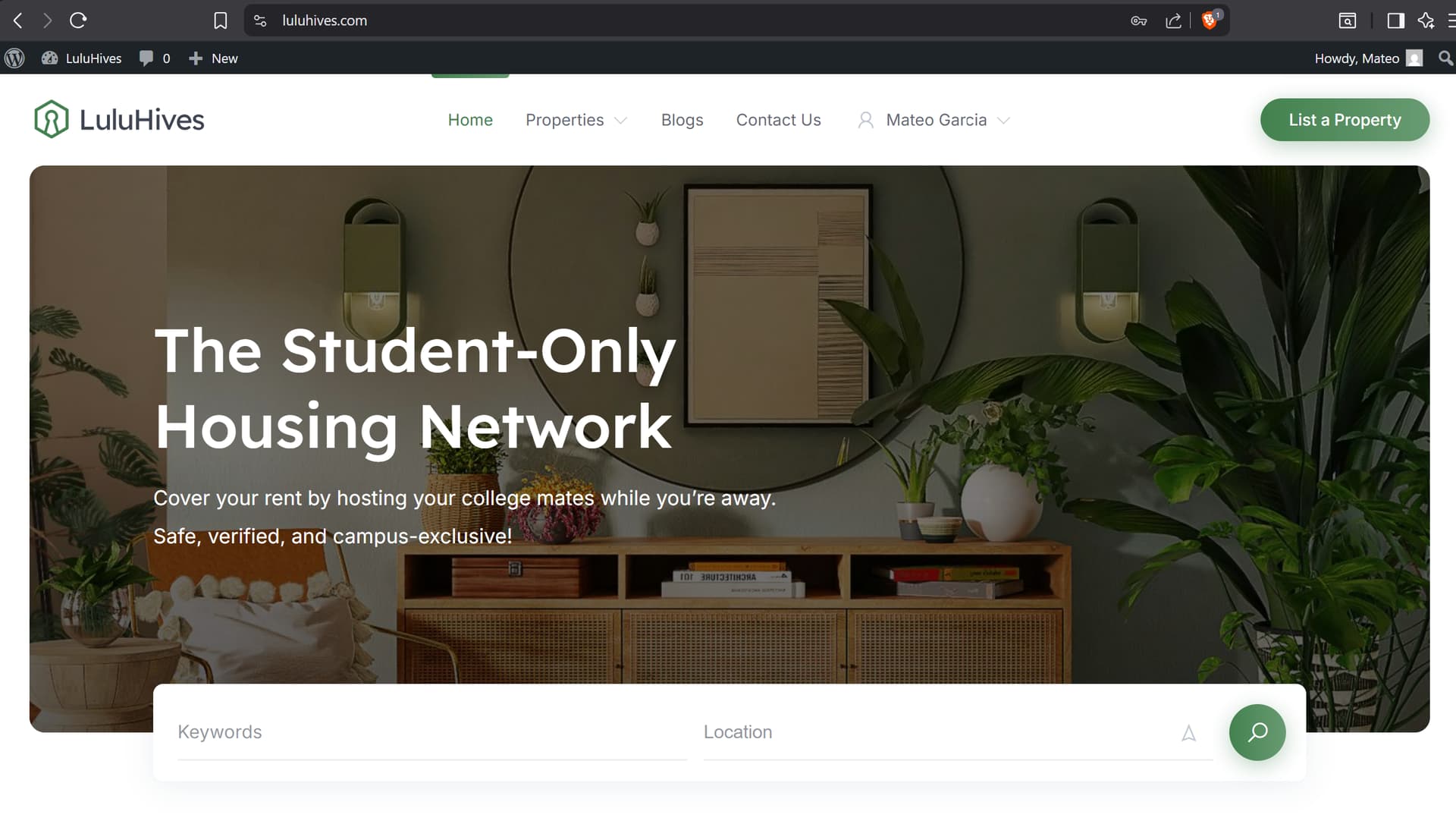
Hi @ishcap619,
You can add the following PHP snippet to your theme’s functions.php file, or use a plugin like Code Snippets instead.
Afterwards, the Admin bar will be hidden for all users except Admins.
add_filter('show_admin_bar', function () {
    return current_user_can('manage_options');
});
I hope this helps!
Cheers,
Chris 
Thank you!!
Hi,
It looks like the user was created manually via WordPress Dashboard > Users, because users who register through the frontend do not have this toolbar by default, it is hidden automatically.
However, if you want to make sure the toolbar is always hidden, you can use the suggested code snippet.
When creating a user manually from the WordPress dashboard, there is usually a checkbox like “Show Toolbar when viewing site” that can be unchecked to hide it for that user.
You can find this setting by opening the user’s profile in the WordPress dashboard.
Hope this helps
Thank you so much! I found that setting in user’s profile.
Glad to help!
If you find HivePress useful, we would really appreciate it if you could take a moment to leave a review on the WordPress repository or Trustpilot. Your feedback means a lot to us and makes a real difference in helping us grow.