Hi,
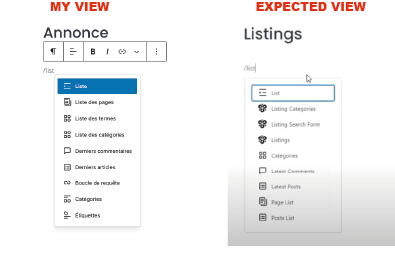
I’m trying to create a listings template by following video provided by hivepress but hivepress options for blocks are not displayed : listings categories, listing search form, listings. see snapshots attached. thank you for your help.
Hi @marco1,
Create the page. Save it, then refresh the page. You should be able to find all of the available blocks now.
You can also click the blue [+] symbol near the top-left which will open a panel with all of the blocks for easier viewing, rather than just typing /wordhere
I hope this helps!
Cheers,
Chris 
hi @ChrisB ,
thx for ou so prompt reply !
tried your trick but …same result… Anyway i’m going to use the default template for now.
some more questions 
on listing “card”,
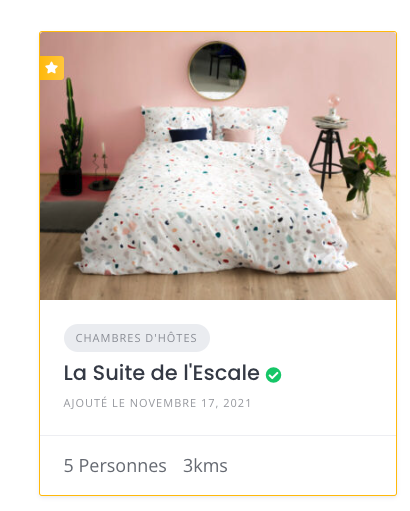
do you know if it’s possible to remove “date of publishing”
do you know how to display “icons” associated to attribute? I specified icons in the attribute settings , but nothing displayed.
thank you
Marco
Hi,
If your WordPress is in French, please make sure that you’re searching for blocks in French or try typing HivePress first. If it’s not the case, ensure you save the page after creating the template and then select the template from the dropdown menu on the right.
For hiding date of publishing, please see this topic:
To display attributes, please make sure that you have assigned them to display areas. Please see this article to find out more about Display Areas: How to add listing attributes - HivePress Help Center
Hope I helped with your request.
Merci Beaucoup !
1 Like
This topic was automatically closed 30 days after the last reply. New replies are no longer allowed.