Hi @everyone, 
HivePress sends an email for everything that matters on a directory — verification, a listing approved or expired, a new booking, a message received — and the wording of every one of them can already be edited from the HivePress > Emails screen.
What it leaves open is the styling of those emails, and a marketplace running WooCommerce alongside it usually sees a further drift in styles between the two sets. This plugin aims to help close that gap and bring the whole lot under one design, from one screen, with a preview of exactly what will land in the inbox before anything is sent.
What it Does
-
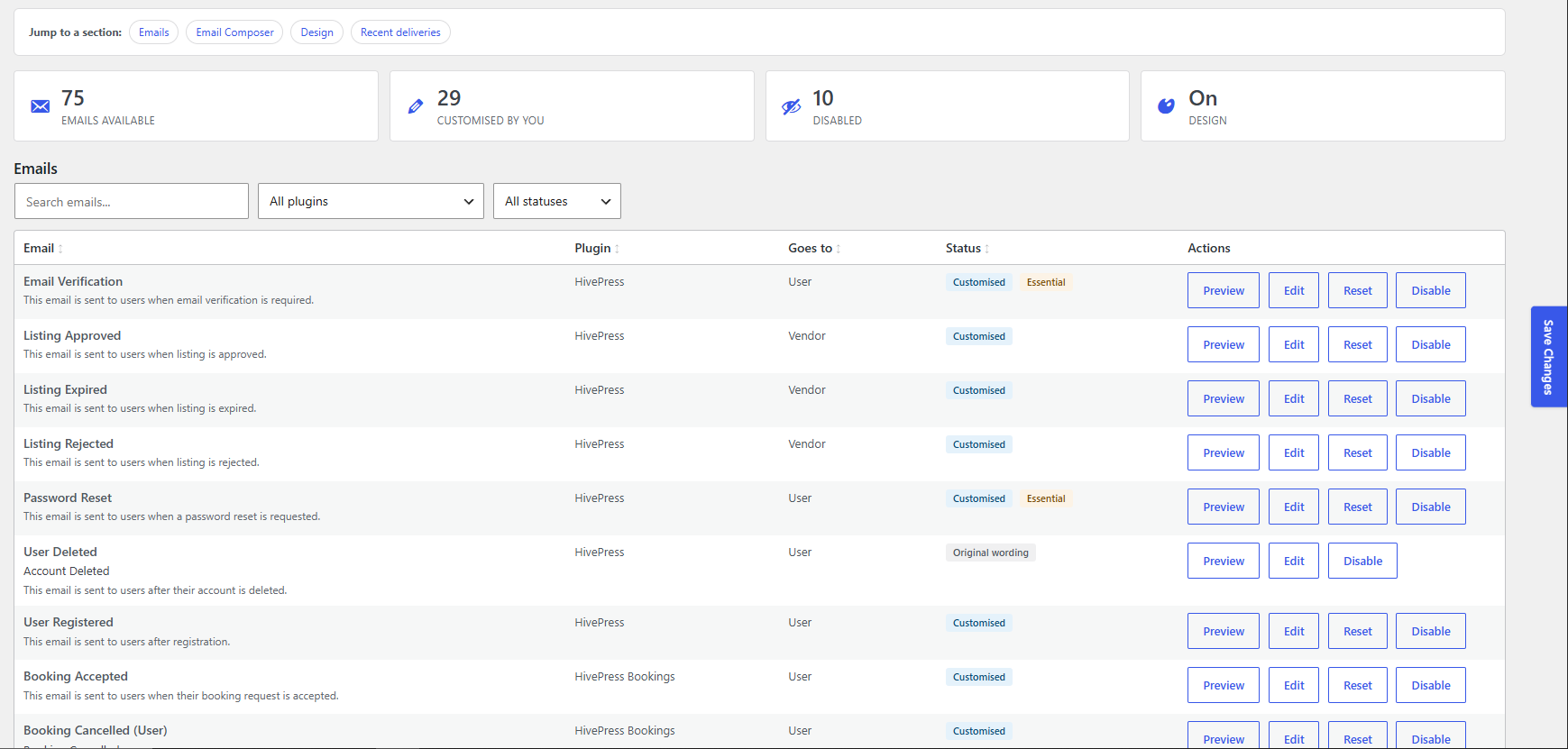
Every email your site can send, in one list - Found while your site is running rather than written into the plugin, so emails belonging to extensions you install later turn up on their own. WooCommerce’s emails are picked up too, and can be given the same design.
-
See it before it goes out - Previews are rendered through the real sending path, not an approximation, and you can flip between desktop and mobile or put your wording next to the original.
-
Send yourself a test - Any email, any time, from the same screen.
-
Six designs to start from - Clean and Minimal stay out of the way. Bold, Banner and Panel give the message a coloured header, show the subject as a heading, and turn a plain link into a proper button.
-
Your own colours and logo - Set the accent, header bar, background and text colours, pick a logo from your Media Library with a position and size, and write a footer that accepts tokens like the recipient’s name.
-
Turn individual emails off - Or reset one back to HivePress’s original wording when you have edited it into a corner.
-
Write your own and send it to your members - The Email Composer sends a message to everyone, to your vendors, to regular users, or to people you pick, wrapped in your design and sent in batches so a large list does not hold up the site.
-
Every token that works, listed for you - Your own listing attributes can go straight into an email as
%listing.my_attribute%, and they are all there in the token list ready to drop in.
Emails you have designed yourself are left alone
If you have already built an email by hand in HTML, the plugin does not touch its layout. No paragraphs are added, and no button is put in where you did not ask for one. It styles the emails still using HivePress’s own wording, and keeps your paragraph breaks intact while it does.
Emails also read properly on a phone. The message reflows on a narrow screen instead of being cut off at the right edge, and Outlook still gets the fixed-width frame it needs.
Download Email Studio for HivePress here! 
Install it the usual way, then go to HivePress > Email Studio. It checks for its own updates from then on, so future versions arrive on your Plugins screen like any other.
Nothing about your emails changes until you switch the design on, so you can have a look around and preview a few first.
Your settings are kept if you ever delete the plugin, unless you tick the box that asks for them to be removed.
Cheers,
Chris 
P.S. If this extension saved you time or money, consider buying me a coffee! Sharing these tools for free takes a lot of time and resources, and your support helps me keep doing it for the community.



 Templates for Email Composer
