The support video given for Statistics Extension which shows how to integrate the extension with Google analytics is outdated.
Google has changed the flow.
Is it possible to make a new video that follows the current flow as shown on Google?
The support video given for Statistics Extension which shows how to integrate the extension with Google analytics is outdated.
Google has changed the flow.
Is it possible to make a new video that follows the current flow as shown on Google?
Hi,
Could you please clarify what exactly seems outdated in our documentation? If you’re referring to How to integrate Google Analytics - HivePress Help Center, this screencast seems up to date since it shows GA4 instead of Universal Analytics, which is already outdated.
No, I was referring to this screen cast.
This work flow seems outdated as the screen cast no longer matches the steps that Google is showing.
Thank you for the details.
We’ll update the screencast soon to match Google’s current interface. The main steps haven’t changed, just Google’s UI design. You can still find and create API keys in the Credentials section as shown in the video, just with a slightly different layout.
I believe I set all up despite of the video being 5 years old.
Hard to be sure as the Google Developer Console UI has changed.
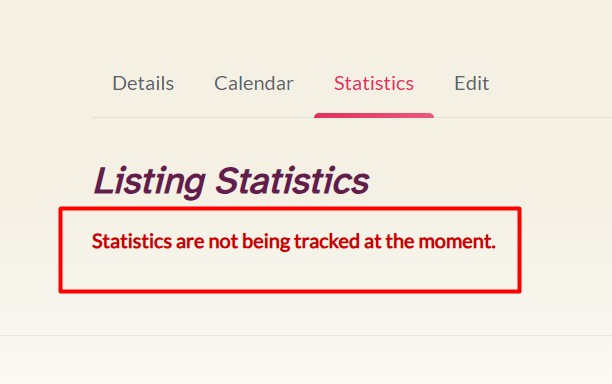
I get this message on my website that “Statistics are not being tracked at the moment.“
So not sure I have it correct or not 
Hi @vimar,
Someone else was recently asking about setting up the Statistics extension correctly, having a read through this topic might be helpful!
Cheers,
Chris 
Hi Chris. Thanks for that.
Would be amazing if that information was in the documentation and not that one has spend an hour on the forum to find something useful. Especially if you pay decent money.
Forum is good for free plugins not premium.
Hi @vimar,
You’re welcome, and I hope you’ve managed to get everything working now!
I’m not HivePress staff, but they’re aware some of the documentation is outdated and/or lacking in detail. I believe it’s only a small team at the moment, too. Nevertheless, I’m sure they’ll take your feedback on-board and in time update the documentation.
Cheers,
Chris
Hi,
Could you please specify what exactly is causing the issue with the current documentation and the Google Developer Console? I tested this a few weeks ago and all the steps remain the same. If you could point out what specifically needs improvement, we’ll definitely update it.
The issue is that for a person that does not spend everyday on Google Developers Console small change in the layout is making everything hard to follow. I watch the video, then I stop to do all the steps and it looks different than on your video. This is causing issue.
This is why I thought I have all set up correctly but it is not pulling any data.
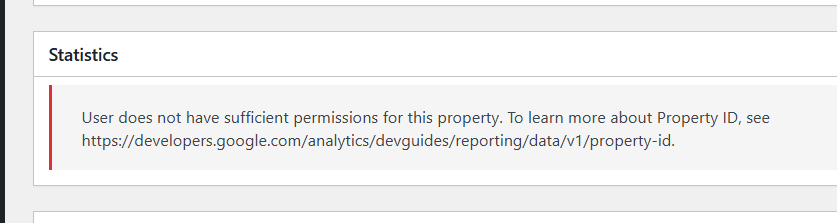
Thank you for providing the screenshots and details, this helps us understand the issue.
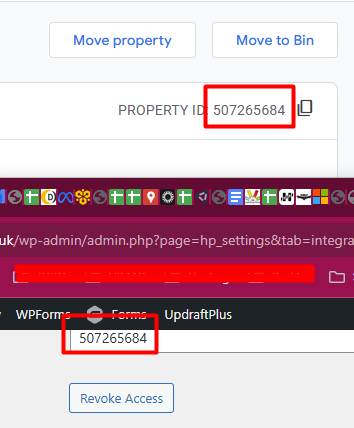
This error occurs when there’s a mismatch between the Google accounts used in different steps of the setup. Specifically, the credentials (Measurement ID and Property ID) are from one Google account, but when you clicked “Grant Access,” you connected a different Google account.
For example, if you entered credentials from your work Google account but accidentally connected your personal Google account when granting access, this error will appear because that user doesn’t have access to the Analytics property associated with the credentials you entered.
We’ll work on improving our documentation to make this clearer for other users.
Thanks
It’s working now
This topic was automatically closed 30 days after the last reply. New replies are no longer allowed.