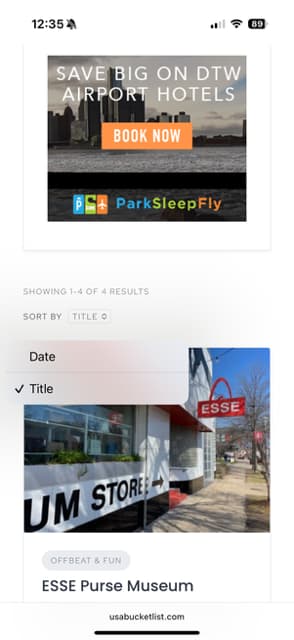
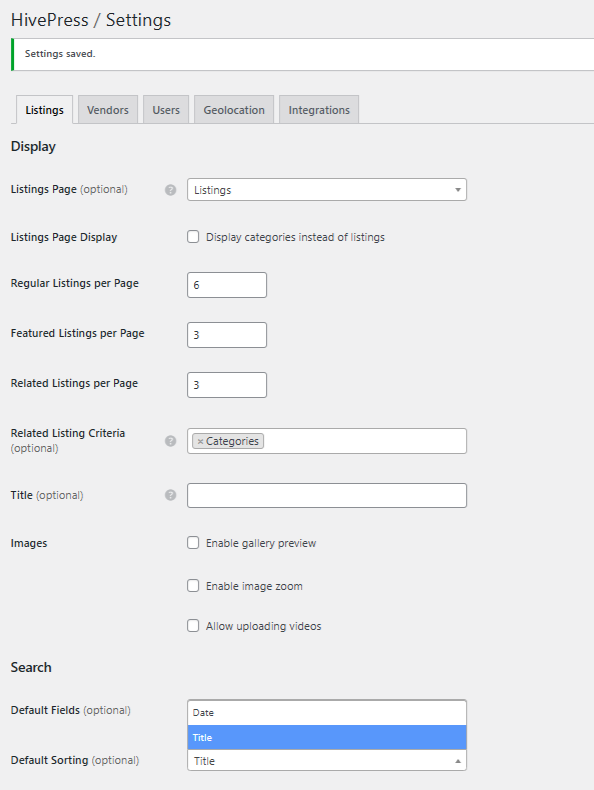
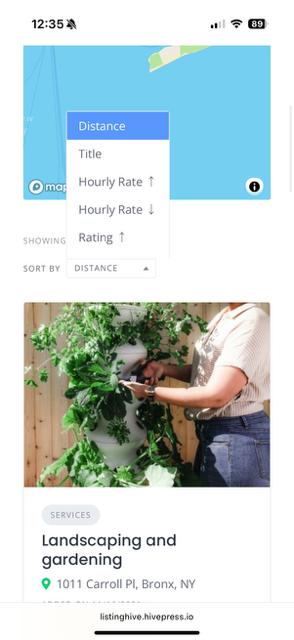
The live demo https://listinghive.hivepress.io/ shows that in the product’s search functionality you can sort by attributes. See attached live demo image with landscaping and gardening with sort by options that include distance and title. In the version you offer for download I can’t figure out how to allow that option, to search by attributes. See attached screenshots to show mine (ESSE Purse Museum image) with the only options of date and title, plus the back-end with only those same options. Can you help?
Thanks for your message — our team will reply shortly.
In the meantime, you can also get instant help from our AI Assistant, familiar with all the docs and solutions we’ve shared over the years.
Hi,
Please make sure that the “Enable sorting by distance” feature is enabled in HivePress > Settings > Geolocation > Sorting.
Also, if you want to make an attribute sortable, please go to the specific attribute and mark it as sortable in the Search section. This article can be helpful: How to add listing attributes - HivePress Help Center.
Hope this helps.