Hey @everyone, 
Back in December I posted a few ideas for HivePress extensions. Number 5 on that list was Enhanced Statistics, and the thing I really wanted was to track clicks on phone numbers and email links, so vendors could see the enquiries they were actually getting instead of guessing. Whilst building out the section with more information than Statistics surfaces by default.
Say hello to Vendor Analytics Pro for HivePress 

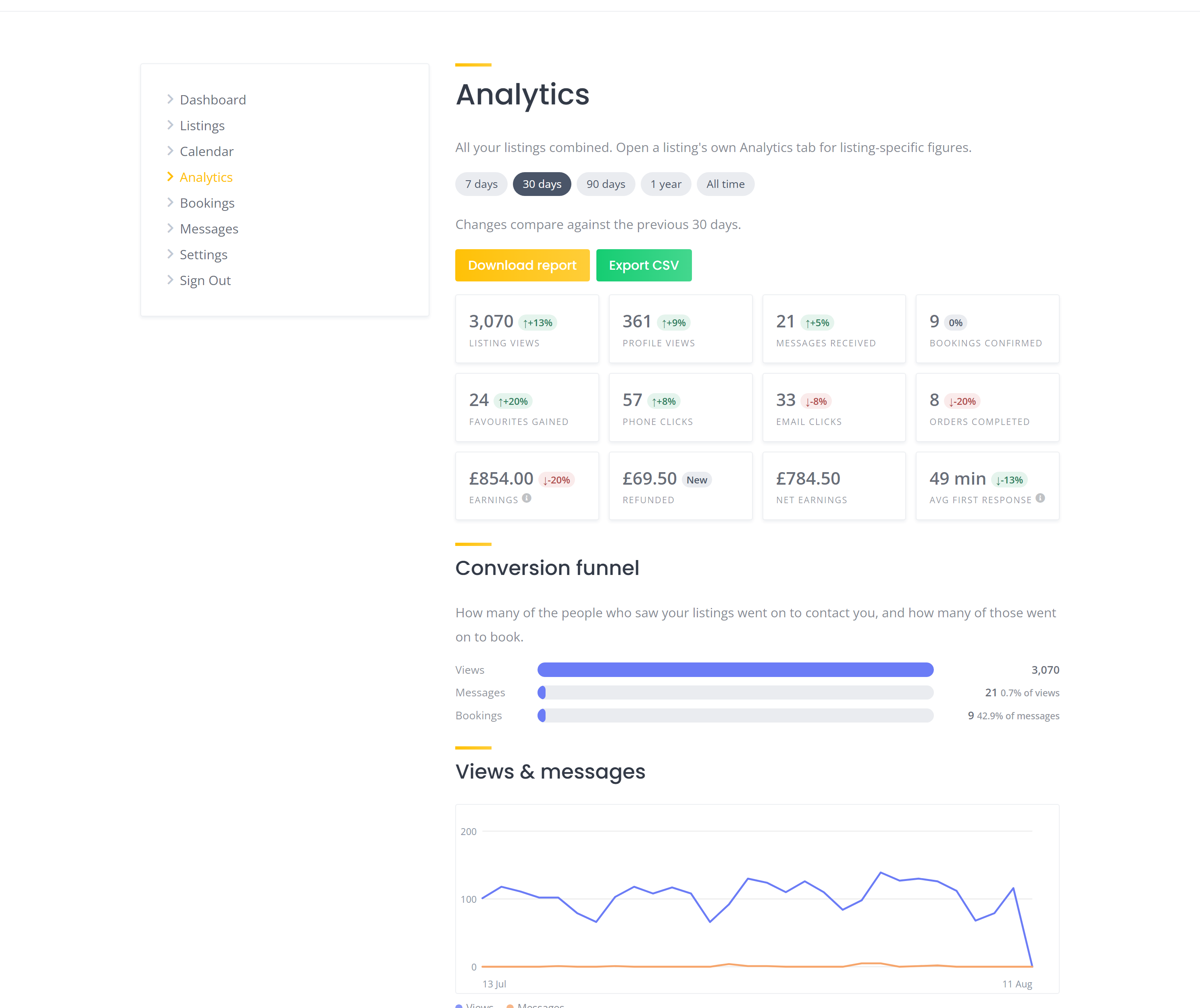
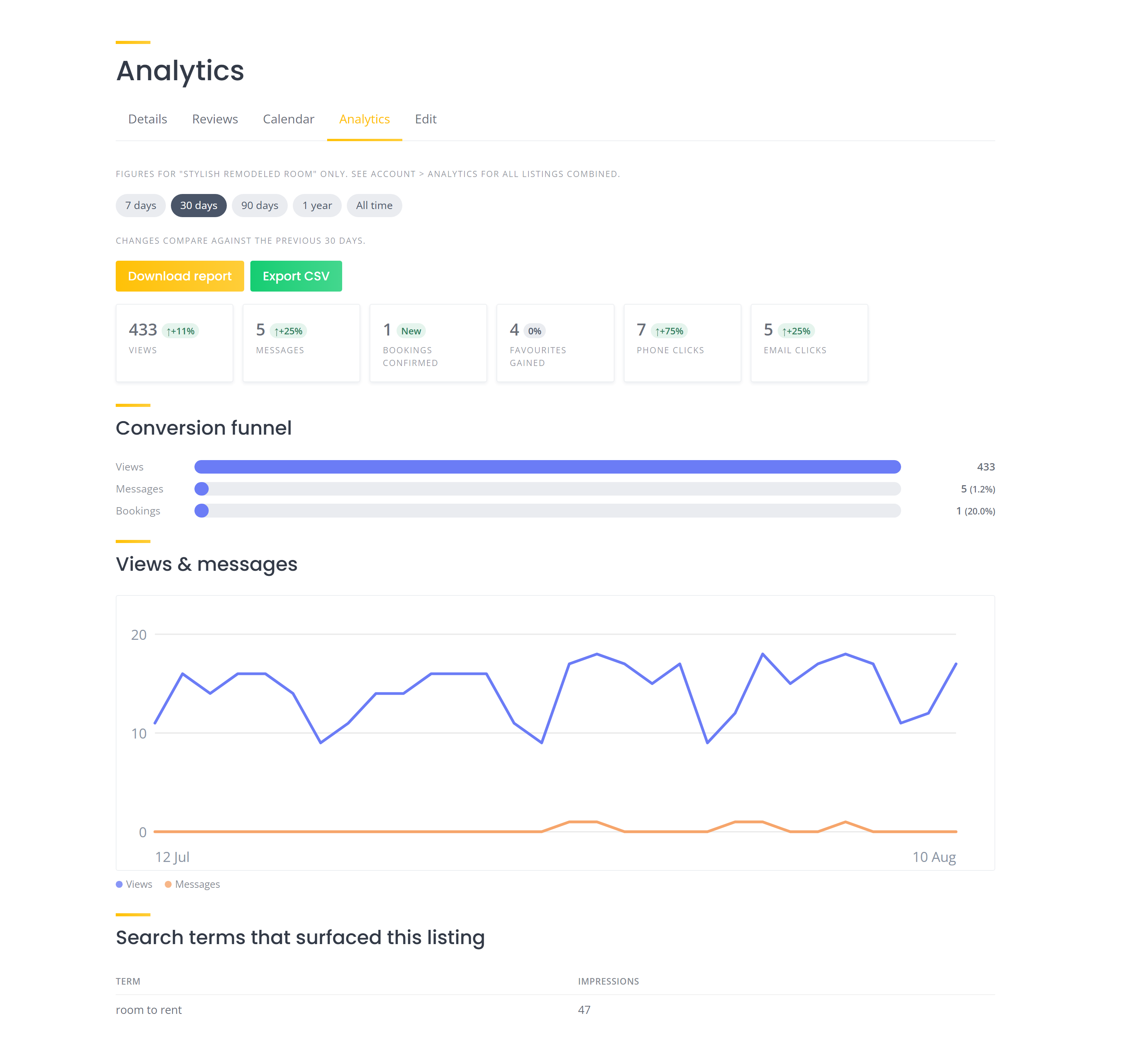
It adds an Analytics page to the vendor account menu, plus an Analytics tab on each individual listing. Everything on it is measured by your own site. No Google account, no third party services, no data leaving your server.
What a vendor sees
- Views, on each listing and on their public profile
- Contact clicks, so taps on phone and email links get counted
- Messages received, and their average first reply time
- Bookings created and confirmed
- A conversion funnel from views to messages to bookings, which tells you what each percentage is actually measuring rather than leaving you to work it out
- Money, as three figures rather than one: what was banked when orders were paid, how much has been refunded since, and the net of the two. All of it after your commission, not the headline price
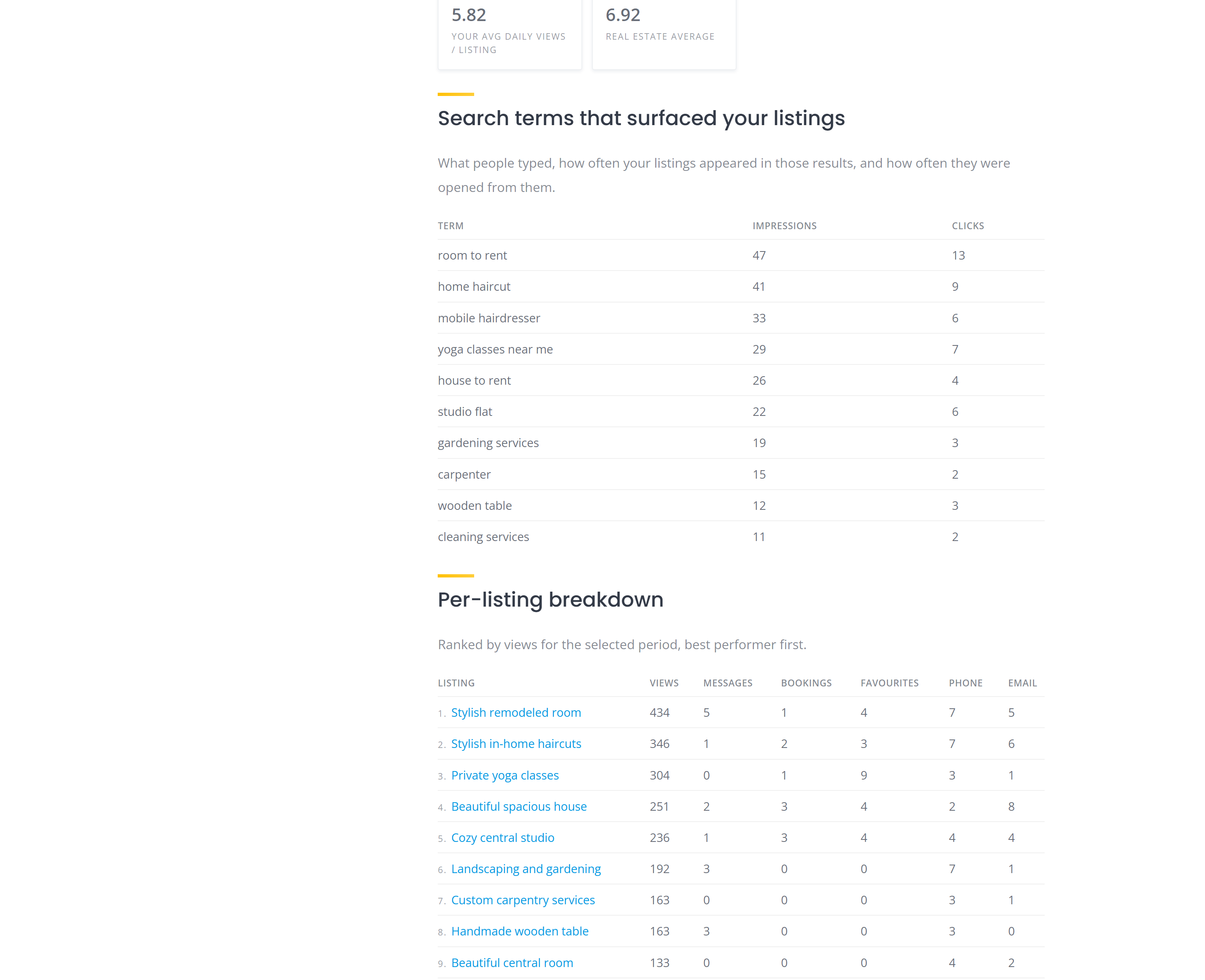
- Search terms that surfaced their listings, with impressions and clicks side by side, so they can tell the searches that got them opened from the ones people scrolled straight past
- Category benchmark, comparing their average daily views per listing against others in the same category
- A ranked breakdown of their listings, best performer first, so it’s obvious which one is pulling its weight and which one needs new photos
The whole page switches between 7 days, 30 days, 90 days, a year, or all time, and every figure carries its change against the previous period. There’s a Download report button that gives a tidy page you can save straight to PDF, and an Export CSV for a spreadsheet.
What you get on the admin side
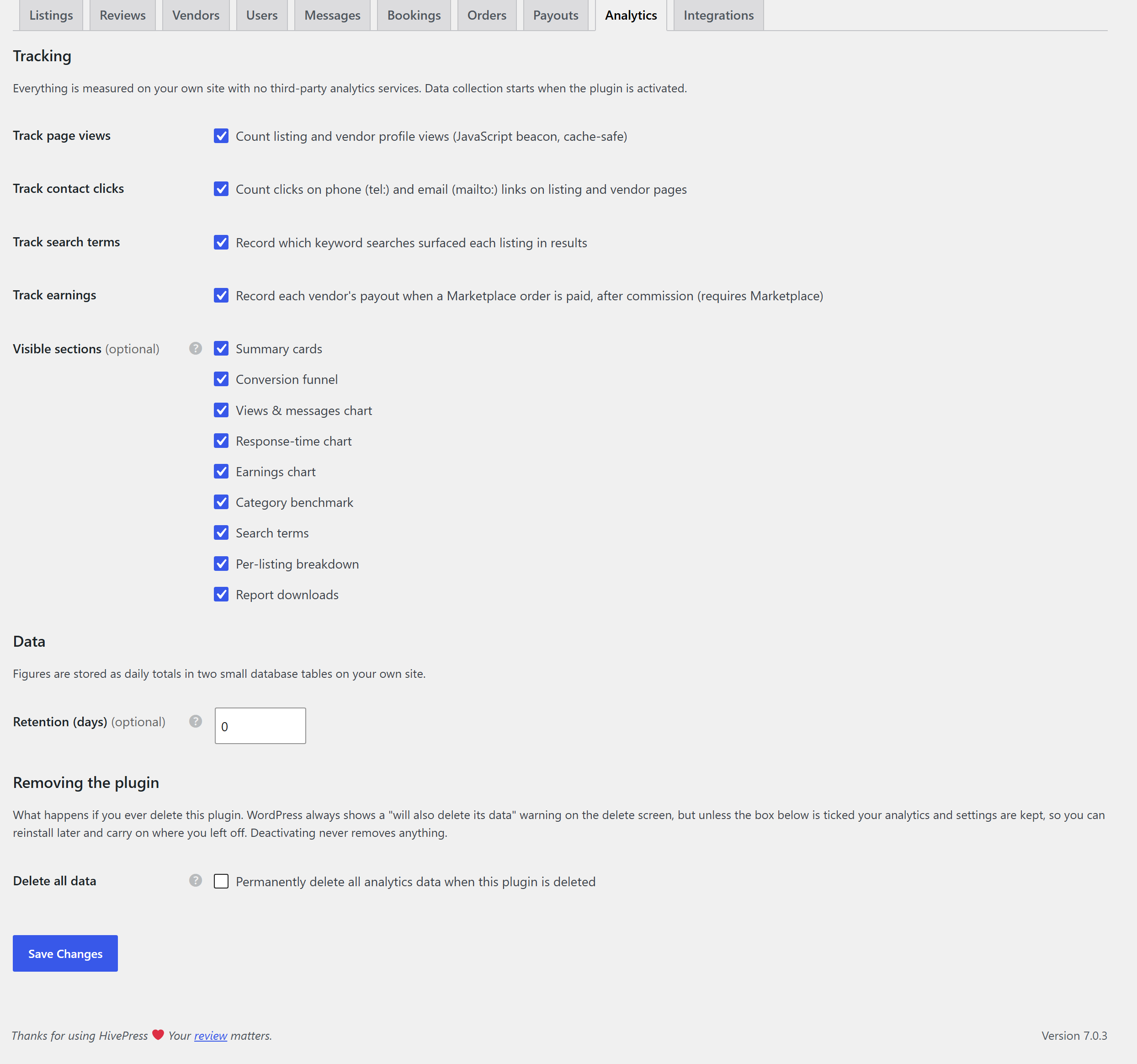
In HivePress > Settings > Analytics:
- Tick which sections vendors are allowed to see, so you can keep it simple on a newer site
- Turn each kind of tracking on or off
- Choose how long data is kept, or keep it forever
- Optionally hide the Statistics tab, if you would rather this replaced it
- Optionally hide Marketplace’s own Dashboard item from the account menu, if you would rather vendors came here for their earnings
- Deleting the plugin keeps your data by default. There is a tick box if you genuinely want it all gone
It sits alongside the Statistics extension rather than fighting it. If you have Statistics active, you also get a first party 90 day summary on each listing’s Statistics page, just above the Google Analytics chart.
A few notes
- It starts counting from the day you activate it. There is no way to backfill history that was never recorded, so give it a week or two before judging it
- Refunds are counted from this version onwards. Anything refunded before you installed it is not in the figures
- Earnings are each vendor’s own payout after commission. Marketplace’s summary screens show gross order totals, so on a commission charging site the two will not match
- View counting uses a small script, so if you delay JavaScript with a performance plugin, let
tracker.jsthrough - If you run a page cache, purge it after installing, otherwise visitors keep getting the old cached pages for a while and you will think nothing works
- Counts are honest visitor metrics, not audited analytics. Bots are filtered and vendors’ own visits are excluded, but treat the numbers as a good guide rather than facts
Works with HivePress on its own, and picks up extra sections automatically if you run Messages, Bookings, Marketplace, Favorites or Requests.
 Download Vendor Analytics Pro for HivePress here!
- Updates are provided through the WordPress updates page.

I’ve tested this fairly well on my own staging site and across all 6 official themes, but every site is different, so if something looks wrong, or a number seems off, please drop a reply below and I’ll take a look. Feature ideas are welcome, too. 
I hope the community finds this useful!
Cheers,
Chris 
P.S. If this extension saved you time or money, consider buying me a coffee! Sharing these tools for free takes a lot of time and resources, and your support helps me keep doing it for the community. Thank you! 


