I’ve tried using WP Search with Algolia plugin in combination with HivePress and it just doesn’t seem to work. The results are the same regardless if I’m using the Hivepress search block or standard wordpress search block. It shows predictive results while typing in the search term, but after you hit search it returns nothing found.
What setting, script, etc. in hivepress is preventing this plugin from displaying the search results?
I’m not sure why the results are returning zero matches, however, another member of the community implemented something similar a while back.
Although I’ve since removed the feature, I did test the code shared in the topic below and it worked as intended. With a few tweaks, you can also have the suggestions that pop-up include the listing tags/keywords, instead of, or, in addition to listing titles.
Please make sure that all required settings are properly configured.
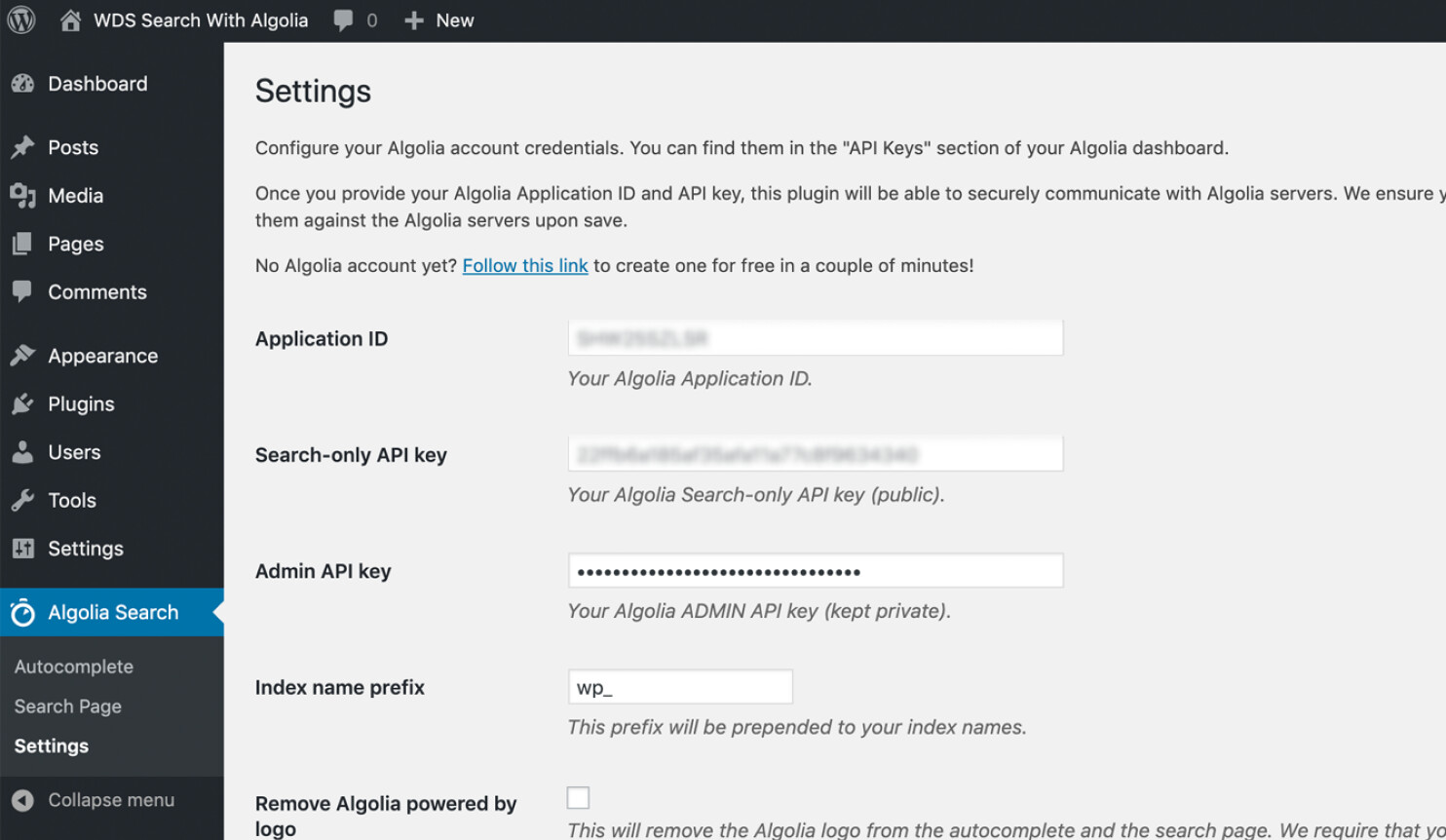
Even without the code from the linked solution, the Algolia plugin works with HivePress. Please ensure that you have added the Application ID, Search API key, and all other required credentials:
Then go to the Search Page tab under WordPress Dashboard > Algolia Search and select “Use Algolia with the native WordPress search template.”
After that, go to the Autocomplete section and configure it for listings. You will likely be prompted to reindex posts, please click Yes. Once reindexing is complete, the autocomplete should work as intended.
Thank you both. Now I’m really confused because now it works, kind of.
I added the snippets and everything worked except that the results would only show 3 hits per page. So, I deactivated the plugin. Working with Hivepress alone search it went back to showing 20 hits per page (this is what I desire).
I then looked over the snippets and couldn’t find anything in them that would limit the display to 3 hits per page.
Then I deactivated the snippets and reactivated the Algolia Search plugin, and surprisingly, it still worked, but only showing three hits per page, still. I guess as ksenila suggested, it looks like it actually works out of the box with no snippets or additional code needed.
There’s no settings on the dashboard for the Algolia plugin to designate the number of hits per page. However, in the Algolia.com dashboard there is a setting. The default is 20. I set this number at different levels but it seemed to have no effect on the results. Even when I set it at one I it still displays 3 hits per page.
Any explanations or suggestions on why with Algolia activated I only see three hits per page but I see 20 without it activated?
Please configure the number of results displayed in the autocomplete dropdown under Algolia Search > Autocomplete > Listings > Max. Suggestions: Loom | Free Screen & Video Recording Software | Loom. This setting controls how many listing suggestions are shown when users perform a search.
Changing that number only changes the maximum number of items that appear below the search block as you’re typing. When you hit “search” to display the listings, it still only displays 3 per page.
Apologies for the misunderstanding, and thank you for the clarification.
I wasn’t able to find any settings that control this behavior either. In this case, I would recommend reaching out to their support team, as this falls within the scope of their functionality and they should be able to provide more specific guidance or suggest the appropriate configuration.
Thank you, ksenila. I was thinking the same thing as I was typing my last comment (this is a question for Algolia, not Hivepress). I’ll post what I find out here so others in the future will know. You’ve gone beyond the call of duty. Thank you.